



Gesello has 34 modules for everything you calculate at the machine, at the inspection bench and at vocational college. Every module shows you the result, a sketch and, if you want, the calculation steps. Here you can see what is in each module, with real images from the app and a practical example.
Tolerances and inspection
Does the part fit or not? Here you get limits of size, tolerance zones and measured values you can use directly on the workpiece.
ISO fits
FreeCalculated, not looked up: limits of size for any nominal size.
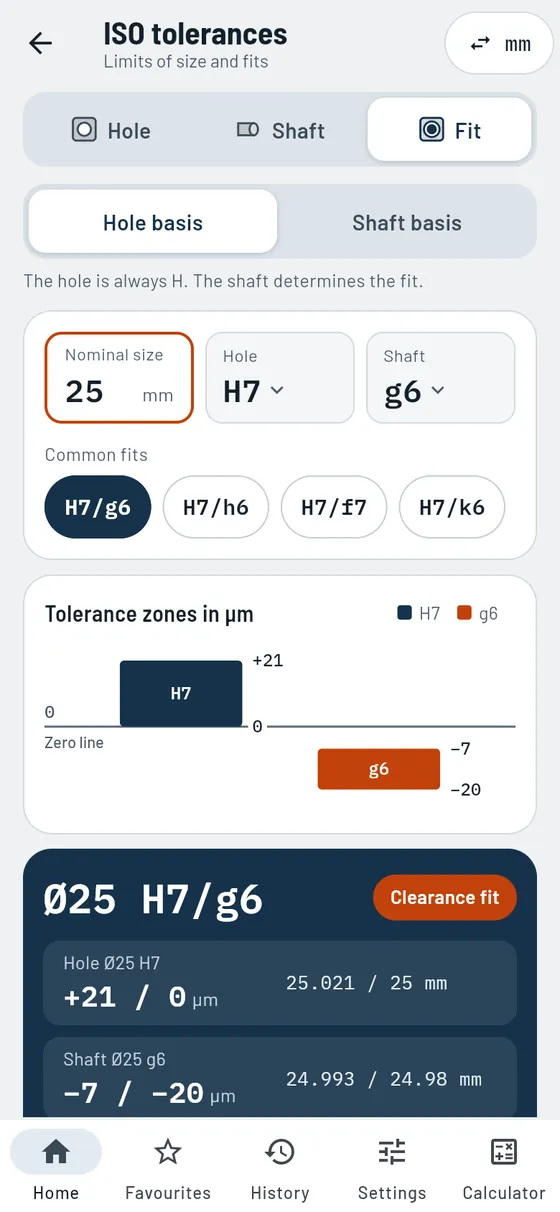
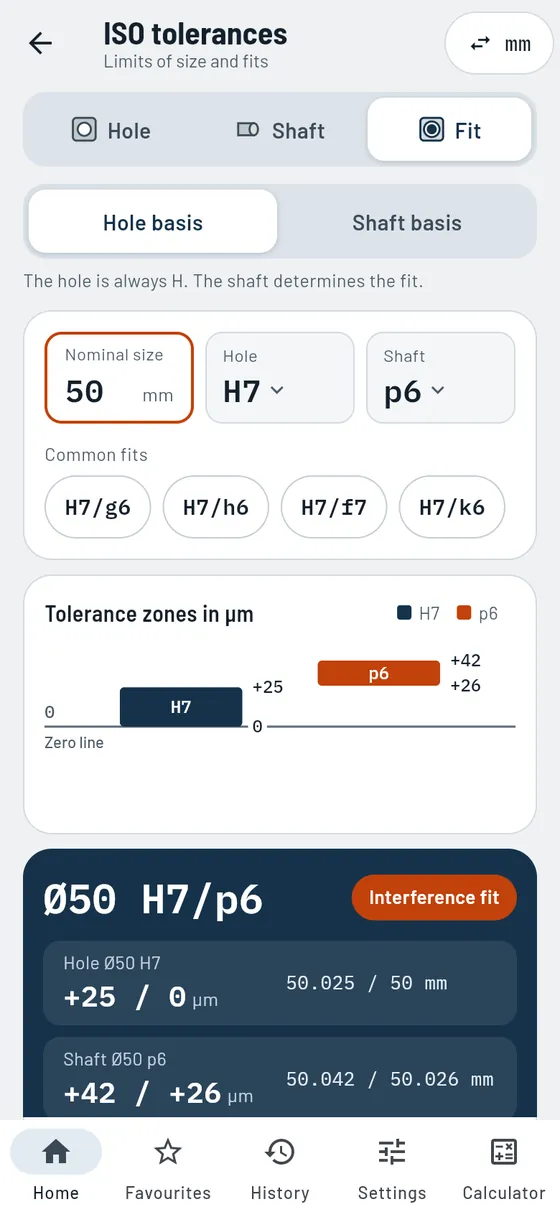
Hole and shaft have to fit together. But how much play is left? You type in size and fit, Gesello calculates the maximum and minimum limits of size and shows the tolerance zones as a graphic. So you can see at a glance whether it will be a clearance, transition or interference fit. The deviations do not come from a copied table: Gesello calculates them from the basic formulas for tolerance grade and fundamental deviation. That is why any nominal size up to 3150 mm works with any tolerance class.
- Real calculation
Tolerance grade and fundamental deviation from formulas, not read from table steps. - Hole, shaft or fit
Check a single part or look at both mating parts together. - Hole-basis and shaft-basis system
Both systems via a switch, the most common fits with one tap. - Tolerance zones as a graphic
To scale relative to the zero line: does it bind or is there play? - Calculation steps you can follow
Every value with the numbers filled in. Ideal for exam practice.
Also in the module
- Mid-toleranceThe size to aim for at the machine, with calculation steps.
- Standard tolerance ITThe width of the tolerance zone is shown right next to every class.
- Common classesCommon classes for hole and shaft with one tap.
- Choose any classSet letter and IT grade separately, with a preview of the deviations.
- Clearance and interferenceMaximum and minimum clearance or interference directly in µm.
- Build a fitFrom a single part to the complete fit with one tap.
- Joining temperatureHow hot the hub or how cold the shaft has to get.
- Heat and cold sourcesFrom hot plate to liquid nitrogen, with guide values and safety notes.
- Nominal size in inchesWith the inch setting you type in inches; the calculation is done in mm.
- Formulas for referenceAll formulas for limits of size and fits, with legend.
Formula, worked example and common mistakes
A bush must sit tightly in the housing. The drawing says Ø50 H7/p6.
50 H7/p6- Type of fit
- Interference fit
- Hole
- 50.000 … 50.025 mm
- Shaft
- 50.026 … 50.042 mm
- Interference
- 1 … 42 µm
So the bush is pressed in, not slid in.

General tolerances
FreeThe right limits for every dimension without a tolerance.
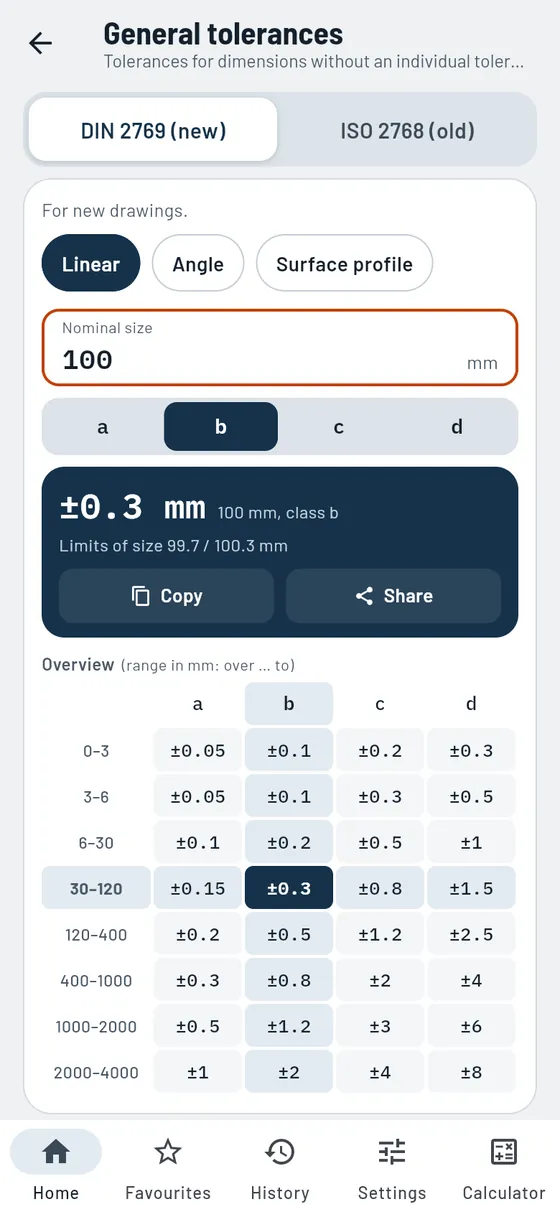
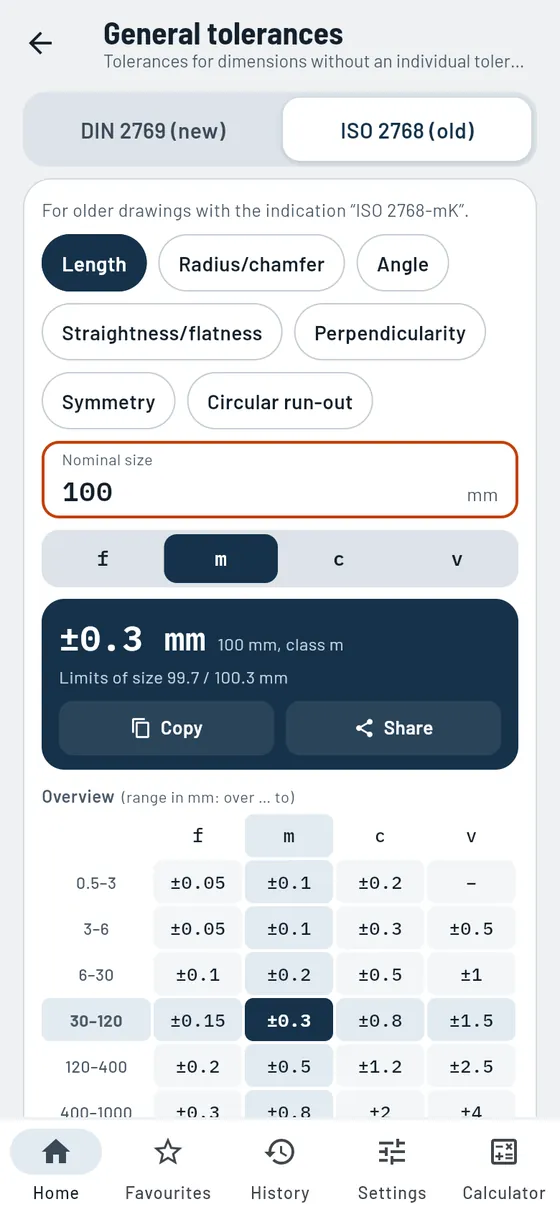
On most drawings, only some dimensions have their own tolerance. For all the others, the note in the title block applies. Gesello tells you which deviation is allowed for your dimension. That works with new and older drawings.
- New and older drawings
Current system and the familiar classes f, m, c, v in one module. - Lengths, radii, chamfers, angles
Type in the dimension, read off the limits of size. - Form and position without a callout
Straightness, flatness, perpendicularity, symmetry and circular run-out. - Overview table
All classes and ranges, with your value highlighted.
Also in the module
- Surface profileNew system: one value for the whole part.
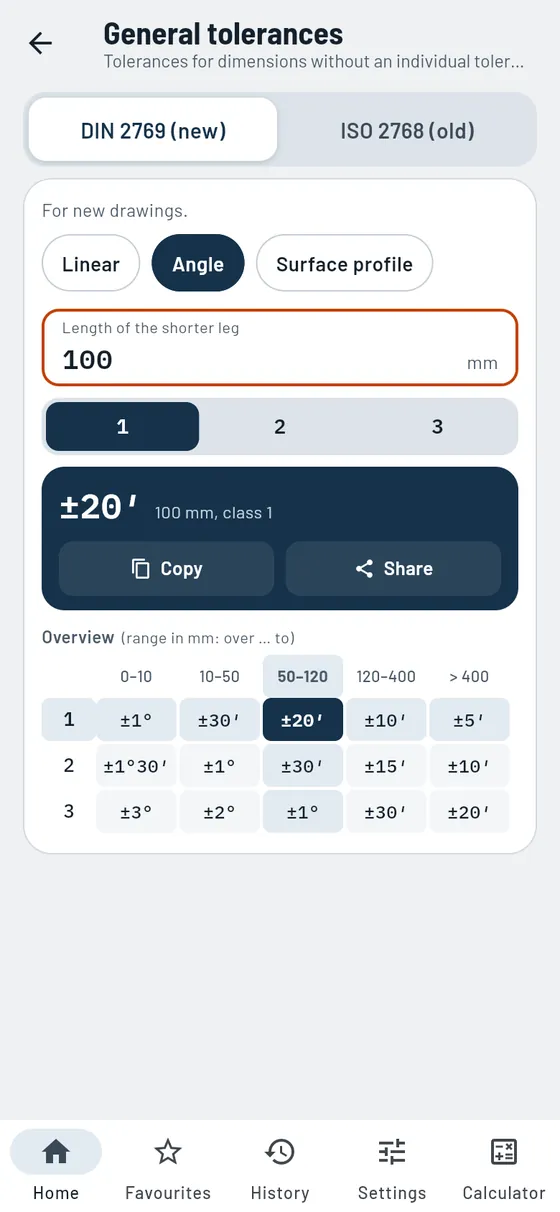
- Angles by leg lengthPermitted deviation in degrees and minutes, depending on the shorter leg.
- Clear message at the edge of the tableSize too large or too small? Gesello tells you the valid range.
Formula, worked example and common mistakes
The title block says tolerance class b. The 100 mm dimension has no tolerance of its own.
100 mmClass b- Allowed
- ± 0.3 mm
- Limits of size
- 99.7 … 100.3 mm

Form and position
FreeRead and understand tolerance frames, with pictures.
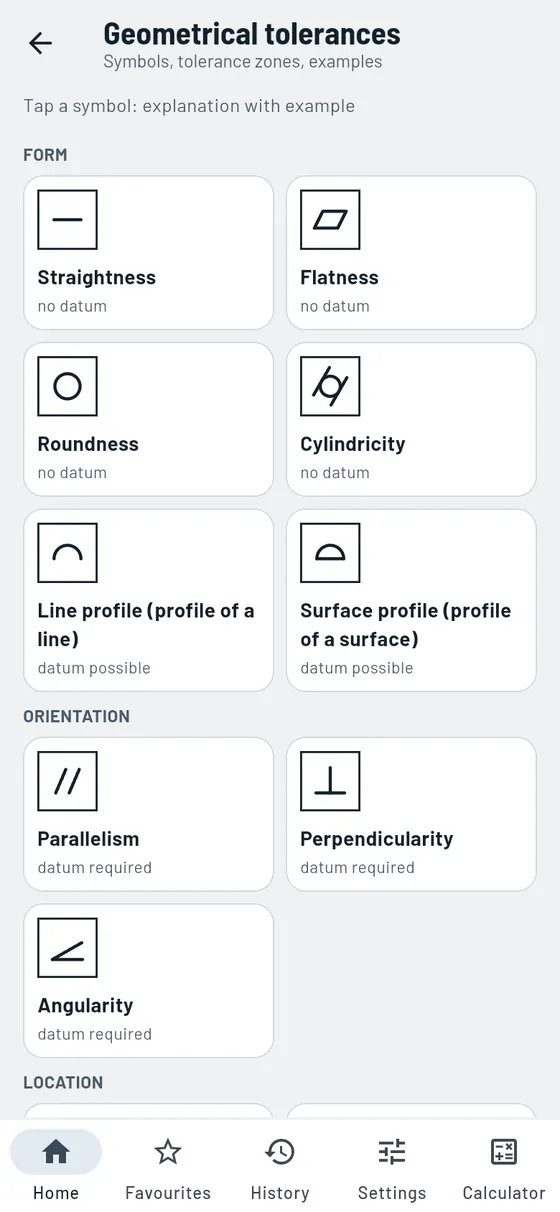
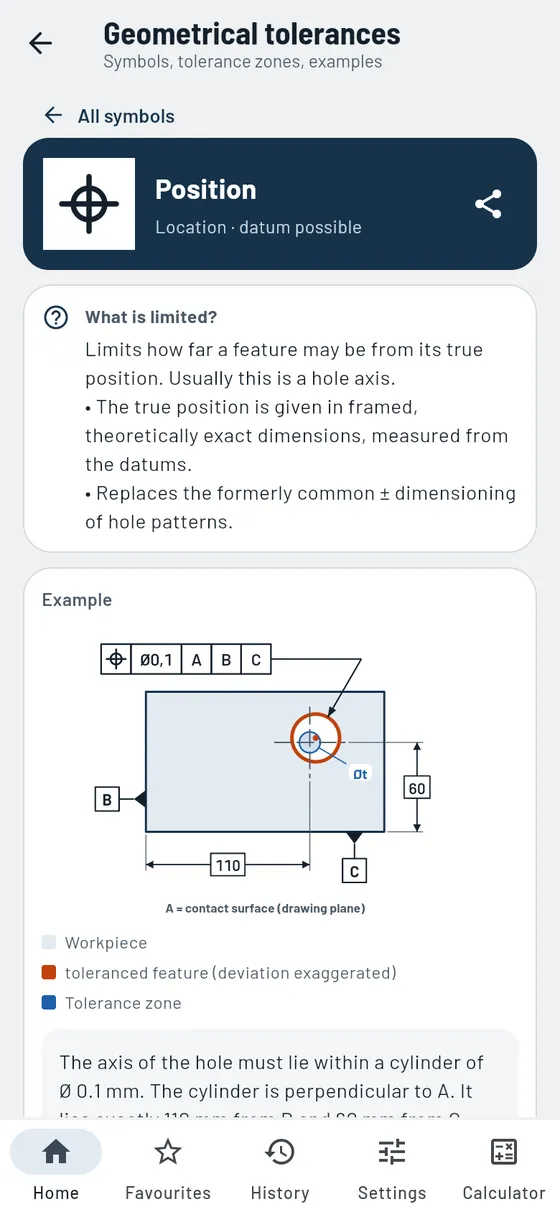
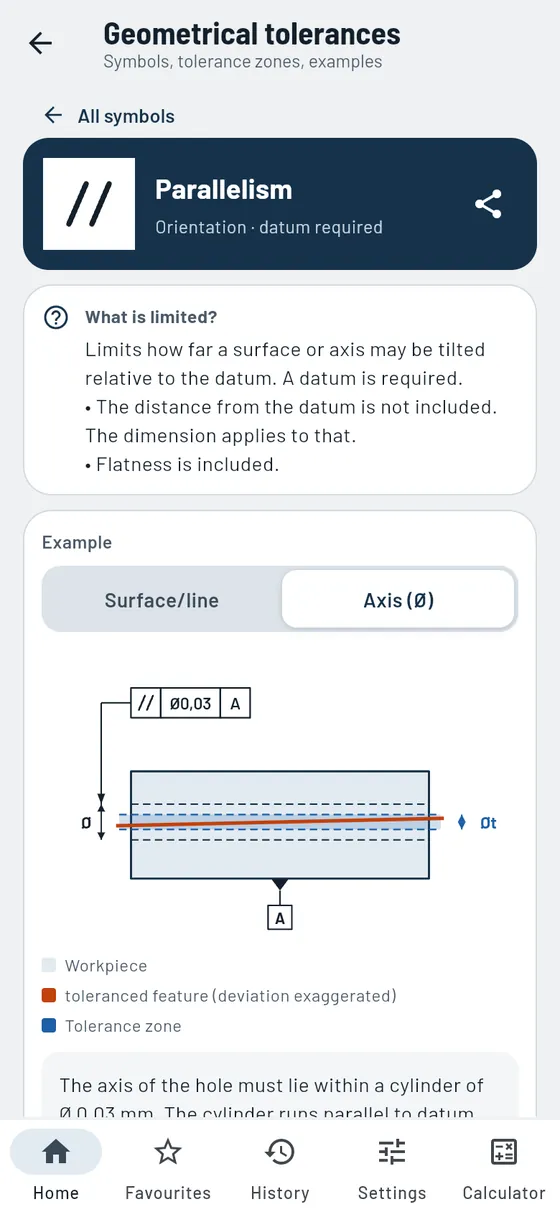
A tolerance frame says a lot with just a few characters. Gesello explains all 15 symbols: what is being limited, what the tolerance zone looks like and how you check it in the workshop. Every symbol has its own example sketch.
- All symbols at a glance
Form, orientation, location and run-out, each with a note on whether a datum is needed. - Tolerance zone as a sketch
The deviation is exaggerated so you can really see it. - How to check it
A short explanation of how to measure the feature in the workshop. - Calculate position deviation
Instant pass or fail from Δx and Δy.
Also in the module
- Reading the tolerance frameWhat each field means: symbol, tolerance and datums in order.
- Datums and modifiersEnvelope requirement, maximum material, projected zone, free state and more.
- Independency principleWhy size and form tolerances each apply on their own.
- Several examplesRadial or axial, surface or axis: switchable where it makes sense.
- Position calculator with formulaFormula and legend for position deviation, result ready to copy and share.
Next to a hole is the frame “Position Ø0.1 | A | B | C”. What does it mean?
Tap Position- Meaning
- Axis lies within a cylinder of Ø0.1 mm
- Datum
- Surfaces A, B and C

Measuring & inspection
ProKnow your measuring equipment, measure correctly, evaluate measurement series.
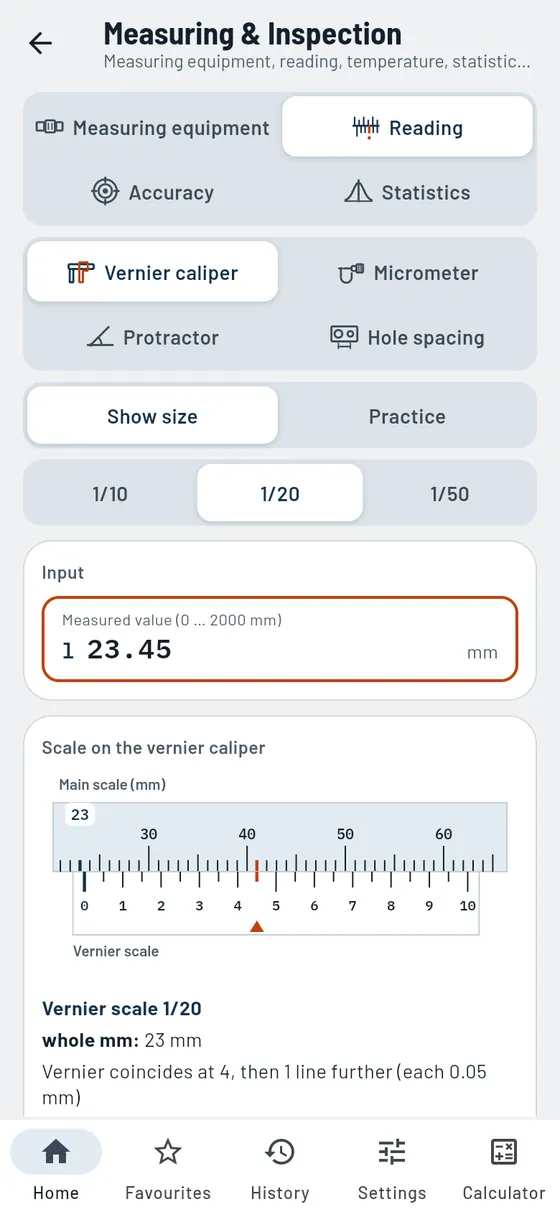
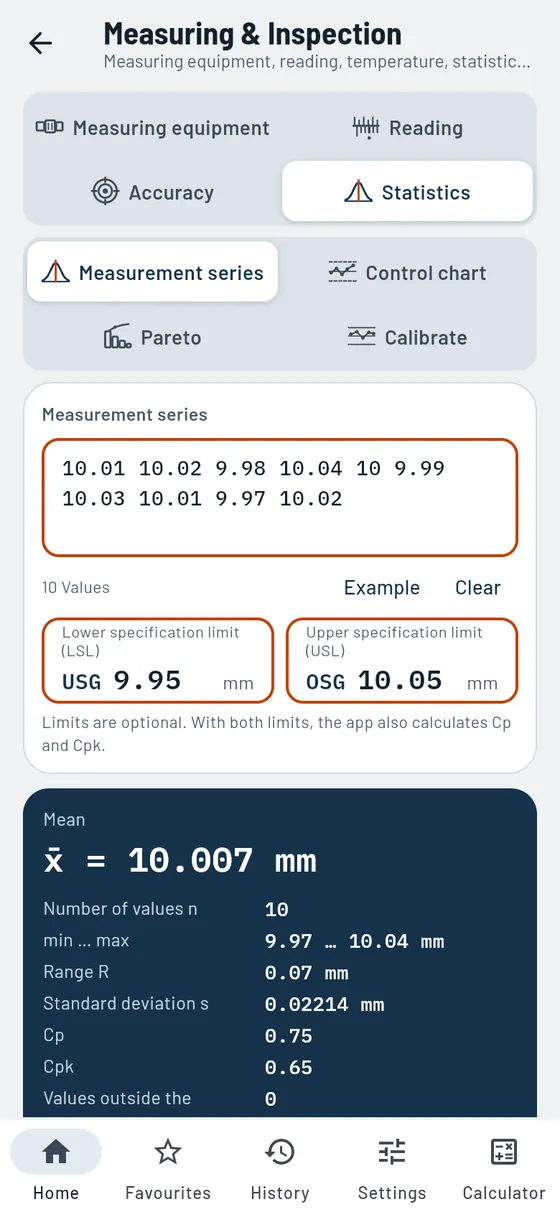
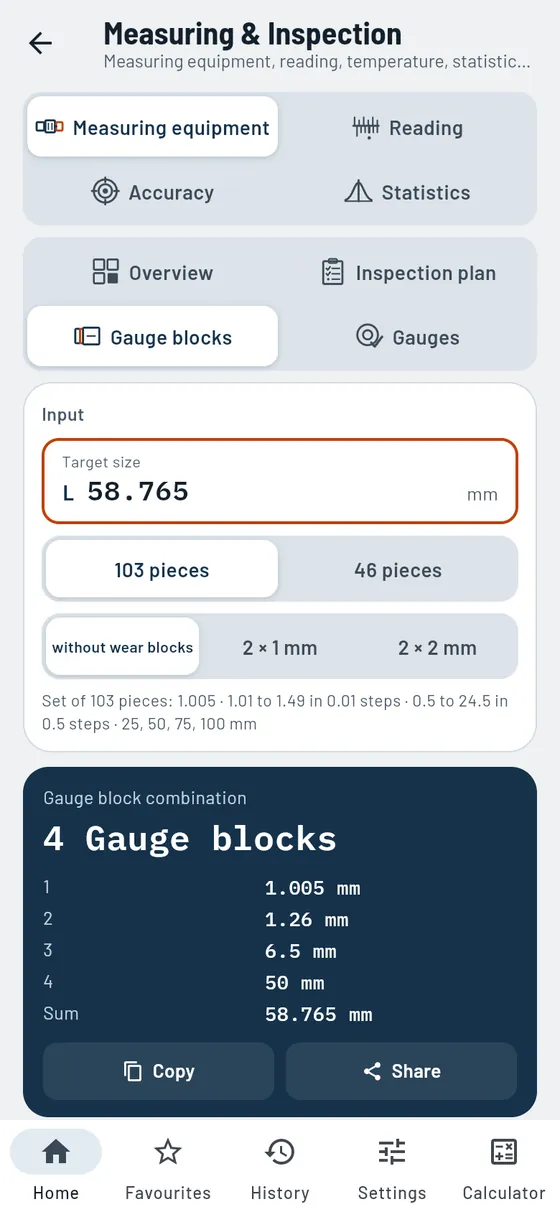
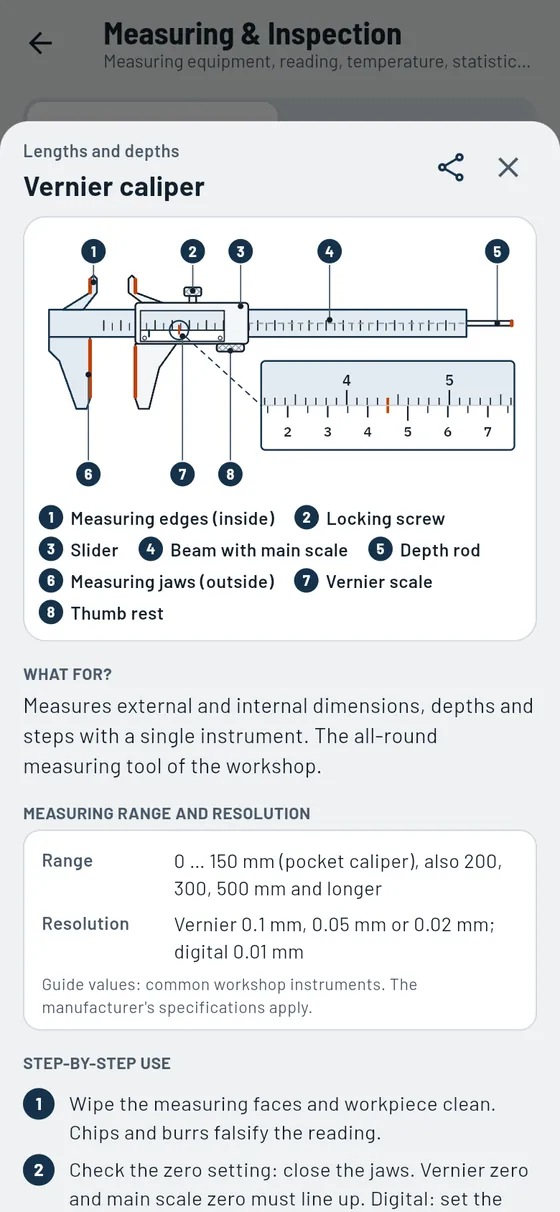
Good parts need good measurements. Here you practise reading vernier calipers and micrometers, correct for temperature and check whether your measuring instrument suits the tolerance. For quality inspection, you evaluate entire measurement series.
- Measuring equipment at a glance
Over 20 measuring and inspection tools with a drawing to scale, correct use and typical mistakes. - Vernier caliper and micrometer
Scale with coinciding line, plus a practice mode with random exercises. - Correct for temperature
Warm workpiece? Gesello converts back to 20 °C. - Is the instrument suitable?
The golden rule with a clear rating. - Statistics with Cp and Cpk
Paste a measurement series, read off the trend and capability. - Combining gauge blocks
The right blocks for your target size.
Also in the module
- Inspection planEnter dimensions with tolerance; suitable measuring equipment and gauge are suggested.
- GaugesPlug gauge, snap gauge and thread gauges: good, rework or scrap.
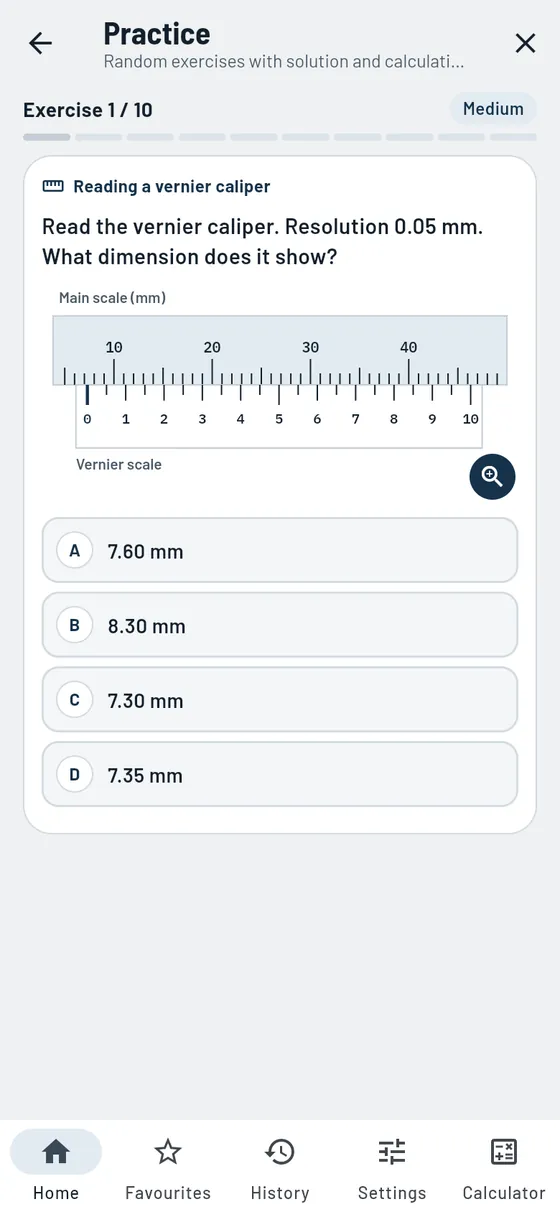
- Three vernier typesRead vernier calipers with 1/10, 1/20 and 1/50 mm.
- Structure of the micrometerLabelled graphic and enlarged scale for the reading.
- ProtractorRead the universal bevel protractor with angular vernier to 5′, with practice.
- Hole spacingCentre distance of two holes from the outside or inside measurement.
- Test indicatorCorrected reading with an inclined stylus, plus the hysteresis.
- RoundnessTwo-point or three-point measurement: what does each method detect?
- Control chartSamples as an x̄-R chart, trend and run assessed in words.
- Pareto analysisDefect types sorted, with cumulative curve and 80/20 note.
- Calibration recordTarget and actual, deviation and correction with traffic-light rating, ready to share.
Ten shafts from the batch have been measured. Is the process capable?
10 measured valuesLimits 9.95 / 10.05- Mean
- 10.007 mm
- Cp
- 0,75
- Rating
- Improve the process

Tolerance stacks
ProIs there enough play left at the end? Calculate it.
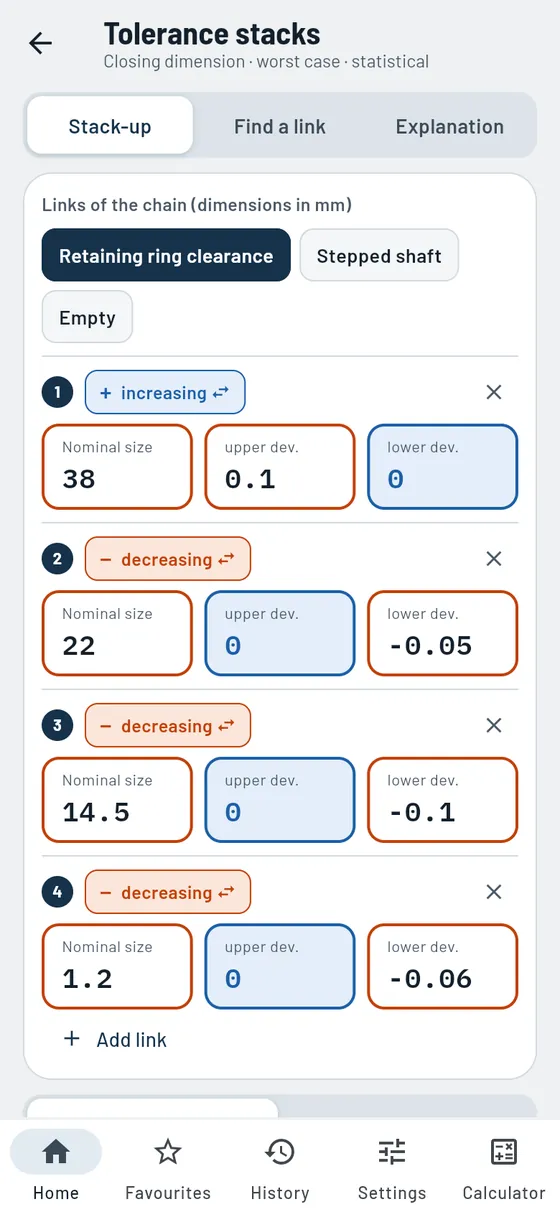
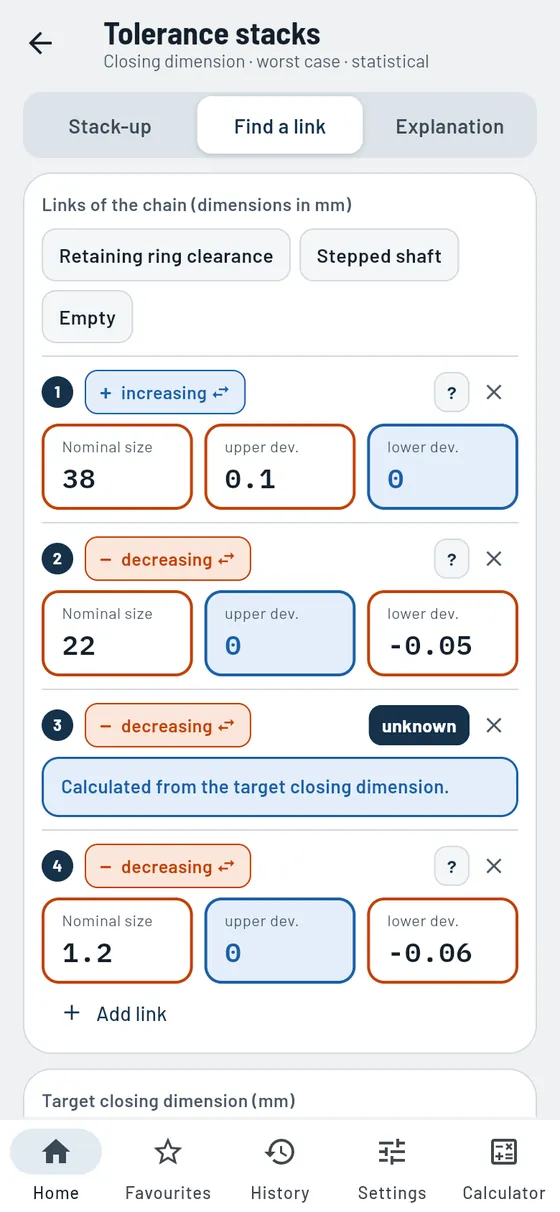
Several toleranced parts in a row produce a closing dimension, for example the clearance at the retaining ring. Gesello calculates the maximum and minimum value and shows the stack as a sketch. It also works the other way round: what tolerance may a part have?
- Enter links
Dimension, deviations and direction, as many links as needed. - Worst case and statistical
Both methods compared. - Unknown link
Allocate tolerance to a part that is still open. - Stack as a sketch
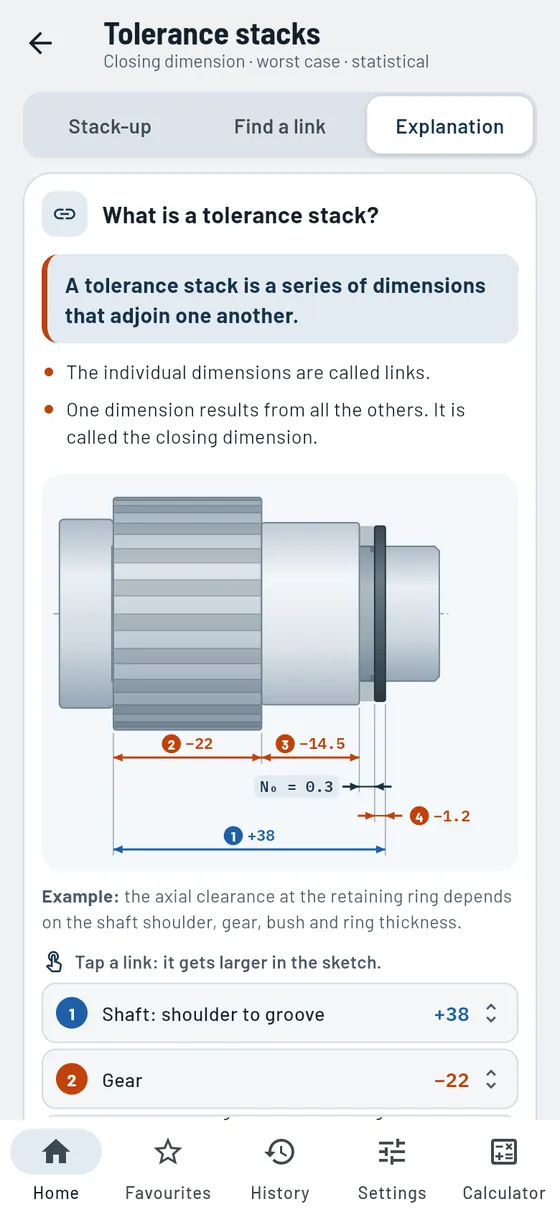
Arrows with plus and minus, the closing dimension highlighted.
Also in the module
- Increasing or decreasingSwitch the direction of each link with one tap.
- Allocate toleranceEqually, by size or as the remainder on the unknown link.
- Ready-made examplesRetaining ring clearance and stepped shaft to try out.
- Range of the closing dimensionMaximum and minimum size as bars, worst case and statistical.
- Calculation steps with checkMean deviations and tolerance step by step, with a check.
- Explanation with component sketchShaft, gear, bush and retaining ring with chain members you can tap. Terms with example values, worst case and statistical calculation explained simply.
Bearing, sleeve and retaining ring sit on a shaft. Does the ring still have clearance?
4 links with deviations- Closing dimension
- 0.30 … 0.61 mm
- Tolerance
- 0.31 mm

Threads and fasteners
From tap drill to tightening torque: everything you need for screws, threads and standard parts.
Threads
FreeEvery dimension calculated, even for threads that are in no table.
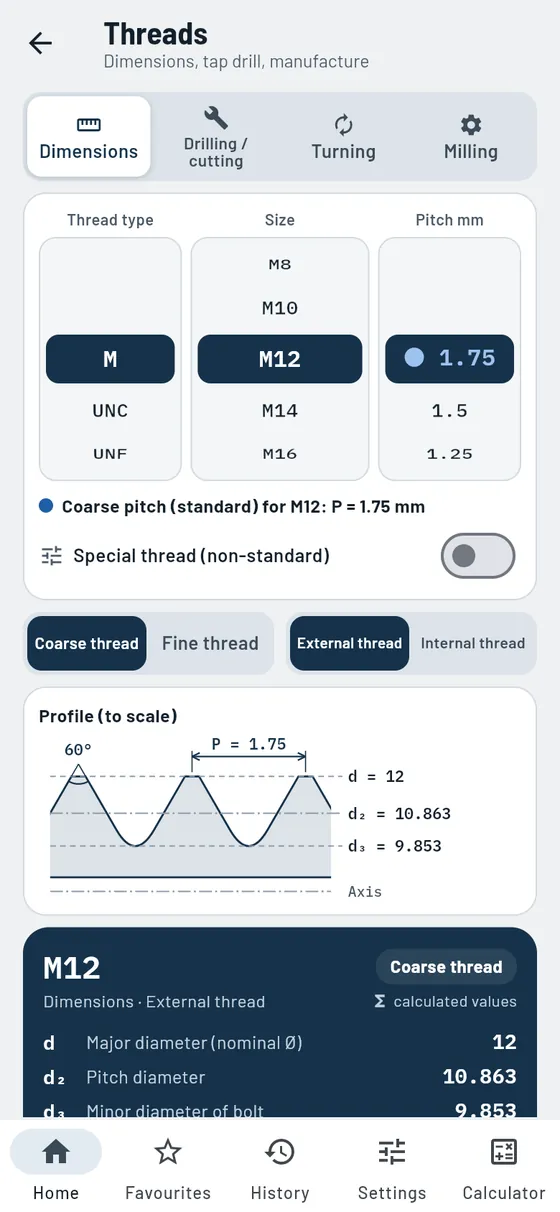
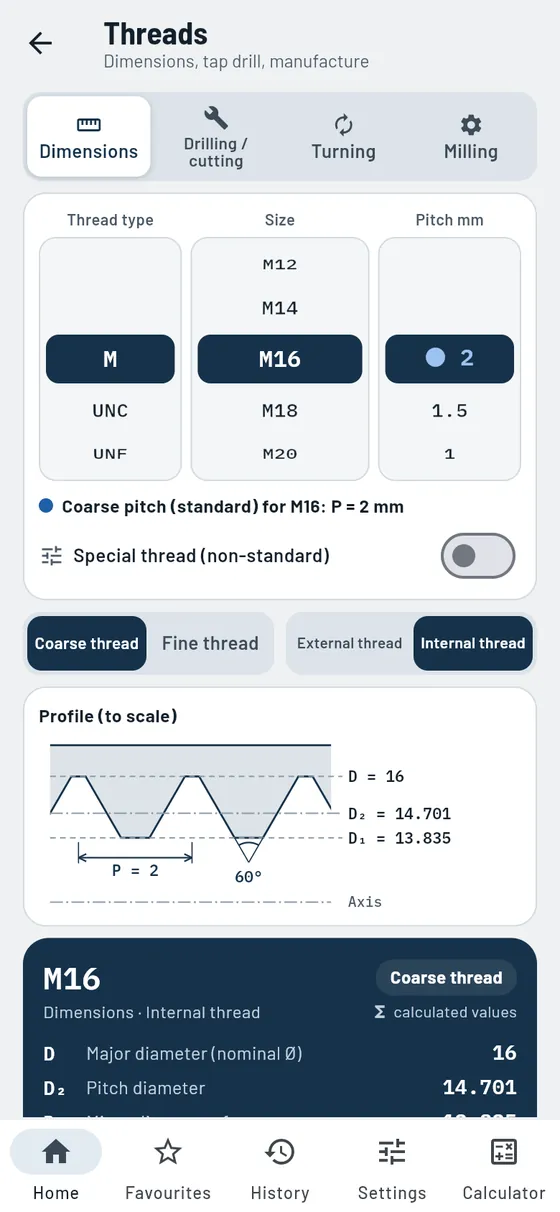
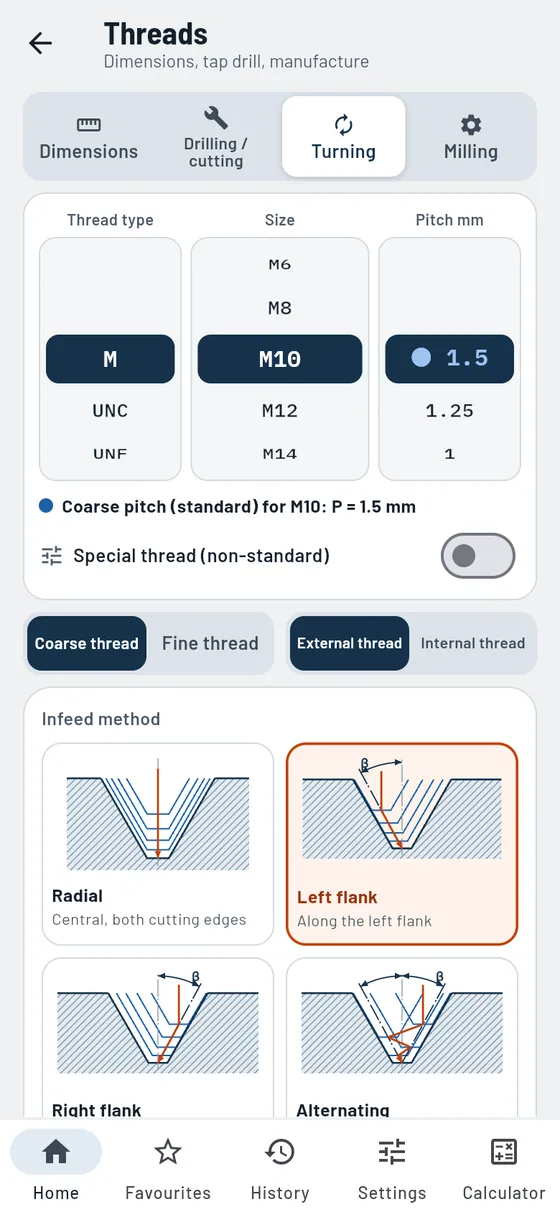
You set thread type, size and pitch on three dials, much like a combination lock. Gesello shows the profile to scale with all diameters. Below it, you see how to make the thread: drill and tap, form, turn or mill. Gesello calculates all values from diameter and pitch. That is why a special thread with its own diameter and pitch, which you won’t find in any table, works too.
- Six thread types
Metric coarse and fine, UNC, UNF, Whitworth, pipe and trapezoidal threads. - Calculated from d and P
Every dimension with formula and calculation steps, also for special threads. - Profile to scale
External and internal threads with all dimensions. - Tap drill and production
Drill, forming tap, countersink, infeed for turning, path for milling. - Relief groove
Dimensions and sketch for external and internal threads.
Also in the module
- Blind holeDrilling depth from thread depth, run-out and drill point, with a section to scale.
- Short designation from the drawingCreate or read callouts like “M8×12/16” and apply them.
- Thread run-outRun-out from the pitch, checked straight away in the blind hole.
- Choose the toolTap or die, matched to material, hole and machine.
- Tap typesAll designs with sketch, advantage, caution and chamfer form.
- Thread turningDepth after each pass, four infeed methods and values for the cycle.
- Insert inclinationThe lead angle, so that the insert cuts freely when turning.
- Thread millingMilling direction for right-hand and left-hand threads, internal and external, with sketch.
- Milling dataSpindle speed, feed at the contour and path of the cutter centre, with guide values.
- Stock and blankBlank Ø for turning and blank Ø for thread rolling.
- Tensile stress areaTensile stress area and minor cross-section for the strength calculation included.
- Formulas with pictureAll formulas from d and P, with a sketch you can enlarge.
- Jump to other modulesSpindle speed for the tap drill hole, engagement length and CNC cycle with one tap.
Formula, worked example and common mistakes
A steel plate needs an M16 thread. Which drill?
M16Internal thread- Tap drill
- Ø 14 mm
- for thread forming tap
- Ø 15.1 mm
- Countersink 90°
- to Ø 16 mm

Screws
FreeThe right tightening torque for your screw.
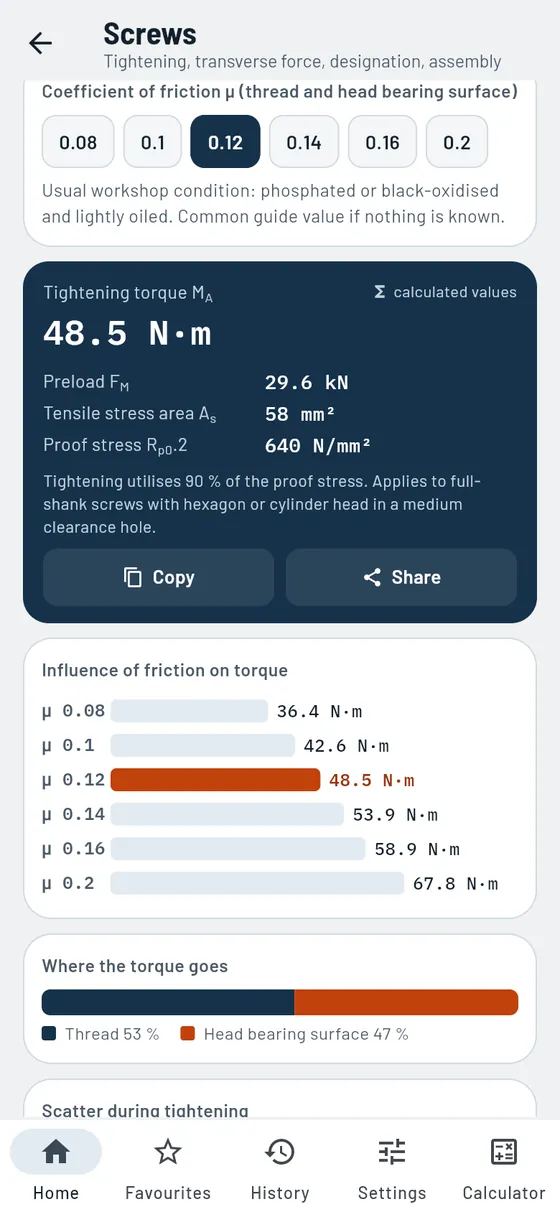
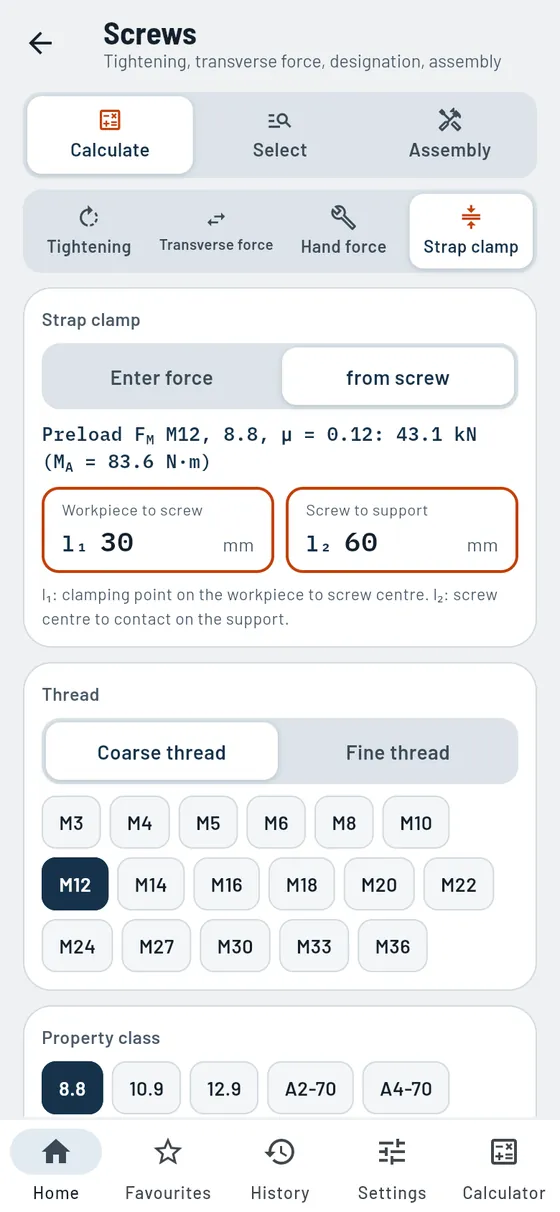
Too loose and it comes loose, too tight and it breaks. Gesello calculates the tightening torque from thread, property class and lubrication. A graphic shows how much friction changes the value. Plus transverse force, hand force, strap clamps, designations and assembly with sequence and locking.
- Tightening torque and preload
For steel 8.8 to 12.9 and stainless steel A2/A4. - Effect of lubrication
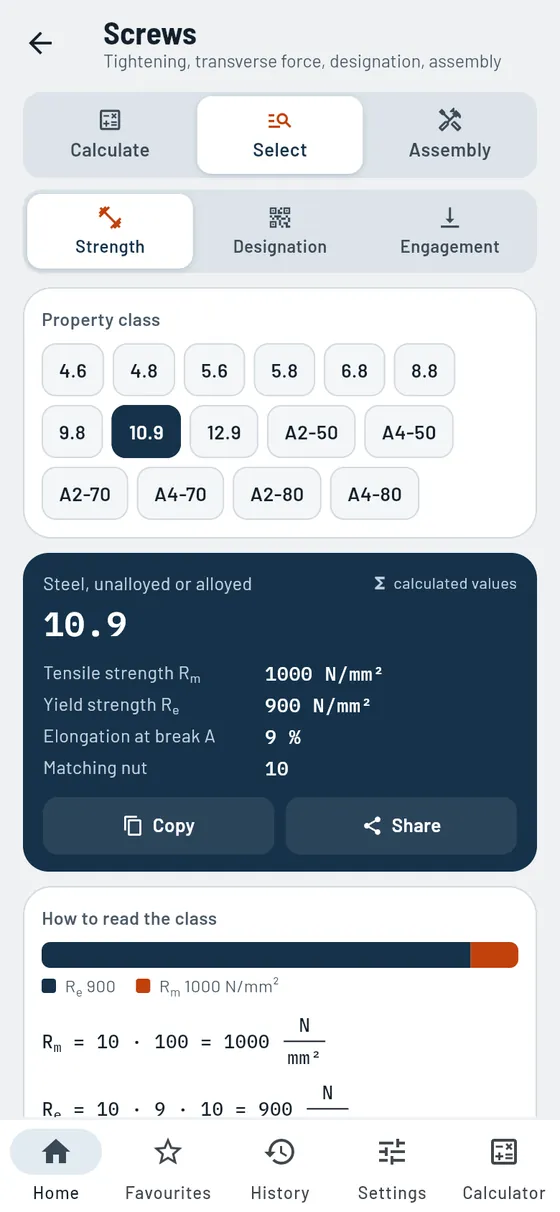
All friction coefficients compared as bars. - Reading property classes
What “8.8” means and which nut fits. - Engagement length
How deep the screw must go into steel, cast iron or aluminium.
Also in the module
- Where the torque goesShare for thread and head bearing surface as a graphic.
- Scatter when tighteningMinimum preload depending on the tightening method.
- Transverse forceDoes the joint hold by friction grip? With the required number of screws.
- Hand force on the spannerHand force or required lever length, plus tips on the torque wrench.
- Strap clampClamping force on the workpiece and load on the packing according to the lever principle.
- Decode designationScrew, nut or washer from the designation, with a sketch to scale.
- Thread depth in the componentEngagement length plus run-out: this is how deep the thread must be.
- Tightening sequenceSequence for circular and rectangular flanges; tap through screw by screw.
- Tightening in stagesTorques for each stage as guide values.
- Screw lockingAgainst settling, self-loosening or loss: what works and what does not.
Formula, worked example and common mistakes
Flange screw M10, class 8.8, lightly oiled. What do you set on the torque wrench?
M108.8µ 0.12- Tightening torque
- 48.5 N·m
- Preload
- 29.6 kN
- dry (µ 0.16)
- 58.9 N·m

Widths across flats
FreeWhich spanner, which stock?
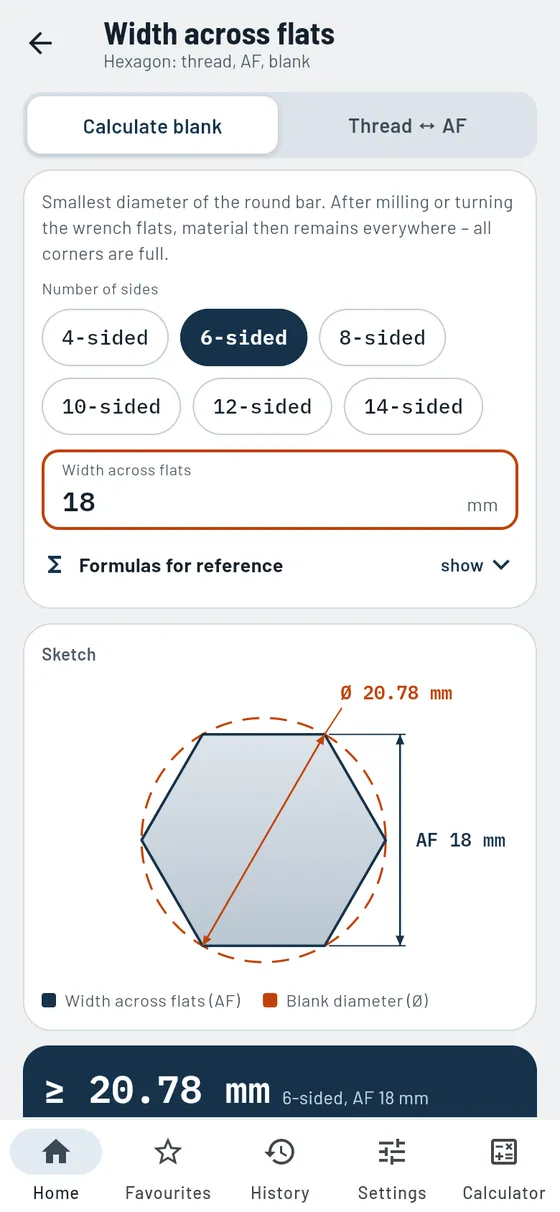
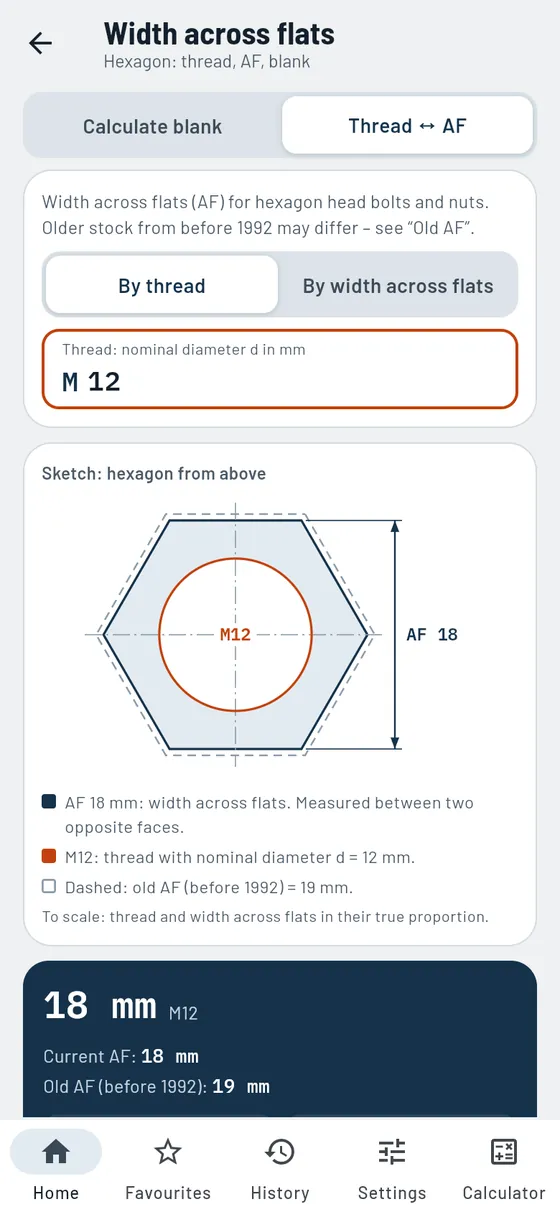
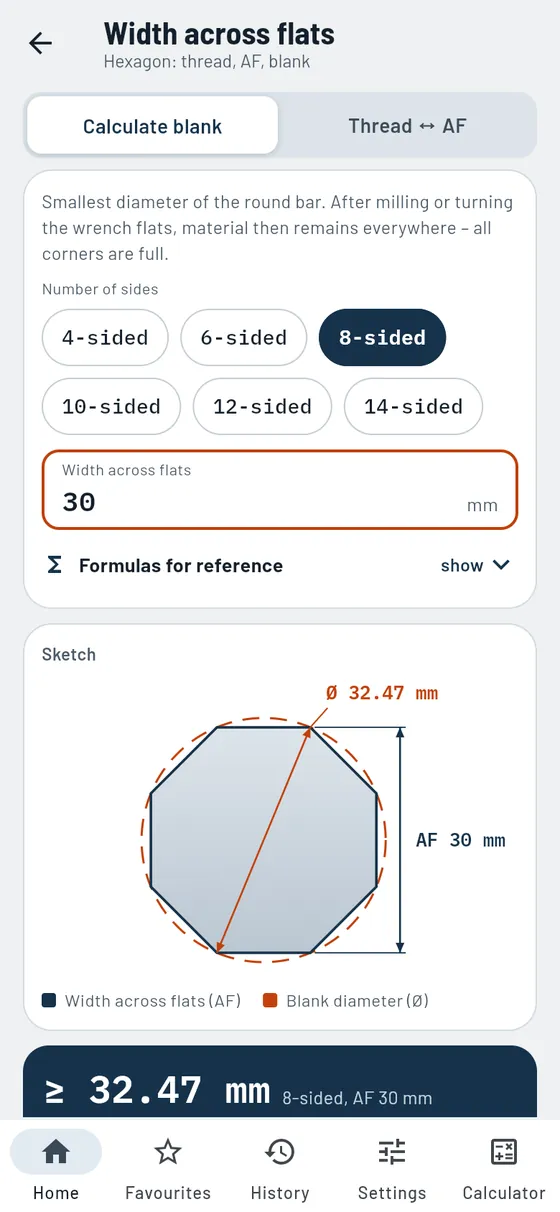
The right width across flats for every thread. Including the old one still found on many parts in stock. And if you mill a hexagon yourself, Gesello tells you the minimum diameter of the round bar.
- Blank for polygons
Square to 14-sided, with sketch. - Thread ↔ width across flats
New and old width across flats side by side.
Also in the module
- Search by width across flatsFrom spanner to thread: which thread goes with AF 17?
- OverviewAll threads with current and old width across flats in one table.
- Sketch with both widthsThe old width dashed, so you can see the difference.
You are milling a hexagon AF 18 from round bar.
HexagonAF 18- Round bar at least
- Ø 20.78 mm
Add a little allowance for machining.

Counterbores and clearance holes
ProSo the screw head sits flush.
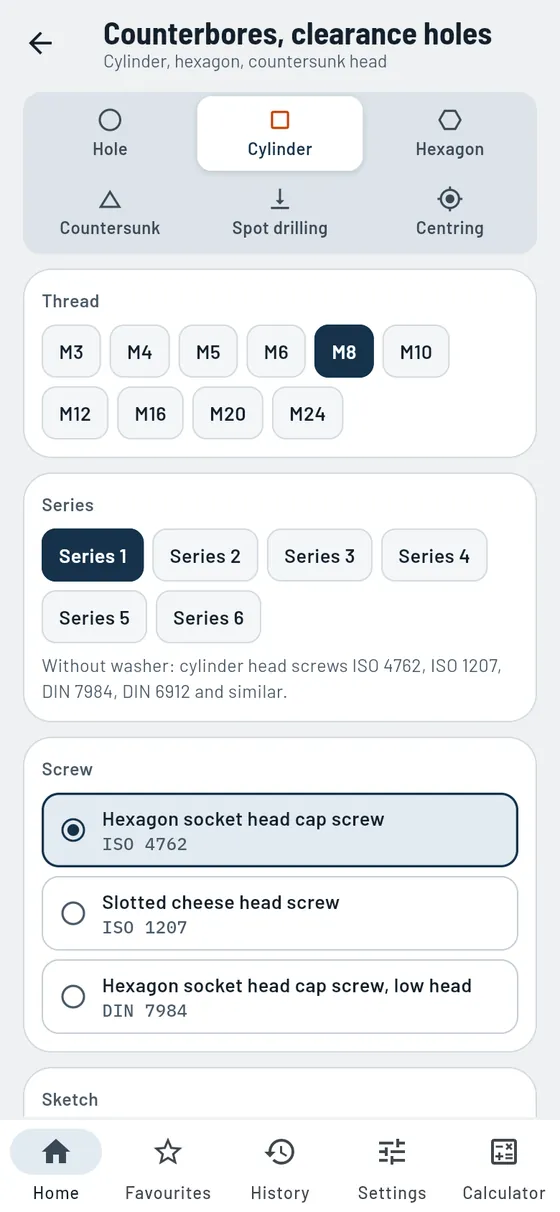
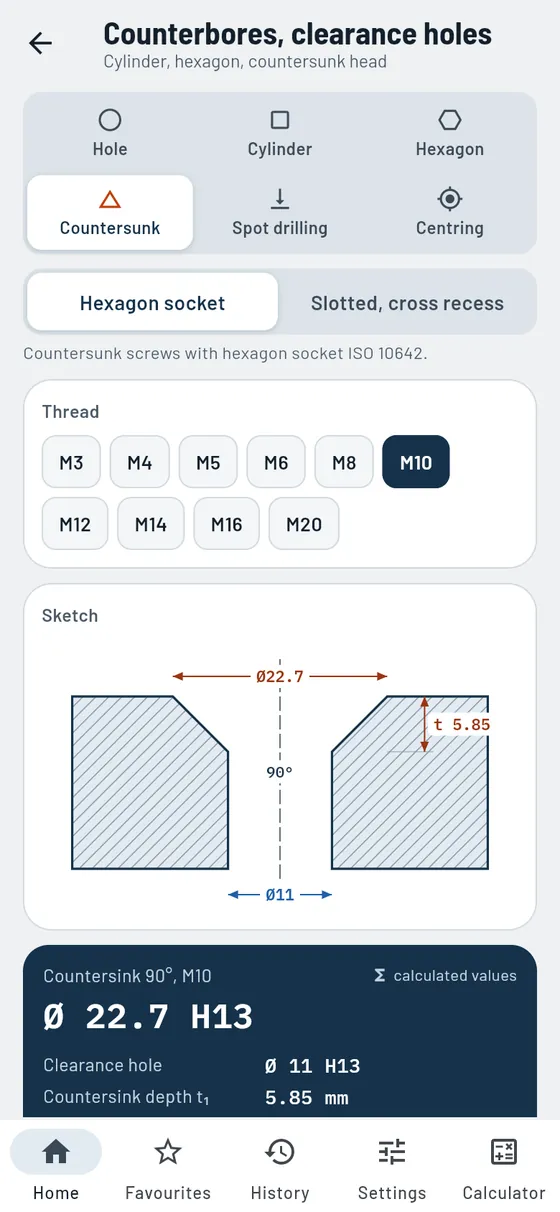
Clearance hole, counterbore diameter and depth for socket head, hexagon head and countersunk screws from M3 to M24. A section to scale shows how screw and counterbore fit together.
- Clearance holes
Fine, medium and coarse with tolerance. - Socket head
Counterbore to suit washer or spring washer, check the depth yourself. - Hexagon head
Room for a socket or ring spanner. - Countersunk head 90°
Countersink diameter and depth with calculation steps.
Also in the module
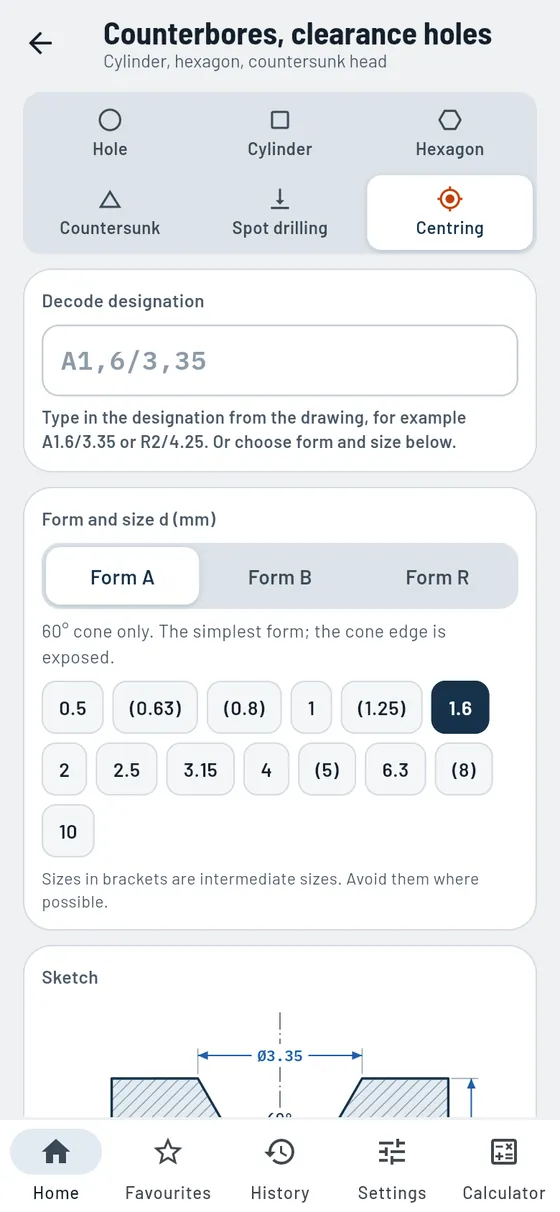
- Centre holeForm A, B and R with all dimensions and a section to scale.
- Centre hole designationDecode or create, plus the matching centre drill.
- Size from the shaft ØGuide value for which centre hole suits the shaft.
- Symbols in the drawingMust, may or must not remain, with a link to the drawing symbols.
- Spot-drilling a chamferPlunge depth Z of the NC spot drill from hole, chamfer and point angle.
- In reverse tooThe chamfer from the depth, with a check whether the spot drill is big enough.
A countersunk screw M10 with hexagon socket should sit flush.
Countersunk headM10- Countersink 90°
- Ø 22.7 mm
- Clearance hole
- Ø 11 H13
- Countersink depth
- 5.85 mm

Standard parts
FreeParallel key, retaining ring or O-ring: the right part.
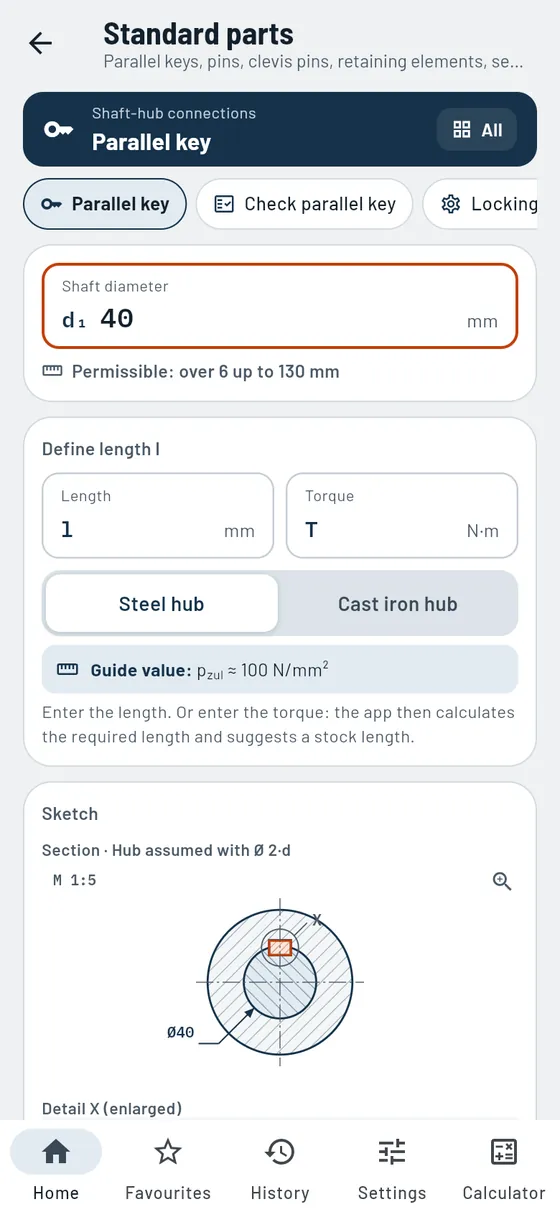
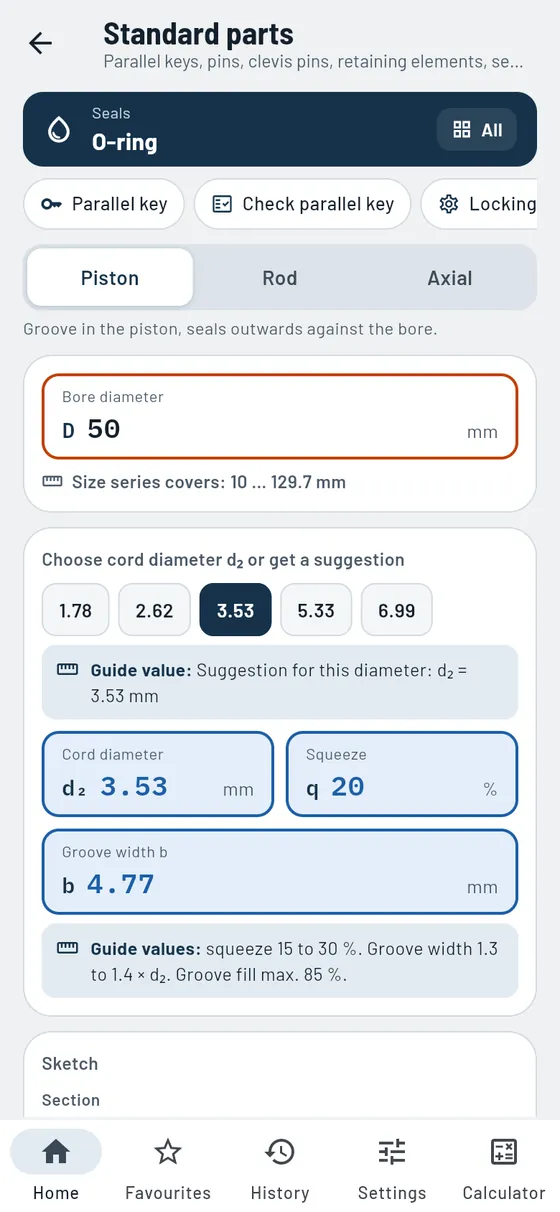
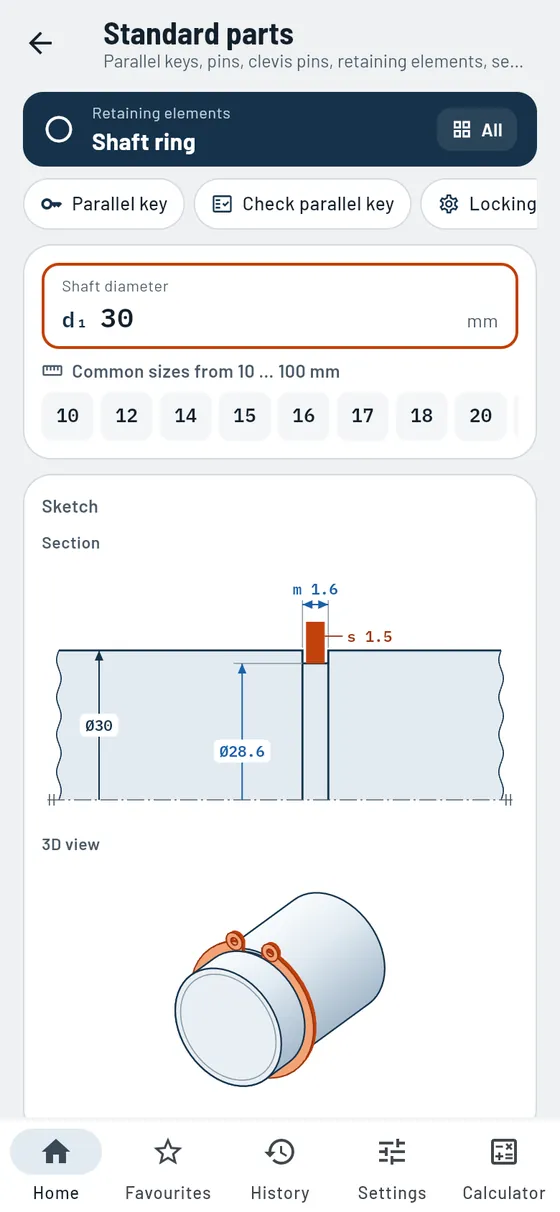
You know the shaft diameter and need the matching part. Gesello finds the parallel key, retaining ring or O-ring and also tells you what has to be made: groove, tool and check dimension. Plus pins, clevis pins with split pins and locking assemblies.
- Parallel key
Size from the shaft diameter, length from the torque. - What is being made?
Keyway in shaft and hub with tool and check dimension. - Retaining rings and washers
Groove dimensions with section and 3D view. - O-ring
Cross-section, squeeze, groove fill and groove dimensions.
Also in the module
- Order designationParallel key A b × h × l, ready to order.
- Check the parallel keyWill it hold the torque? Surface pressure on the hub, also in reverse.
- Sketches to scaleShaft, groove and hub in true proportion; tap to enlarge.
- Locking assemblyTighten crosswise in rounds and release correctly, with sketch.
- O-ring by installation typePiston, rod or axial: the matching ring with reasons and alternatives.
- PinsParallel, taper, spring and grooved pins: which for what, with hole specification.
- Clevis pin and split pinMatching split pin for the clevis pin, clevis joint as a sketch, installation in steps.
- Decode designationPin, clevis pin or split pin explained from the drawing or parts list.
A Ø40 shaft gets a parallel key. What do you mill?
Parallel keyØ 40- Parallel key
- A 12 × 8
- Keyway depth in shaft
- 5 mm
- Tool
- End mill Ø 12
- Check dimension
- 35 mm

Welding
ProSize the fillet weld, plan wire and time.
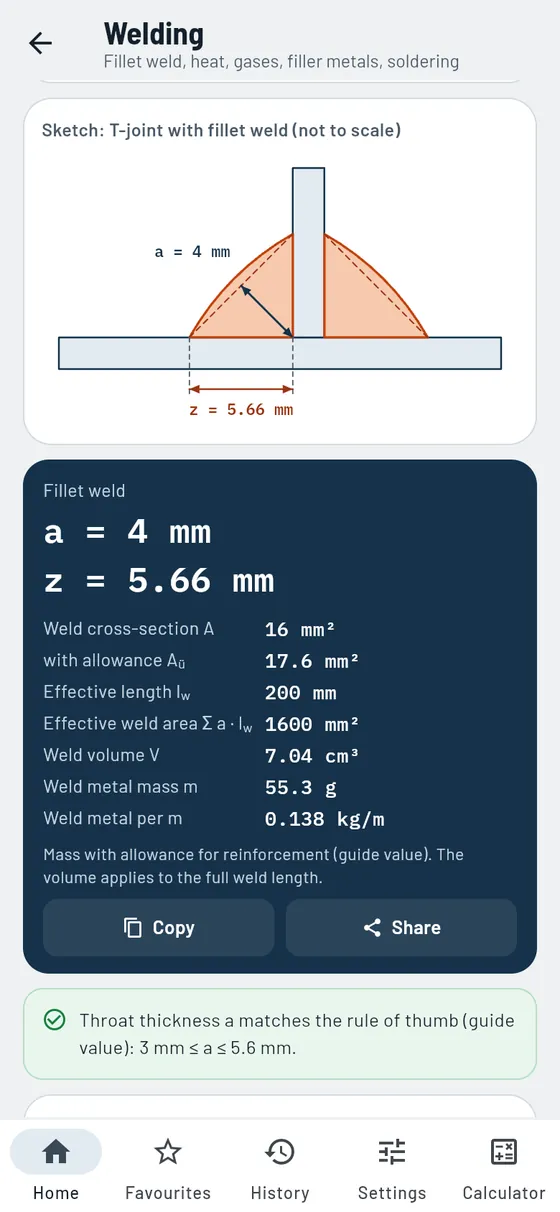
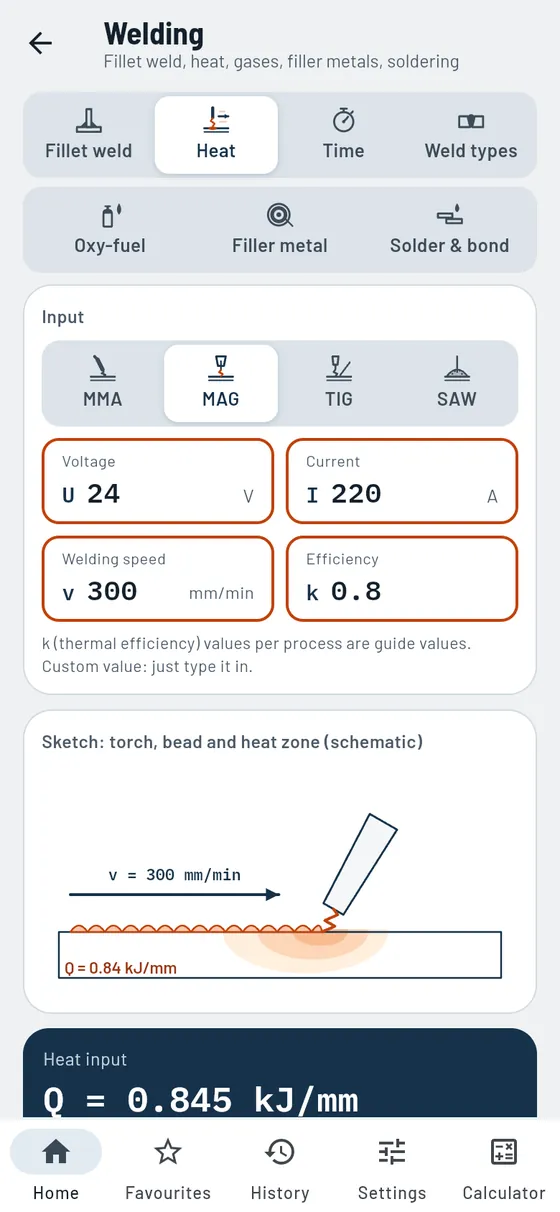
Throat thickness a or leg length z? Gesello calculates one from the other and checks it against the plate thickness. Plus weld volume, weld metal, heat input and welding time. Also: gas cylinders and flame cutting, filler metals, as well as soldering, brazing and adhesive bonding.
- Fillet weld
Throat thickness a and leg length z, weld volume and weld metal. - Strength
Stress in the weld and utilisation. - Heat
Heat input for MMA, MAG, TIG and SAW. - Time and wire
Arc time, welding time and filler metal. - Weld types
Cross-section and symbol for seven weld types.
Also in the module
- Weld endsEffective weld length with or without deduction for the end craters.
- Gas cylindersShoulder colour, cylinder and working pressure, connections.
- Gas torchSetup of the equipment, switching on and off as a checklist to tick off.
- Flame cuttingKerf and marking dimension for outer contour and cut-out, with guide values.
- Decode filler metalsDesignations like E 42 0 RR 12 explained field by field.
- Shielding gasesSymbols explained, gas flow as a guide value.
- Current for covered electrodesRule of thumb from the core wire Ø, with guide value table.
- Soldering and brazingSoft, hard or high-temperature: which process fits, with joint gap and procedure.
- Adhesive bondingLoading, design, surface preparation and curing briefly explained.
A bracket gets two fillet welds a 4, each 200 mm long.
a 42 × 200 mm- Leg length z
- 5.66 mm
- Weld volume
- 7.04 cm³
- Weld metal
- 55.3 g

Machining
Turning, milling, drilling: spindle speed, feed and everything you set on the machine.
- Cutting data
- CNC
- Indexable inserts Pro
- Cutting fluid Pro
- Taper turning
- Surfaces
- Bolt circles and hole patterns Pro
- Grinding wheels Pro
- Production planning Pro
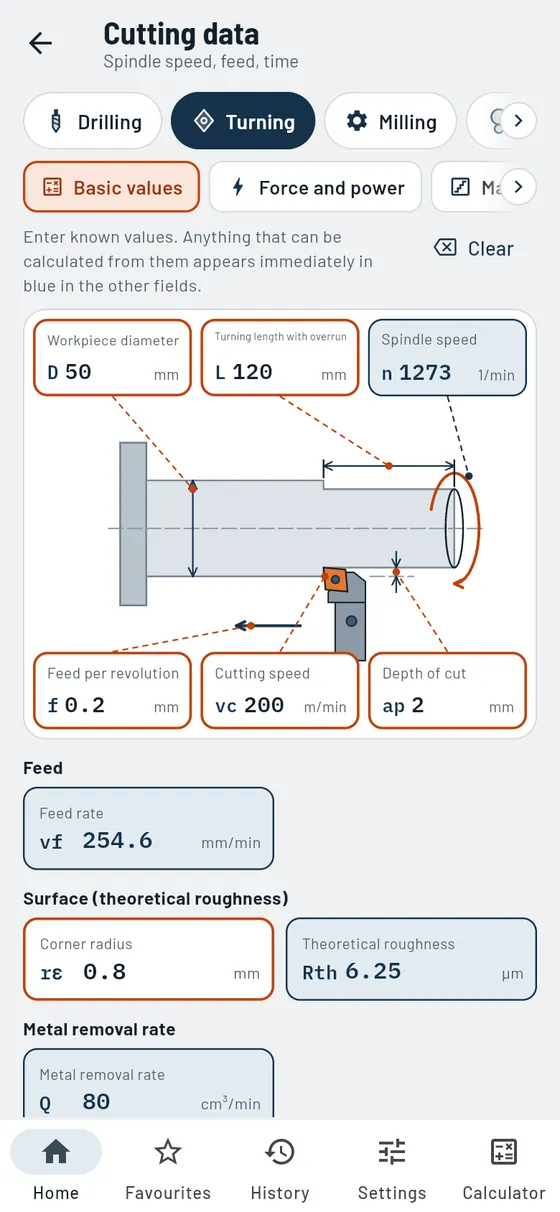
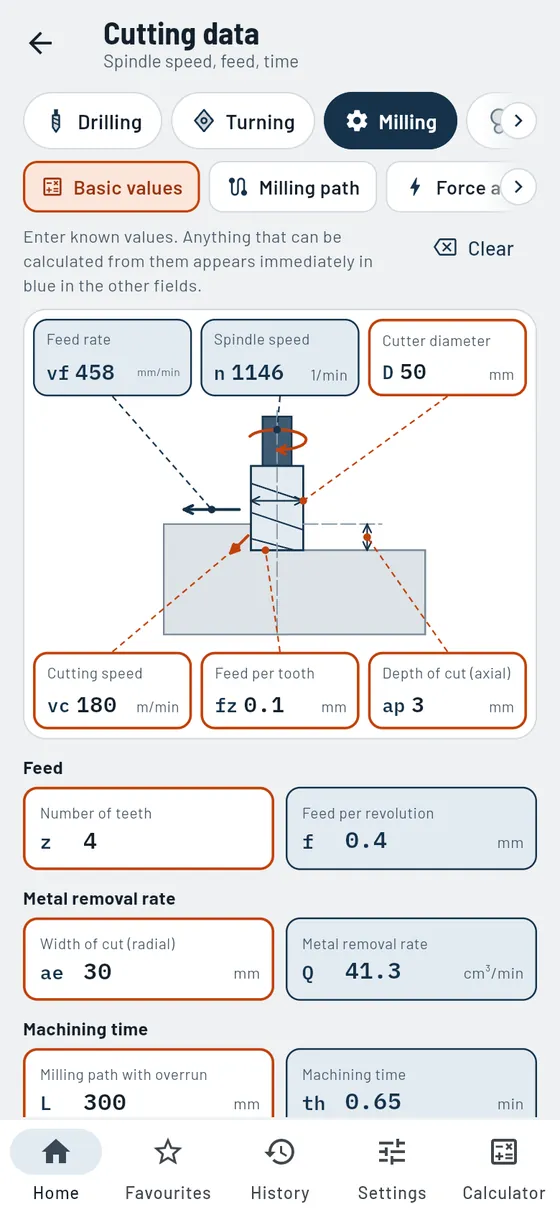
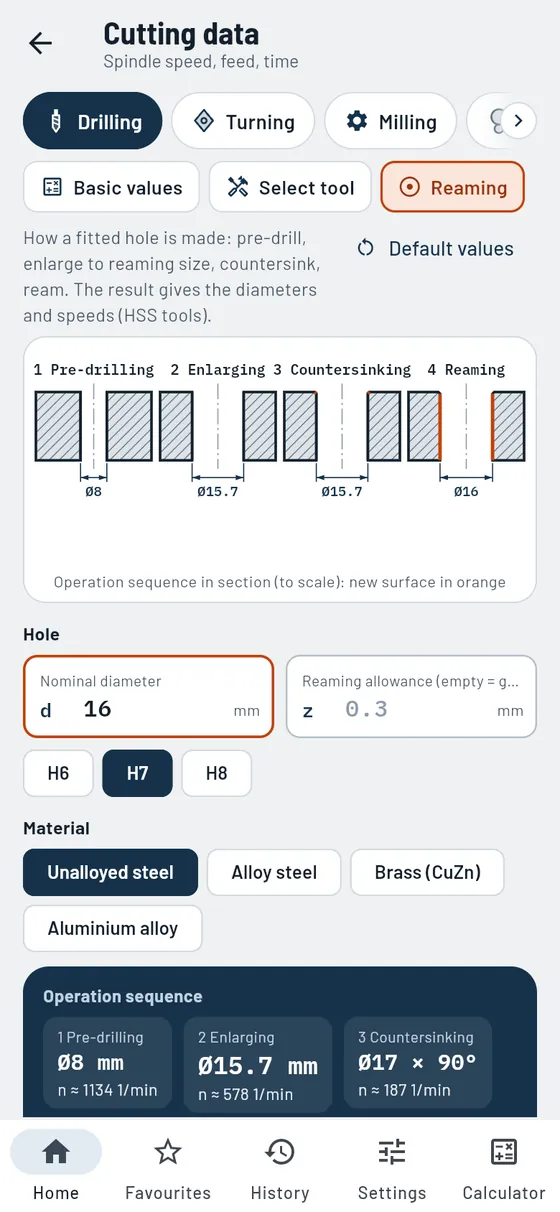
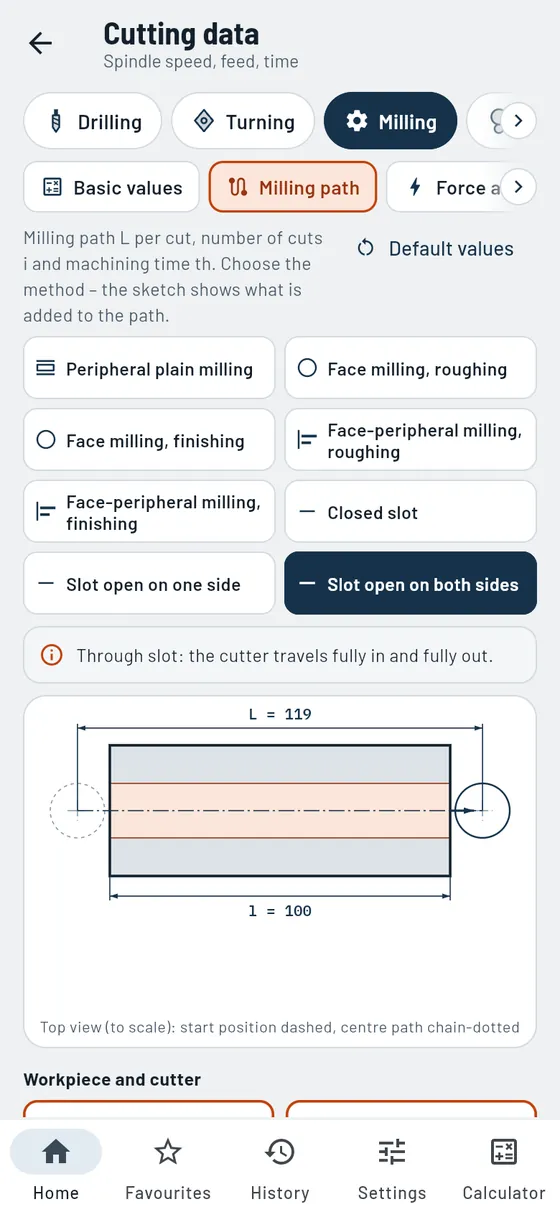
Cutting data
FreeSpindle speed, feed and time, calculated in any direction.
You enter what you know, Gesello calculates the rest. The fields sit right inside a sketch of turning, milling, drilling or grinding. What you enter is orange. What is calculated is blue.
- Five processes
Drilling, turning, milling, cylindrical and surface grinding. - Input in the sketch
You see where each value belongs on the machine. - Theoretical roughness
Calculated straight away from feed and corner radius. - Machining time
How long the cut takes, in minutes and seconds.
Also in the module
- Metal removal rateHow much material is removed per minute.
- Choose the toolTwist drills by material: type, angles, spindle speed, HSS or solid carbide.
- Check the point grindRecognise the fault pattern on the drill, with consequence and remedy.
- Countersinks and moreDrilling and countersinking tools at a glance, with spindle speed for countersinking.
- What can you achieve?Roughness depth and tolerance grade in drilling and reaming compared.
- ReamingReaming allowance, pre-drilling and enlarging Ø and operation sequence with spindle speeds.
- Force and powerCutting force, cutting power and machine utilisation in turning and milling.
- Engagement in millingArc of engagement to scale, at the side or centred, with mean chip thickness.
- Machine stepsEnter your own speed and feed steps, read off the actual values.
- Milling travelTravel, number of passes and machining time for face milling and slots.
- Balance qualityPermissible residual unbalance and eccentricity for tool with holder.
- GrindingSpeed ratio, table, stroke and infeed in cylindrical and surface grinding.
- Check surface grindingCheck infeed and width of cut in reciprocating or creep-feed grinding.
Formula, worked example and common mistakes
A Ø50 shaft is being finish-turned. Guide value vc 200 m/min, feed 0.2 mm, corner radius 0.8.
vc 200D 50f 0.2rε 0.8- Spindle speed
- 1273 1/min
- Feed rate
- 255 mm/min
- Roughness
- 6.25 µm

CNC
FreeLearning path, all G and M codes and addresses free. Cycles with input mask in Pro.
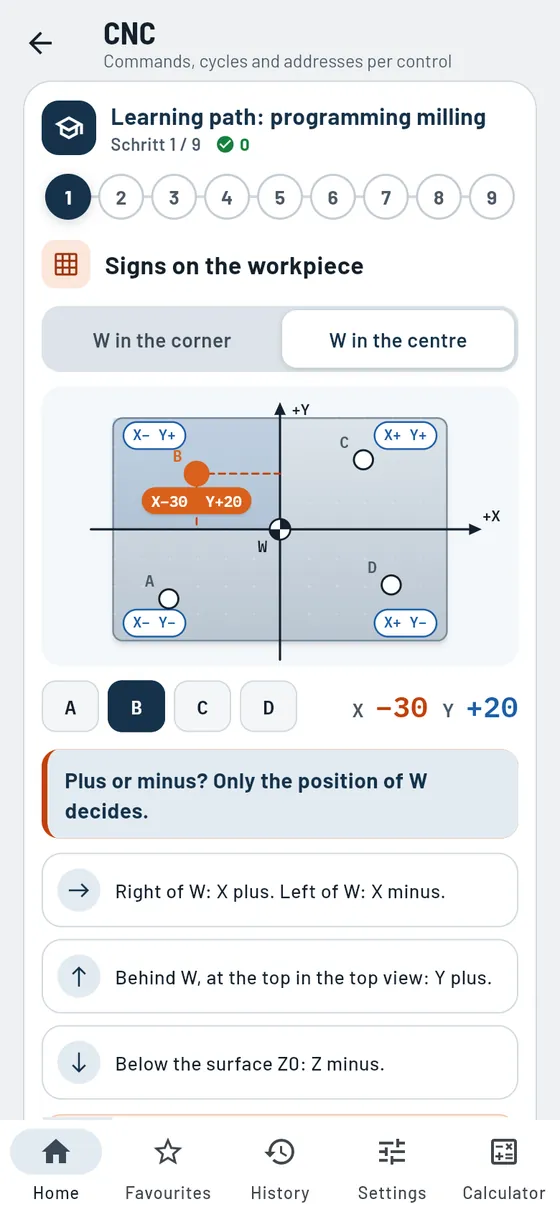
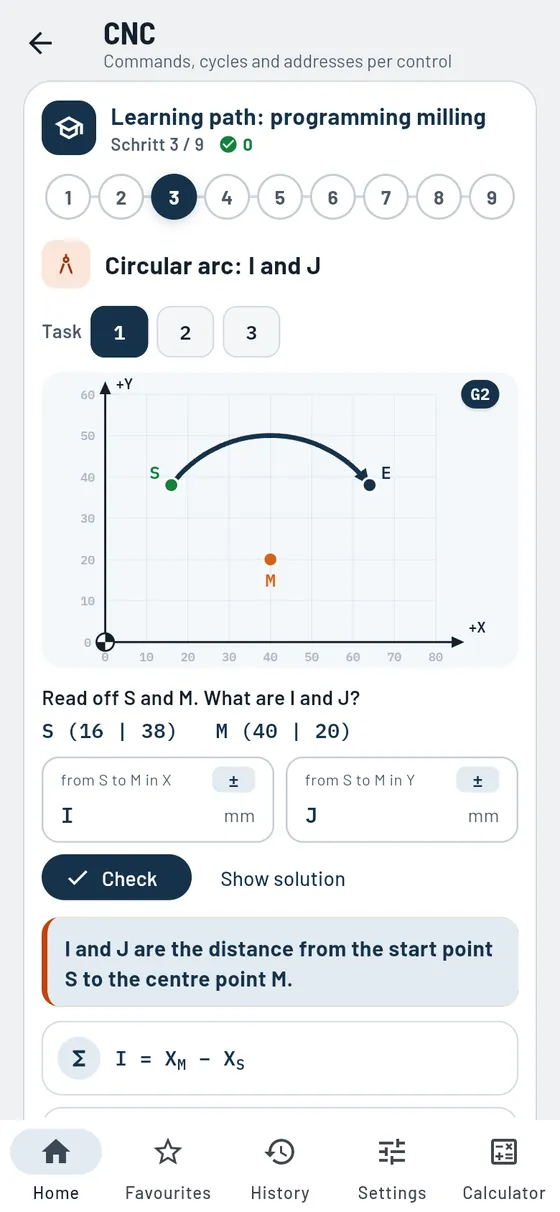
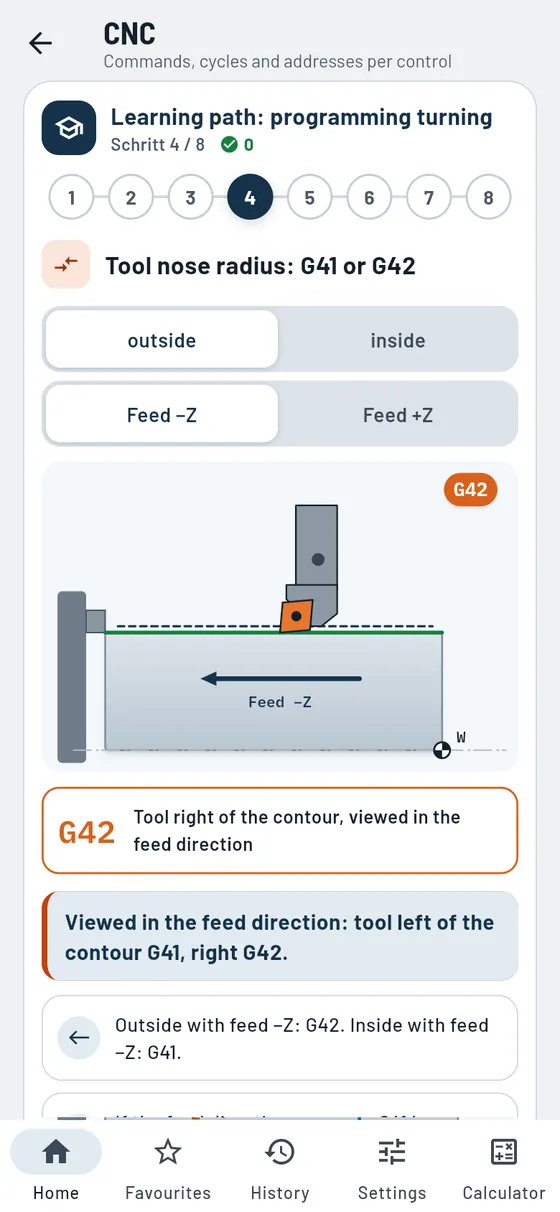
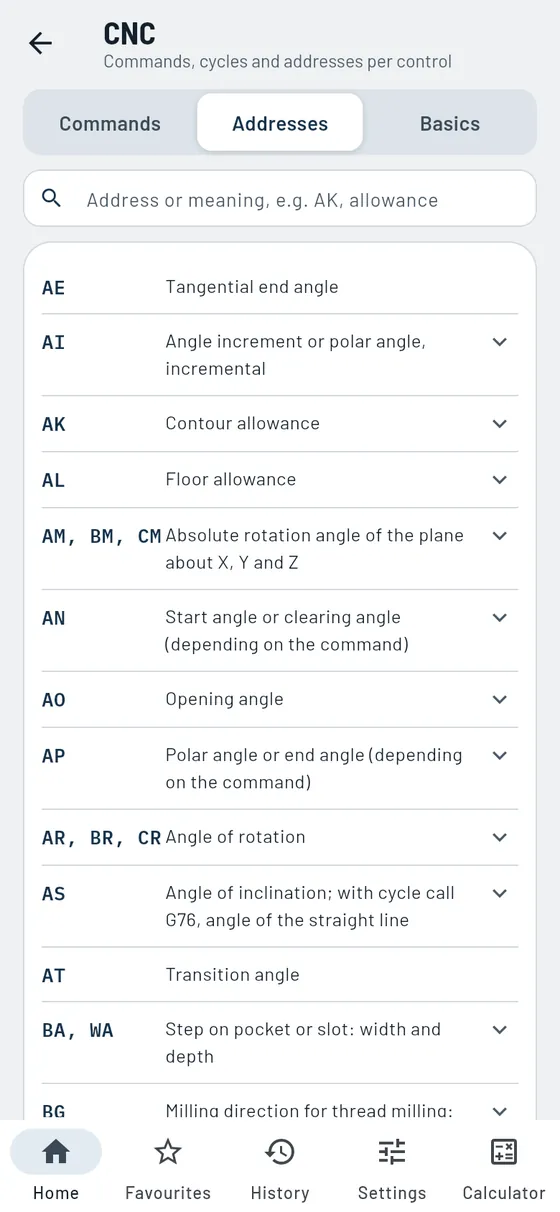
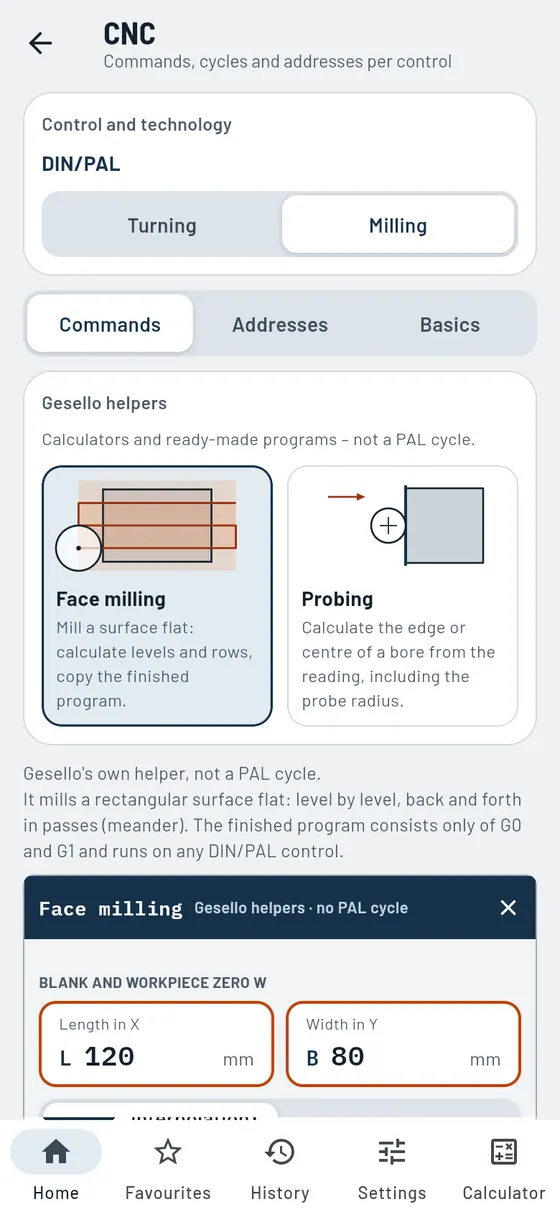
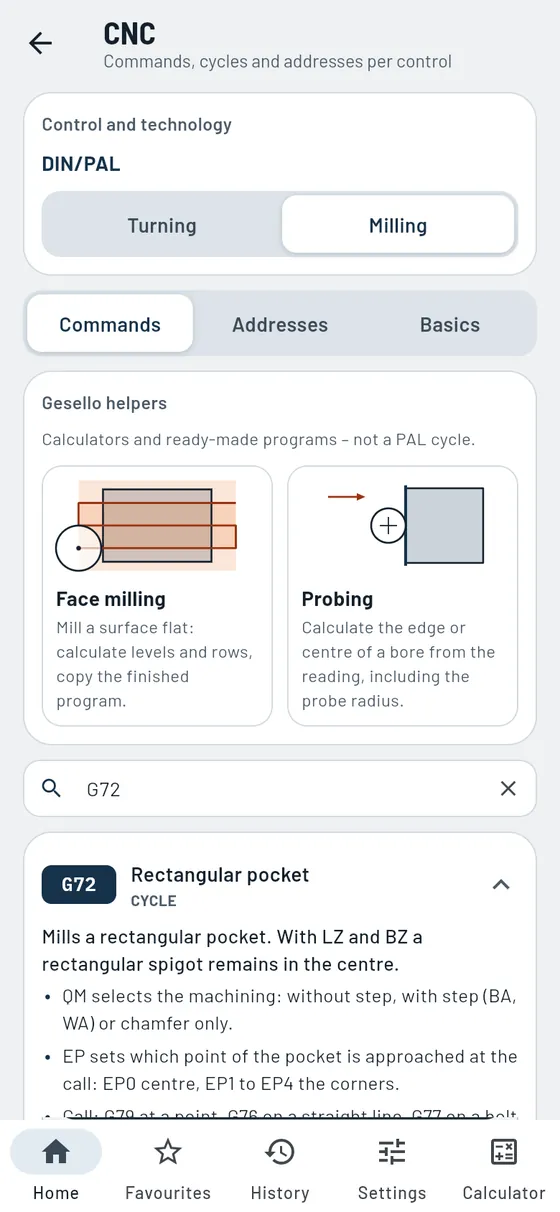
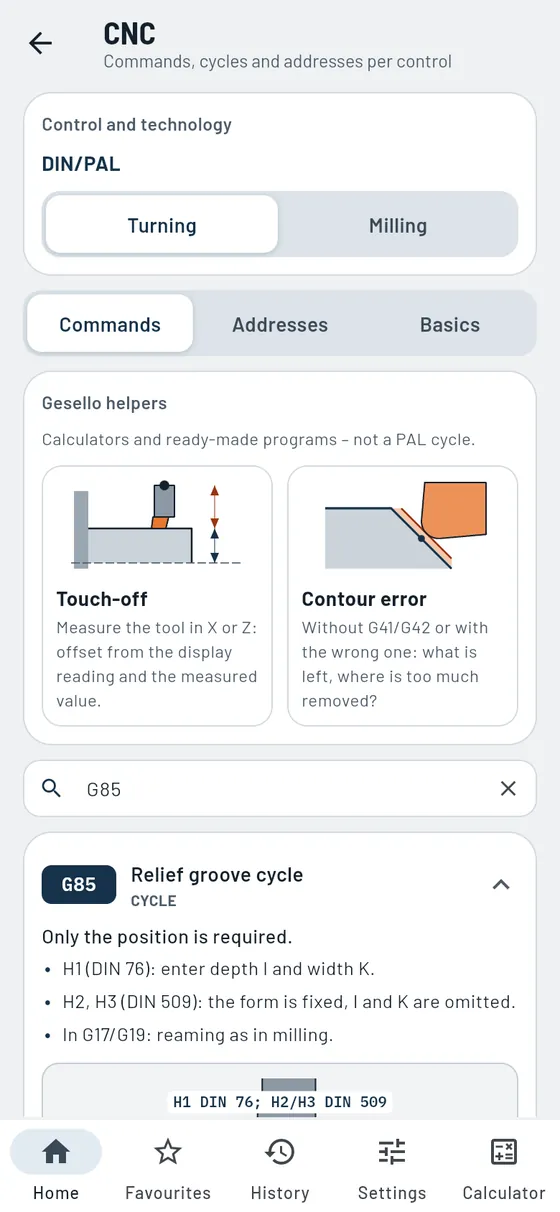
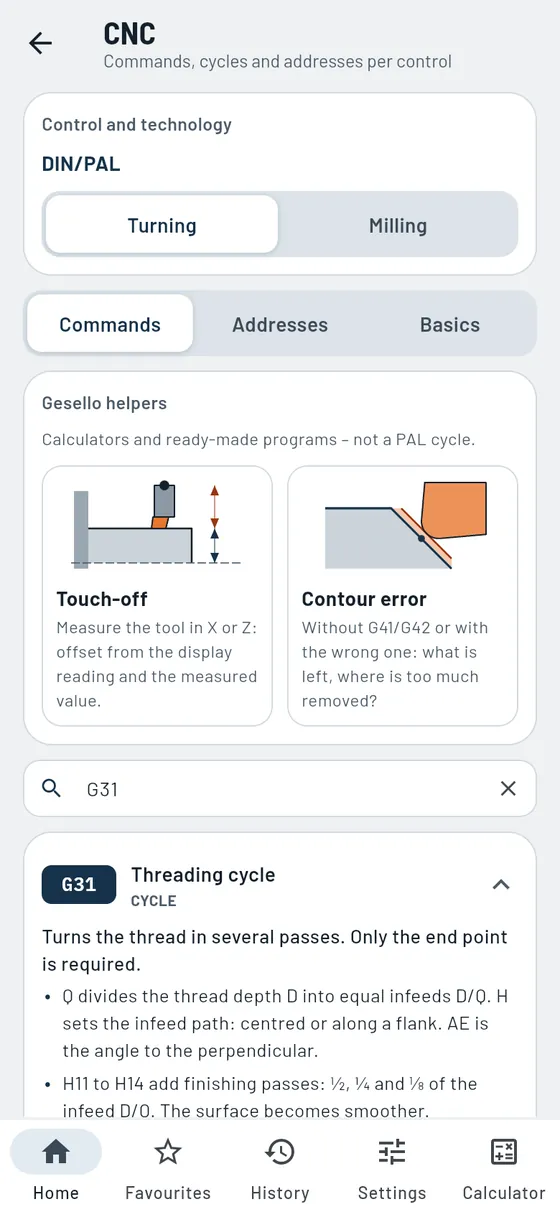
What does G85 do, which addresses does G72 need, how do I calculate I and J? An interactive learning path takes you through turning and milling in 17 lessons. The command list is free, every command with an explanation, many with a sketch and example block. With Pro you fill in cycles in a mask just like on the control and copy the finished NC block.
- Learning path
17 lessons with sketches to tap, arc trainer and quiz questions. - Command list
184 G and M codes to DIN/PAL, with search field and example blocks. - Over 60 sketches
Pocket, slot, bolt circle, relief groove, thread, path compensation. - Cycle masks Pro
Enter the addresses, copy the NC block. - Basics
Topic cards on axes, zero points, block structure, absolute and incremental dimensioning.
Also in the module
- Turning and milling kept separateSeparate commands, sketches and helpers for each technology.
- Commands by groupPath commands, approach, planes, polar coordinates, cycles and M functions, neatly grouped.
- Driven toolsDrilling and milling on the lathe, on the end face and lateral surface.
- Example blockAn NC line to copy for many commands.
- AddressesAll address letters in alphabetical order with search. Tapping one shows the commands that use it.
- Checked against PALCommands and power-on defaults according to the current PAL version.
- Infeed method in thread turningFour infeed methods as sketches for the threading cycle.
- Over 70 input formsProEvery address is marked: mandatory, mandatory within a group or optional.
- Face milling helperProCalculate levels and passes, copy the finished NC program.
- Probing helperProEdge, centre and diameter of a bore from the readout.
- Touch-off helperProSetting dimension of the turning tool in X or Z from readout and measured value.
- Contour error helperProWhat happens to tapers and radii without G41/G42 or with them swapped.
- Control typesPoint-to-point, straight-line and contouring control, plus 2D, 2½D and 3D.
- Modal or non-modalWhich commands stay in effect and which apply only in their own block.
- Effect of M functionsWhether an M command takes effect at the start or at the end of the block.
- Circular arc and path compensationG2, G3, G41 and G42 with sketch and feed direction.
- Tool nose radius and contour errorWhy tapers and radii are not true to size without compensation.
- Position codeThe cutting edge position in turning, with a sketch for each position.
- Measuring the toolExplained separately for turning and milling.
Learn CNC with the learning path
A relief groove is to be turned on a shaft. Which addresses does the cycle need?
G85- Required
- Position X and Z
- Optional
- Depth, width, radius, form
- Plus
- Sketch with all addresses

Indexable inserts
ProCNMG, SVJBL and co. decoded character by character.
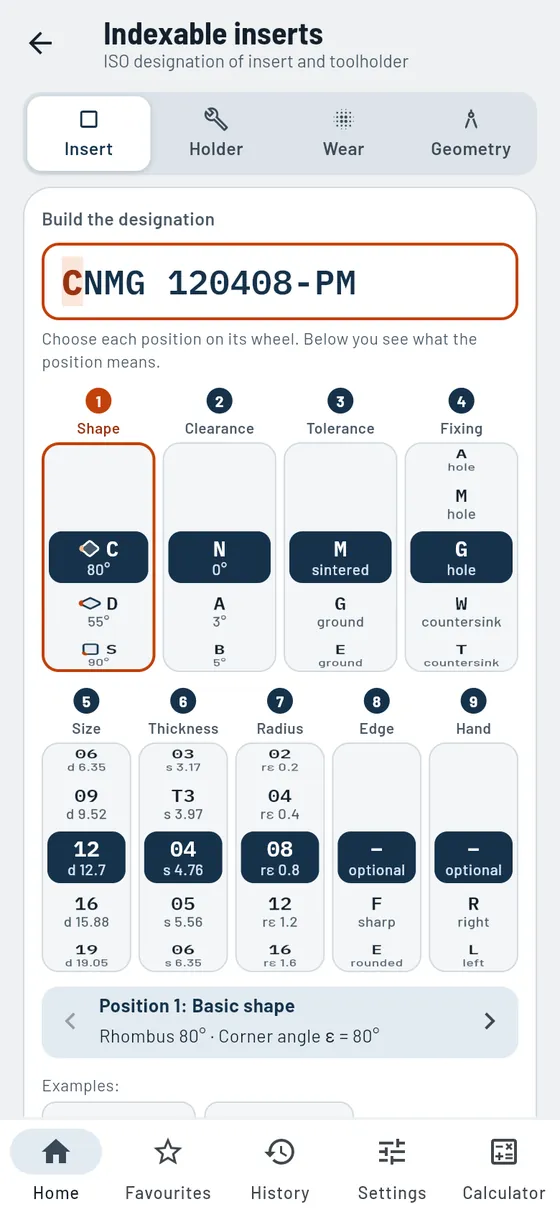
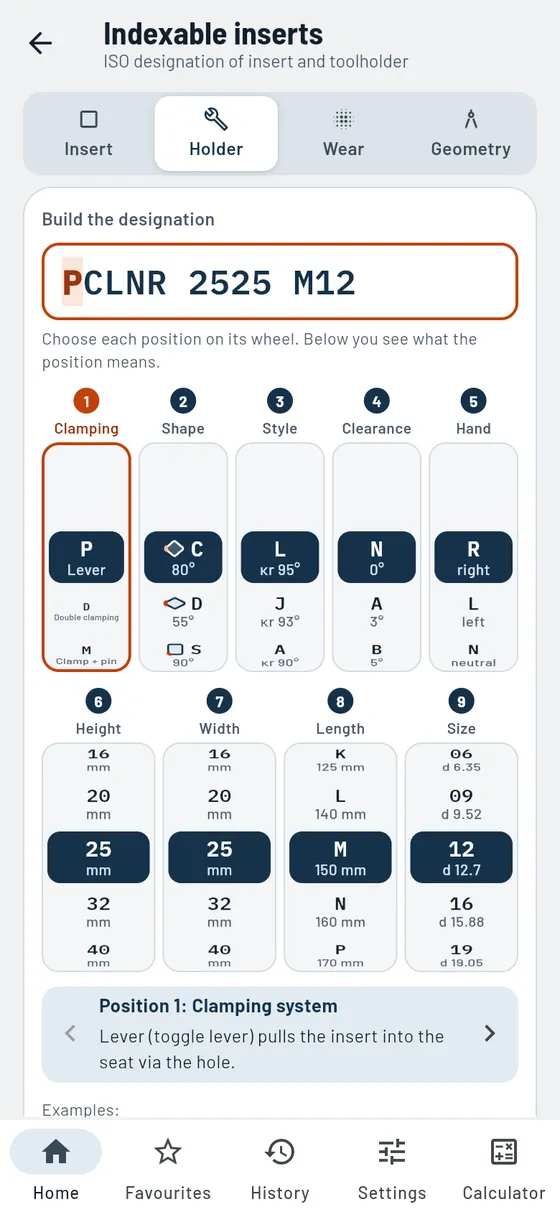
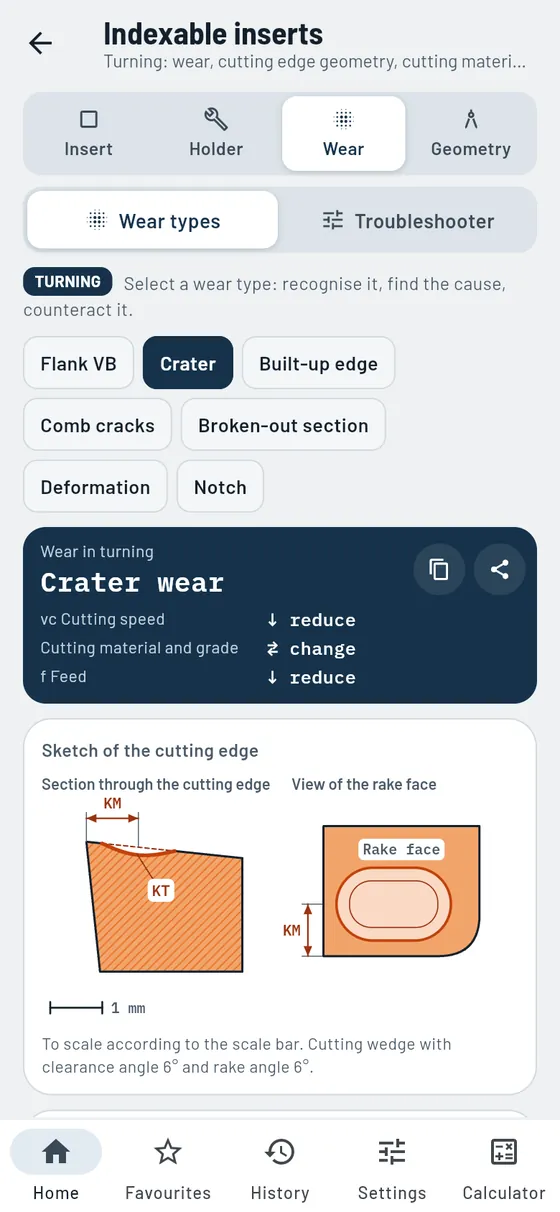
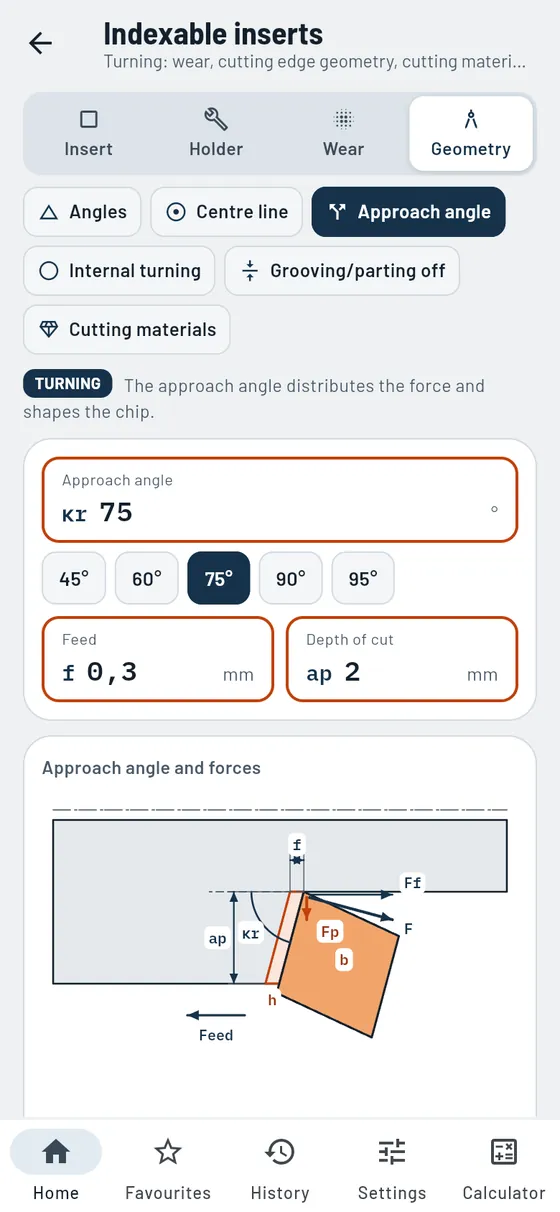
The designation on the insert box is a code. You set it position by position on dials; Gesello explains each position and draws insert and holder to scale. Plus wear, troubleshooter and cutting edge geometry in turning.
- Decode the insert
Shape, clearance angle, size, thickness, corner radius, chip breaker. - One dial per position
Choose the designation position by position on the dial, each with a short explanation. - Sketch to scale
Top view and section of the insert. - Toolholder
Approach angle, shank and the matching insert.
Also in the module
- Shape symbolsEvery insert shape as a small picture with the corner angle to scale.
- Cutting edge length from the inscribed circleCalculated, with formula and calculation steps.
- Negative or positiveWhat the clearance angle means for insert and cut.
- Corner angle and corner radiusLarge or small corner angle, plus the theoretical roughness.
- Holder to scaleTop view of the toolholder with insert and approach angle.
- Clamping systemsLever, clamp, screw or double clamping compared.
- Checking the detailsFlags unsuitable or unusual positions in the designation.
- Wear typesRecognition, causes, consequences and what to adjust, with a sketch of the cutting edge.
- TroubleshooterFrom the fault pattern to the remedy: what to increase, reduce or check.
- Angles on the cutting wedgeClearance, wedge and rake angle, and what larger or smaller does.
- Cutting edge above or below centreAngle errors and pip when the height is wrong.
- Approach angle and forcesUncut chip thickness, passive force and feed force for each approach angle.
- Boring barMaximum overhang length for steel, carbide and damped bars.
- Grooving and parting offMaximum grooving depth and minimum cutting edge width, shapes of the front cutting edge.
- Cutting materialsFrom HSS to diamond, roughly compared, with grade number.
The box says CNMG 120408-PM.
CNMG 120408-PM- Shape
- Rhombic 80°
- Inscribed circle
- 12.7 mm
- Thickness
- 4.76 mm
- Corner radius
- 0.8 mm


Cutting fluid
ProMix and top up emulsion correctly.
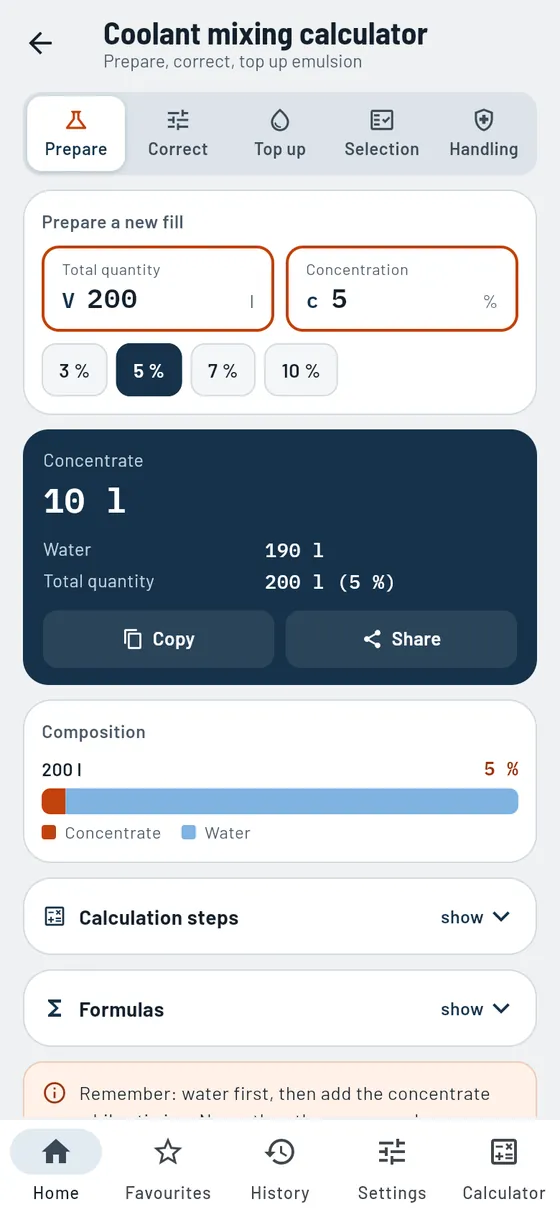
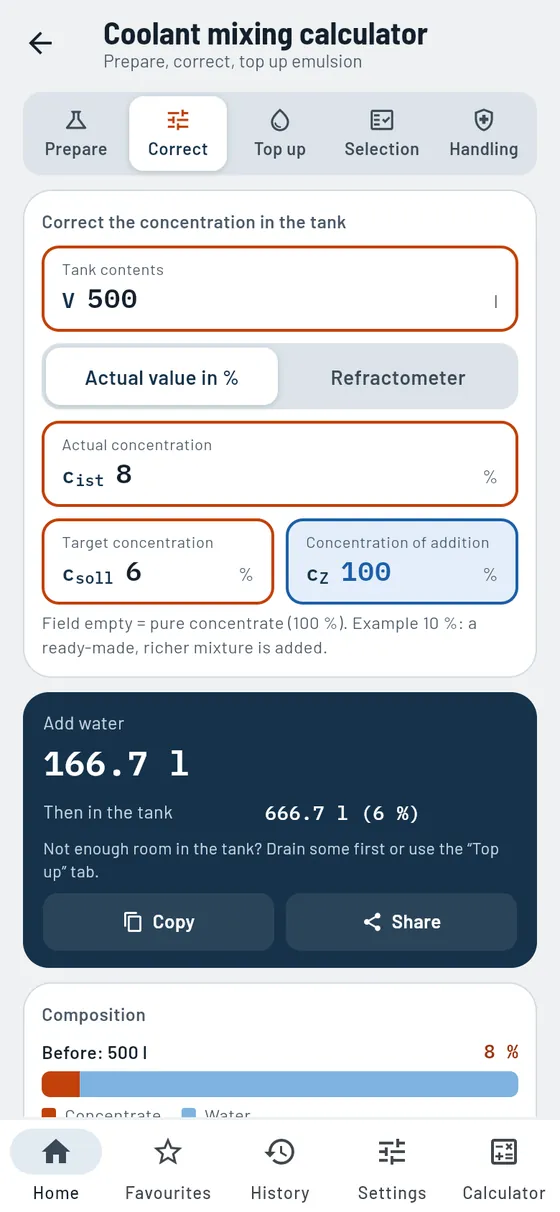
Too lean causes rust, too rich causes foam. Gesello calculates how much concentrate and water you need: for a new mix, for correcting after a refractometer reading and for topping up.
- Mixing
Concentrate and water for tank and concentration. - Correcting
Actual value in percent or from the refractometer. - Topping up
Which mix brings the tank back to target. - Selection
Emulsion, solution or oil, to suit process and material.
Also in the module
- Correct in both directionsToo lean: concentrate or a richer mix. Too rich: water.
- Check maintenance valuesEnter pH value and nitrite: within range or take action.
- Skin protectionProtect, clean, care in three steps.
- Protection and first aidProtective equipment and what to do in case of eye or skin contact.
- DisposalHow to dispose of spent emulsion correctly.
The new machine has a 200-litre tank. Target: 5 %.
200 l5 %- Concentrate
- 10 l
- Water
- 190 l
Remember: water first, then the concentrate.

Taper turning
FreeThe setting angle for the compound slide, accurate to the second.
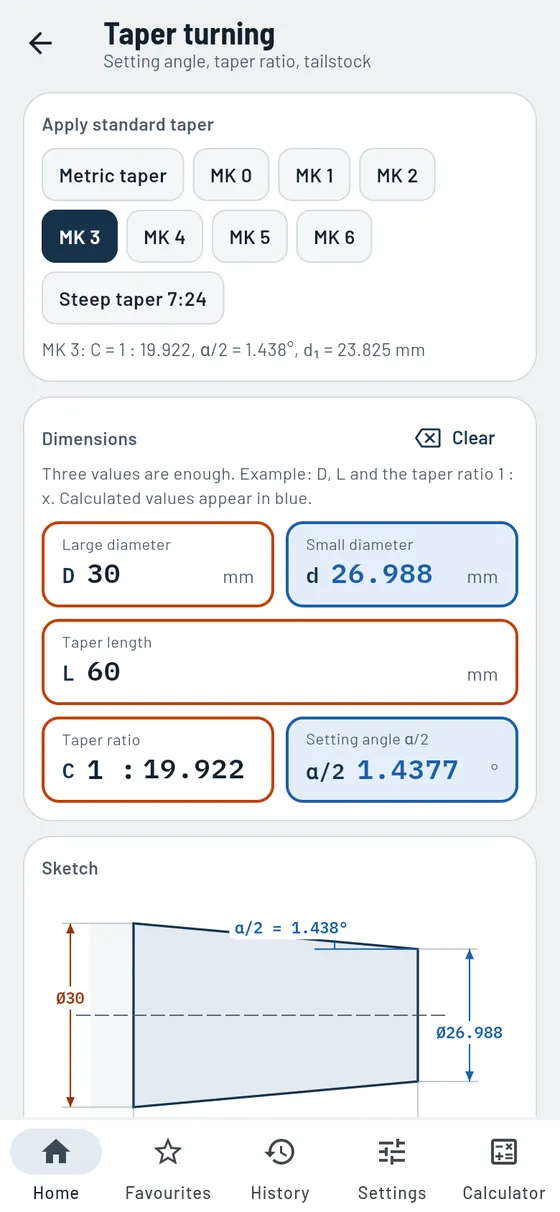
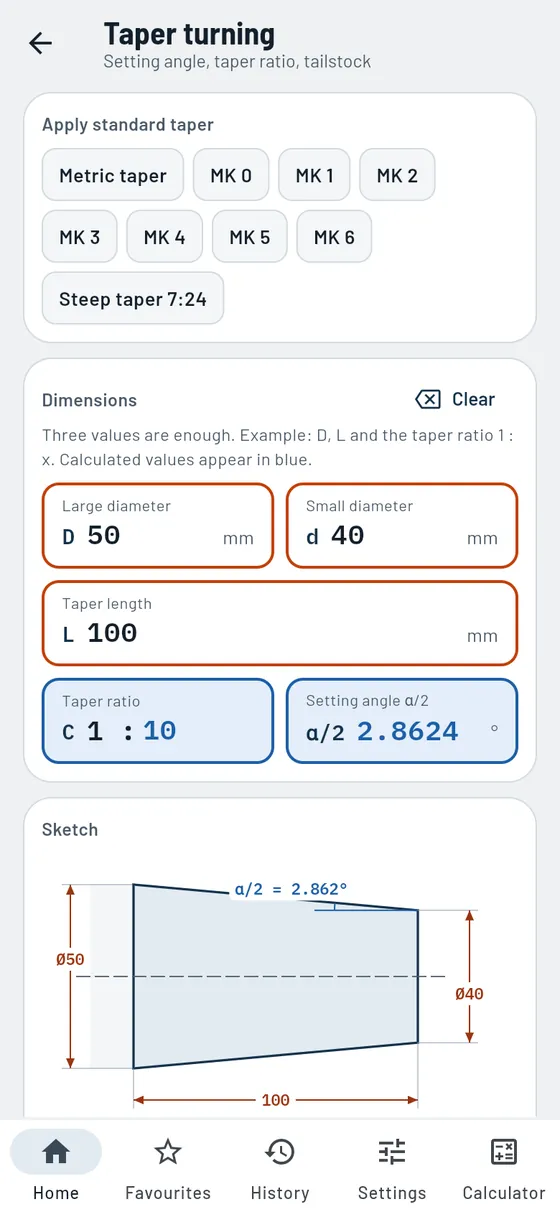
Three values are enough, Gesello calculates the rest. You get the compound slide angle in degrees, minutes and seconds. Select Morse and steep tapers with a single tap.
- Standard tapers
Metric taper, Morse taper 0 to 6, steep taper. - Swivel the compound slide
Setting angle in degrees and in ° ′ ″. - Sketch
Entered dimensions orange, calculated ones blue. - Tailstock offset
Offset for long, slender tapers.
Also in the module
- Taper angle and slopeTaper angle α, slope and taper ratio included.
- Radial infeedHow much you have to remove radially, from both diameters.
- Calculation stepsEvery value with the numbers filled in.
Formula, worked example and common mistakes
A quill with Morse taper 3 is being re-turned.
MT 3- Taper ratio
- 1 : 19,922
- Compound slide
- 1° 26′ 16″

Surfaces
FreeRa, Rz and the roughness your feed leaves behind.
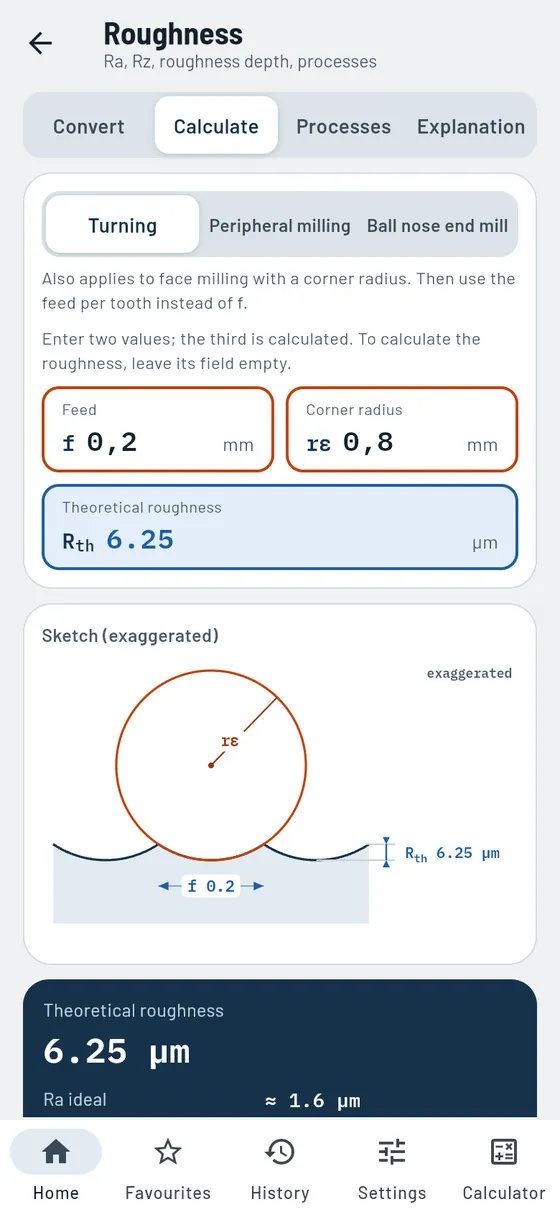
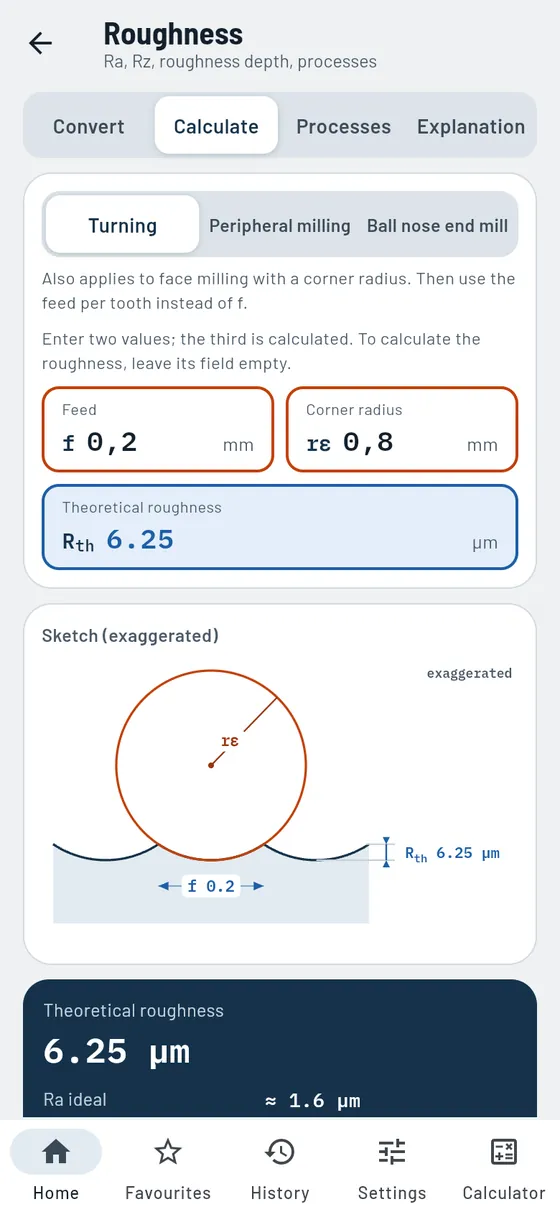
The drawing calls for Ra, your gauge shows Rz? Gesello converts and shows the usual range. You also see what roughness feed and corner radius produce. And which processes can achieve the required surface at all.
- Ra ↔ Rz
With usual range and measuring length. - Theoretical roughness
Turning, peripheral milling and ball nose end mill, with groove sketch. - Which process?
Achievable roughness by process as a chart. - Explanation
Ra and Rz on the profile, indications on the drawing.
Also in the module
- Calculate backwardsEnter two of three values: feed, corner radius or roughness depth.
- Former roughness gradeThe old N grade for your value, for older drawings.
- MicroinchesYour value in microinches too, for drawings from the USA.
- Roughness for the tolerance gradeSuitable roughness for nominal size and IT grade.
- Table of roughness depth in turningRoughness depth for common feeds and corner radii at a glance.
- Sort processesBy fineness or group; show only suitable ones or all.
- Deep groove in the profileShows why Rz reacts more strongly to individual grooves than Ra.
The drawing calls for Ra 1.6. Your gauge shows Rz.
Ra 1.6- roughly equals
- Rz 9.6 µm
- usual range
- 6.4 … 11.2 µm
Conversions are guide values.

Bolt circle and hole patterns
ProCoordinates and NC block for every hole pattern.
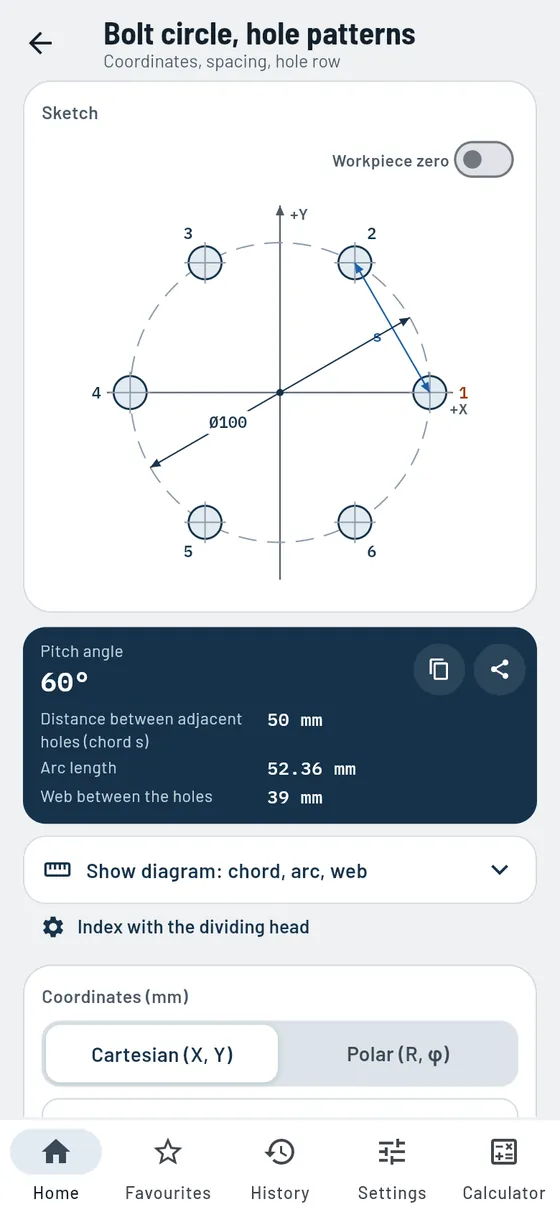
A Ø100 bolt circle with six holes? Gesello draws the pattern to scale, calculates all X and Y values and writes the cycle. You set the workpiece zero yourself.
- Bolt circle
Full or partial circle, start angle, direction of rotation. - Workpiece zero
Corner or centre, dimensions right on the sketch. - Coordinates
Cartesian or polar, ready to copy. - NC block
Bolt circle and hole row cycle ready to paste. - Hole row
Also multi-row and at an angle.
Also in the module
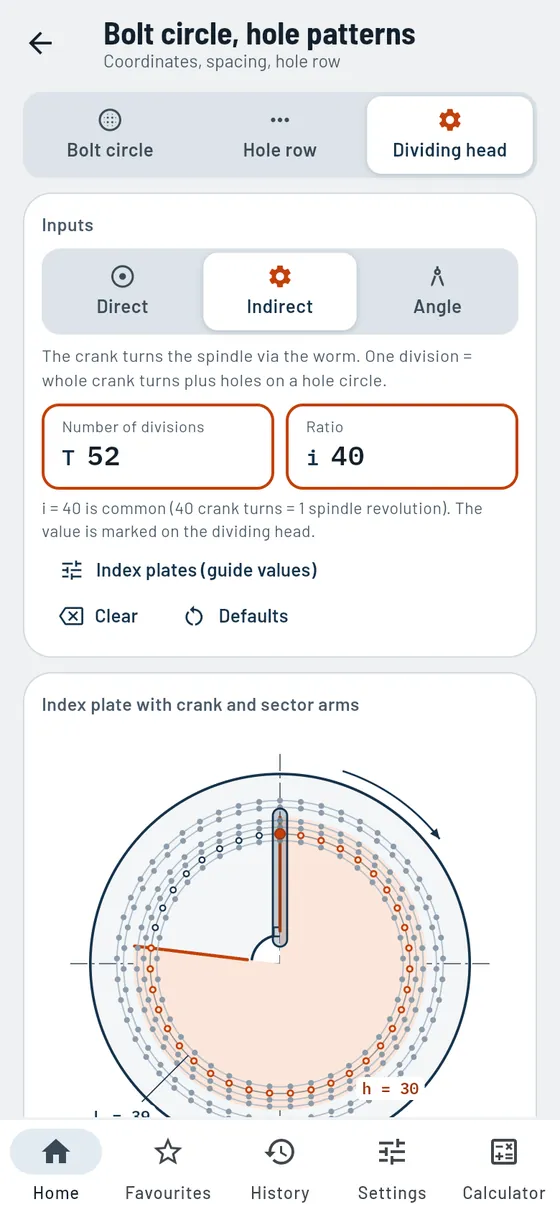
- Dividing head: direct indexingNotches per division and possible numbers of divisions with the index plate.
- Dividing head: indirect indexingCrank turns, hole circle and sector arms, with crank position per division.
- Angular indexingIndexing by degrees and minutes instead of number of divisions.
- From bolt circle to dividing headThe same division on the dividing head with one tap.
- Chord, arc and webDistance between neighbouring holes and the material in between, with diagram.
- Hole row with edge distanceSpecify length and edge distances or hole spacing; blank drawn.
- Machining sequenceRow by row or meander, with mini sketch and short idle travel.
- Table with item numbersEvery hole with a number for the drawing, ready to copy and share.
Formula, worked example and common mistakes
A flange gets six holes on Ø100.
Ø 1006 holes- Division
- 60°
- Spacing
- 50 mm
- Hole 2
- X 25 / Y 43.301

Grinding wheels
ProRead the grinding wheel, check the speed, mount it safely.
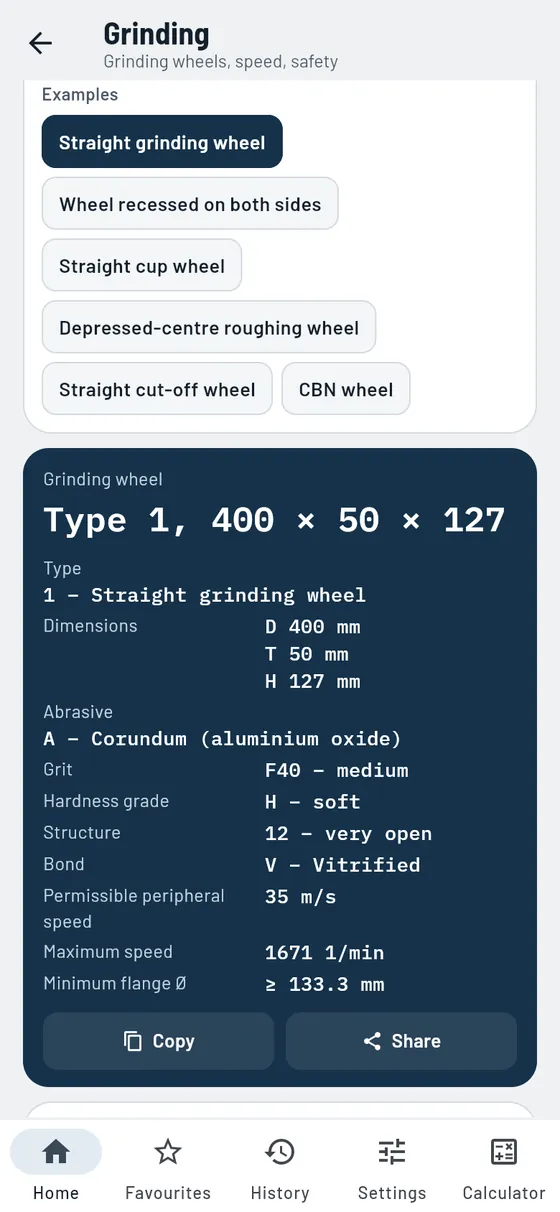
Type in the designation from the label. Gesello explains every character and draws the wheel to scale. Maximum speed, flange diameter and the mounting checklist are included.
- Decode designation
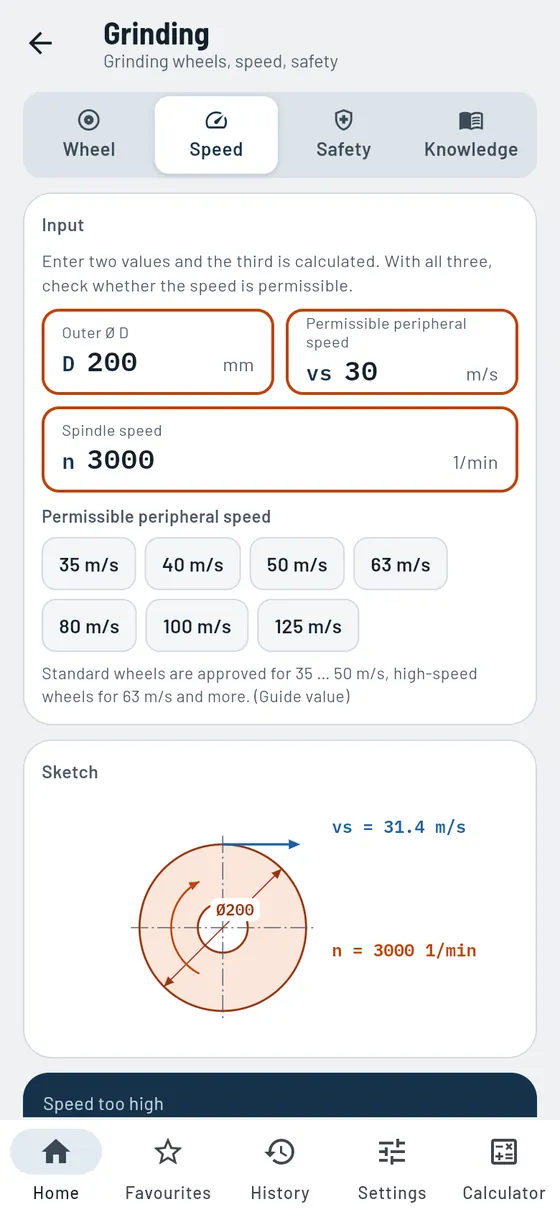
Shape, dimensions, abrasive, grit size, grade, structure, bond, speed. - Maximum speed
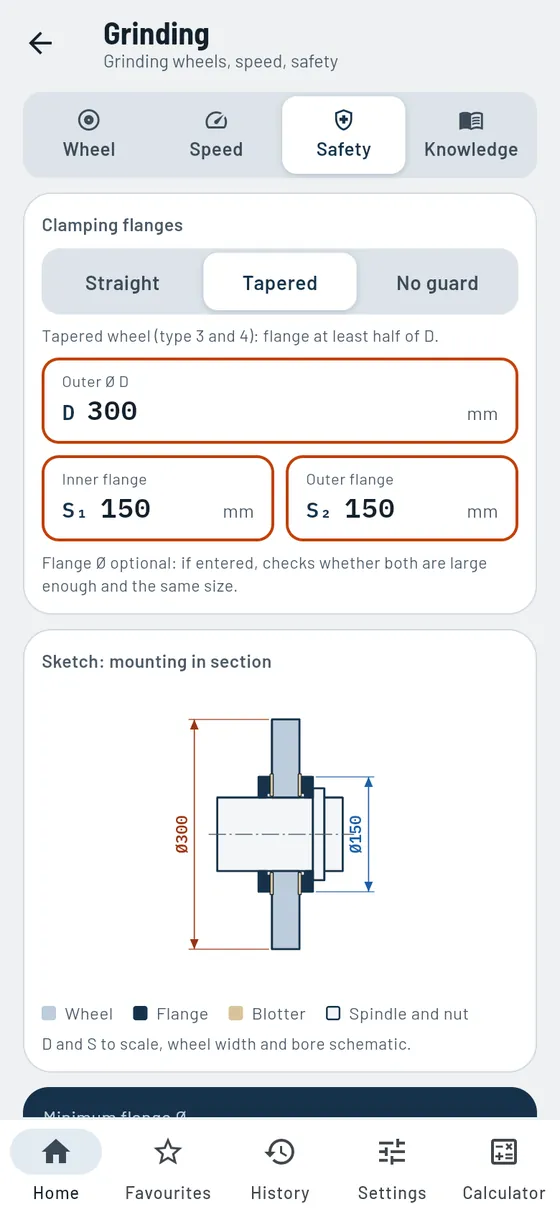
From diameter and peripheral speed, with a warning if the spindle is too fast. - Check flanges
Minimum flange diameter for each wheel shape, with a sketch of the mounting. - Mounting checklist
Ring test, blotters, wheel guard, test run, dressing. - Grinding reference
Processes with sketches, abrasives, bonds, choice of grit size.
Also in the module
- Maximum wheel ØThe largest wheel allowed at your spindle speed.
- Speed tableMaximum speed of common wheels at a glance.
- Diamond and CBN wheelsConcentration and grit size are explained too.
- Selection guideWhich wheel suits the material and the job.
- Procedure and spark-outGrinding process step by step, infeed, traverse or plunge grinding.
- Speed ratioGuide values for q by material, cylindrical and surface.
- Dressing and profilingWhen to dress and with which settings.
- BalancingBalancing and test run briefly explained.
- Magnetic chuckClamp correctly and demagnetise afterwards.
- Cooling and grinding burnHow the cutting fluid gets there, and how the surface zone stays cool.
- Grinding defectsRecognition, causes and remedy.
The label says 1 – 400 × 50 × 127 – A/F40 H 12 V – 35.
1 – 400 × 50 × 127 – A/F40 H 12 V – 35- Abrasive
- Regular aluminium oxide
- Grit size
- F40, medium
- Bond
- vitrified
- n max
- ≈ 1671 1/min
Production planning
ProWhat does the part cost, and how is it made step by step?
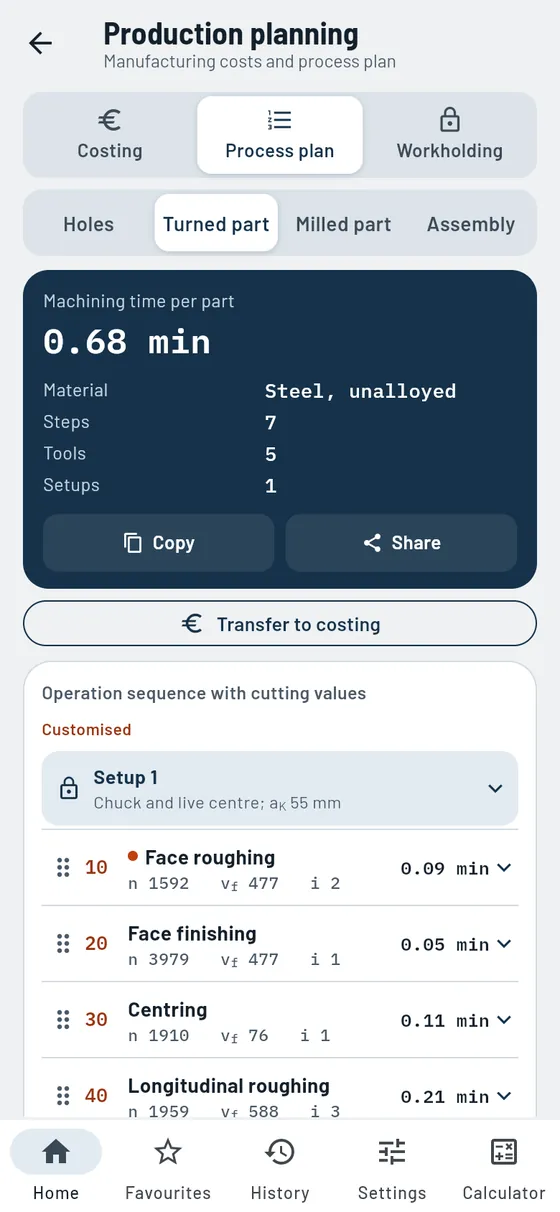
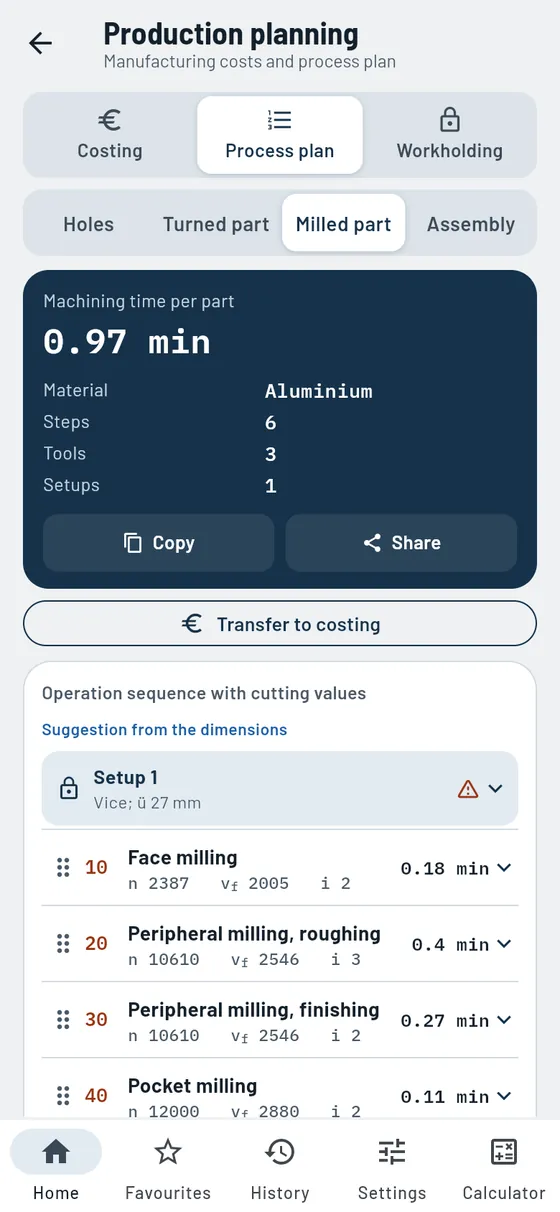
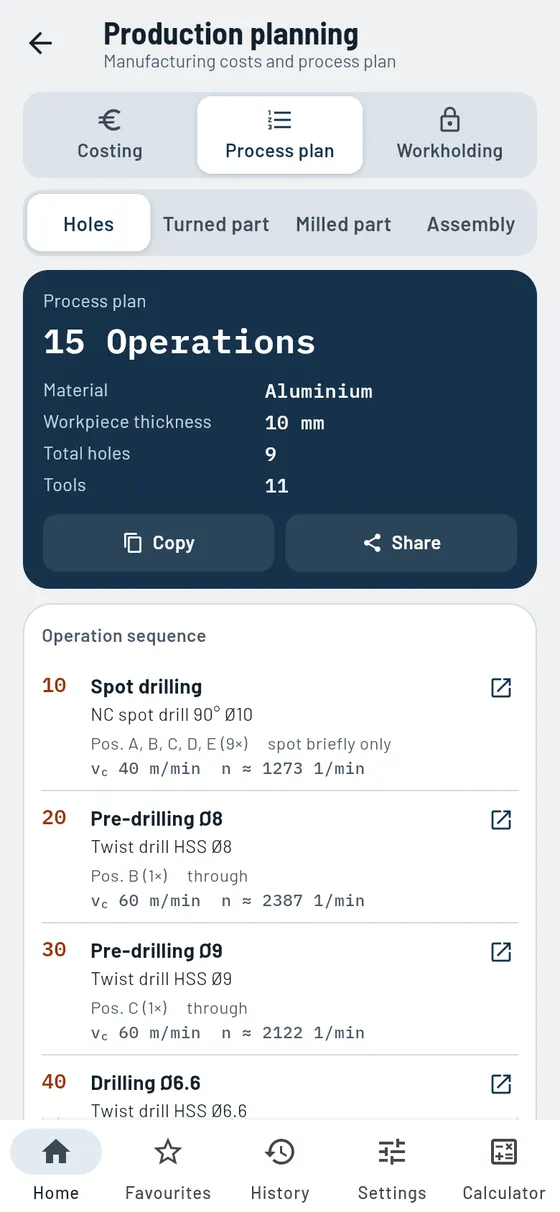
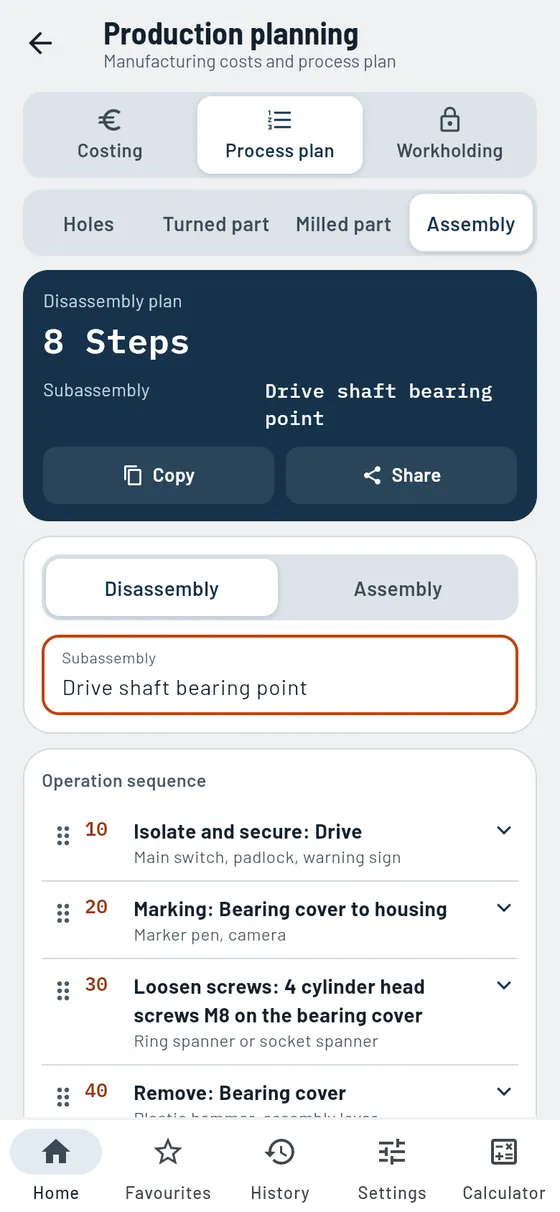
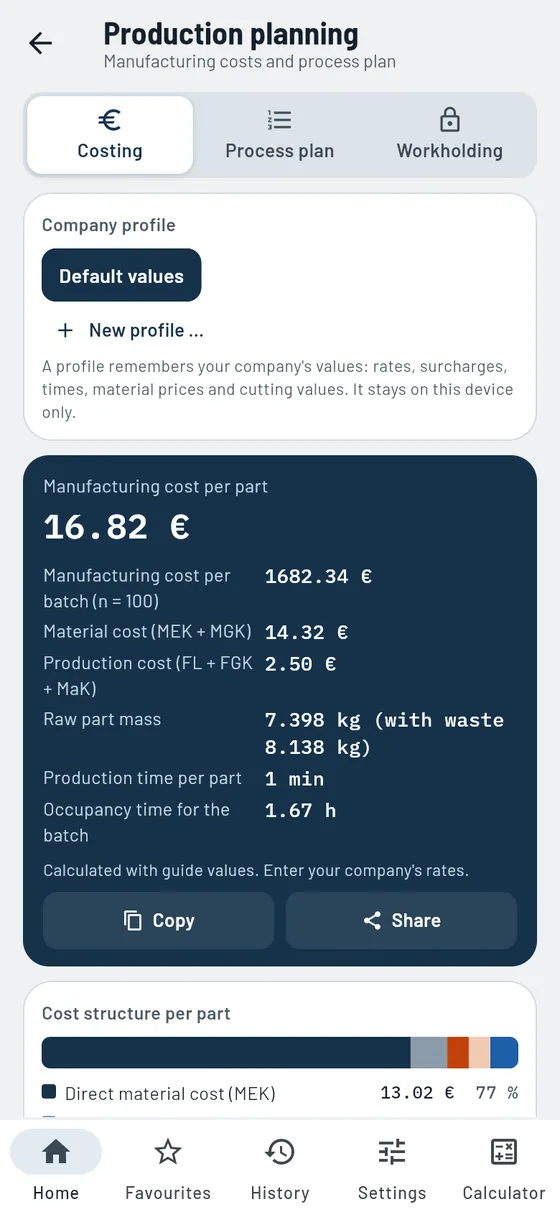
Production planning creates process plans for hole patterns, turned parts, milled parts and assemblies: operations in a sensible order, with tool, spindle speed, feed and time for each step. You can change, add or delete any step. It also calculates the manufacturing cost per part and per batch. Rates and cutting values are guide values that you replace with your company’s own values in a profile.
- Process plan for turned parts
Facing, centring, roughing, finishing, grooving and threading with cutting values and times. - Process plan for milled parts
Face milling, contour, pocket, slot, holes and threads, with setups and machining time. - Process plan for hole patterns
Threads, precision holes and countersinks in a clean sequence, with tap drill and depth. - Assembly and clamping devices
Assembly and disassembly sequence for assemblies, suitable clamping device for each setup. - Manufacturing cost
Material, labour, machine and surcharges per part and batch. Take the machining time from the process plan. - Your company profile
Save rates, surcharges, tools and cutting values, only on this device.
Also in the module
- Process plan as PDFShare or print the finished sheet, also as text to copy.
- Plausibility checkNotes on an illogical sequence, risk of breakage or collision.
- Sketch for each stepMachined area in orange, tool with path and feed direction.
- Clamping plan for each setupChuck, overhang length and workpiece zero as a sketch.
- Reverse the disassemblyTurn the disassembly plan into the assembly plan with one tap.
- Sort stepsPut assembly steps in the right order by dragging the handle.
- Clamping toolsHolders with run-out guide values, HSK and SK in section.
- Clamping workpiecesIn turning and milling, with selection guide and checklist.
- Costs as a chartCost breakdown as bars, production costs against batch size.
A cover gets four M8 threads 12 deep, two Ø8 H7 precision holes and two countersinks.
4 × M8 × 122 × Ø8 H72 × countersink- Operations
- 9
- Tools
- 7
- Tap drill
- Ø6.8 mm
- Pre-drilling before reaming
- Ø7.8 mm
Rates and spindle speeds are guide values.
Materials
What is in the steel, how heavy is the material, how hard is the part?
Weights
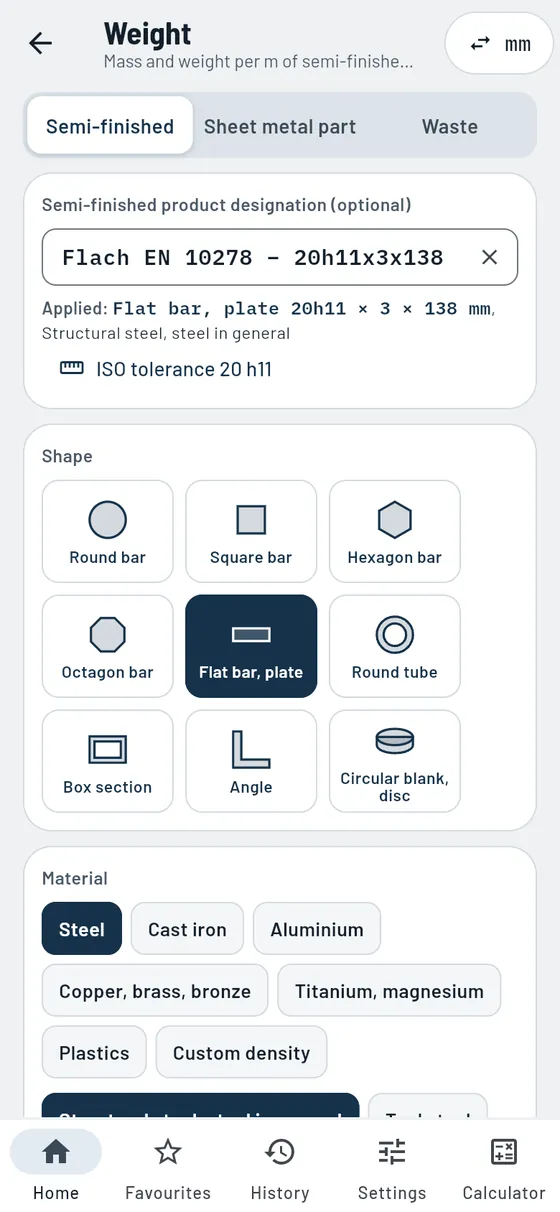
FreeHow heavy is the material, and how much of the sheet is left over?
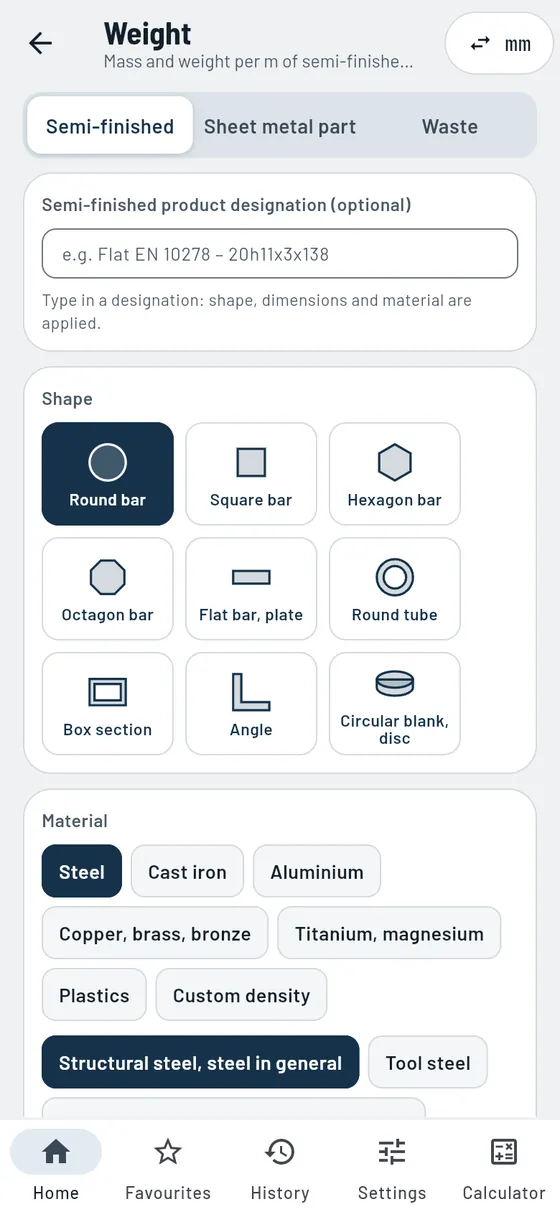
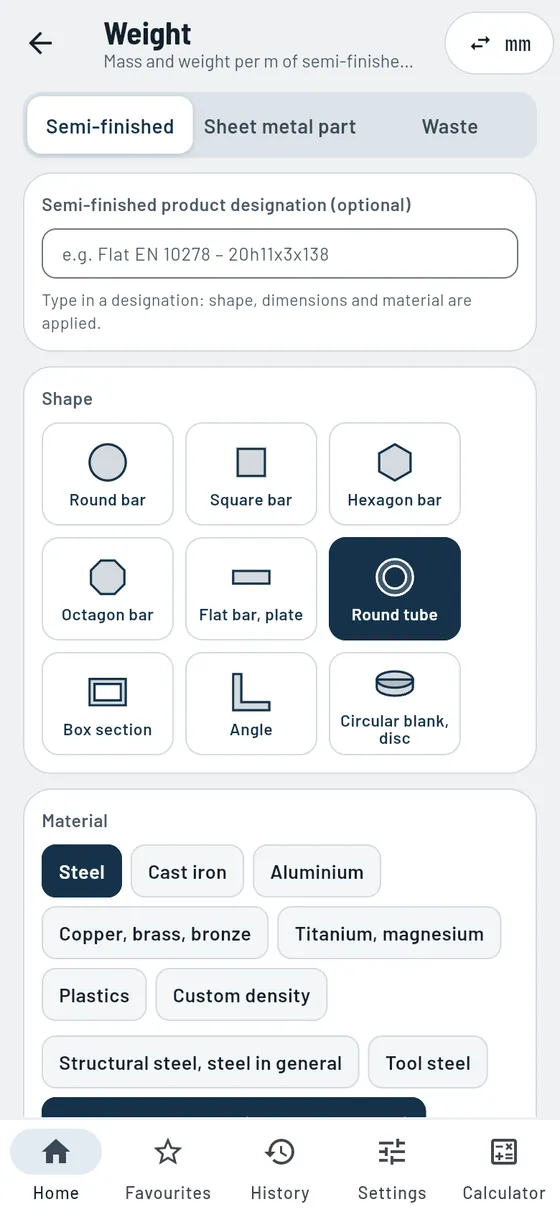
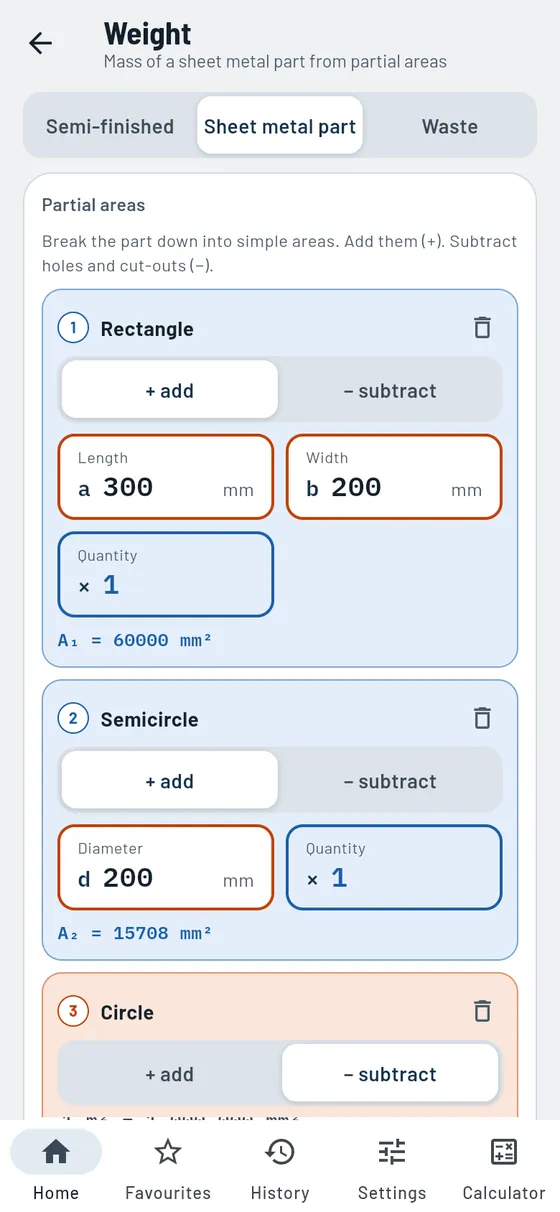
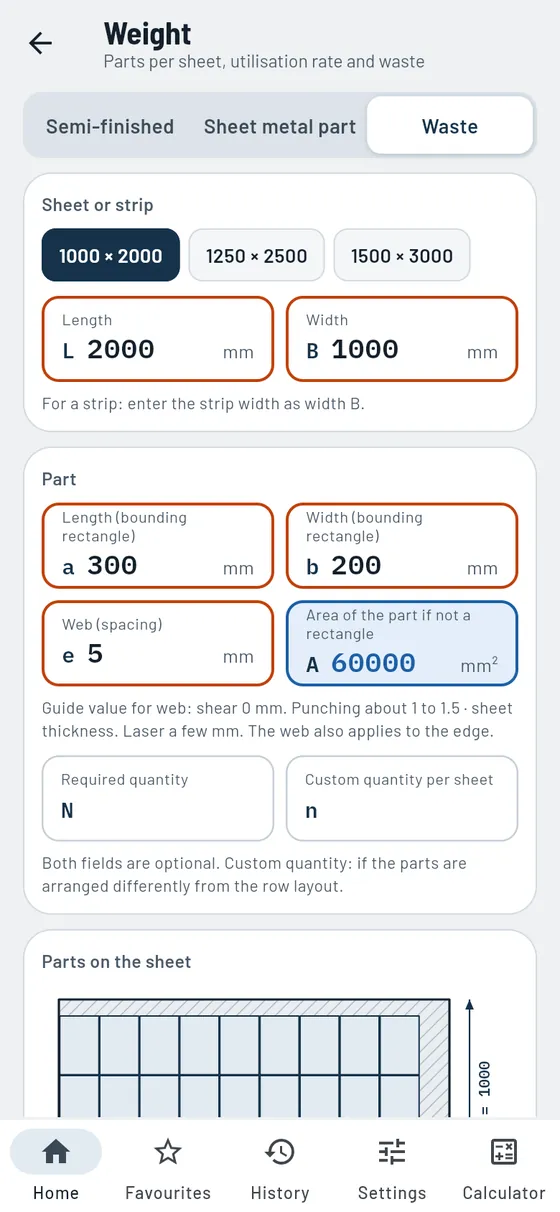
Tap a shape, choose a material, enter the dimensions: Gesello calculates the mass and weight per metre of semi-finished products. You build a sheet metal part from simple areas and subtract holes and cut-outs. The waste calculation shows how many parts fit on a sheet and how much scrap remains. Handy for ordering, transport and costing.
- Nine stock shapes
Round, square, hexagon, flat, tube, angle, disc and more, also from the designation. - Over 20 materials
Steel, cast iron, aluminium, copper, brass, titanium, plastics or your own density. - Sheet metal part
Combine rectangle, triangle, trapezium, circle and ring, subtract holes. With sheet sizes. - Waste
Parts per sheet or strip, material utilisation, layout and web to the edge. - Quantity
Total weight, total length and surface area. - Sketch and calculation steps
Cross-section with dimensions, calculation through to the mass.
Also in the module
- Cross-section and width across cornersCross-sectional area, width across corners and perimeter included.
- Pounds and feetMass in pounds and weight per foot with the inch setting.
- Tolerance from the designationLook up the tolerance class directly from the stock designation.
- From sheet metal part to wasteCheck the finished sheet metal part on the sheet with one tap.
- Remaining stripRotated parts in the remaining strip are counted too.
- Sheets for the quantityHow many sheets you need for your order.
One metre of 60 × 5 stainless steel tube is to be shipped.
TubeStainless steel60 × 5 × 1000- Mass
- 6.83 kg
- Weight per metre
- 6.83 kg/m


Materials
ProRead steel names like a pro.
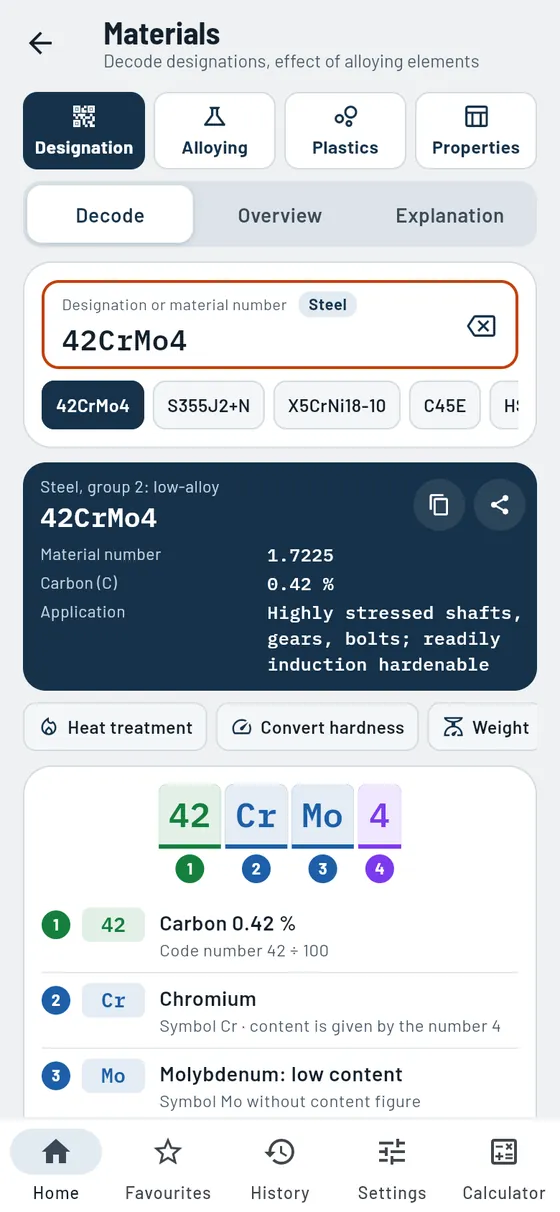
42CrMo4, S355J2, 1.4301: Gesello breaks every designation down into coloured parts and explains them. You learn the carbon content, alloy and typical use. Plus: how each alloying element changes the steel, plastics and properties of the material groups.
- Decode
Steel, cast iron, aluminium, copper and old designations. - Contents as bars
Carbon and alloying elements at a glance. - Alloying elements
What chromium, nickel or molybdenum do. - Matrix
Element and property in one table.
Also in the module
- Reading stock designationsShape, dimensions, tolerance and material from the delivery note, with a link to the weight.
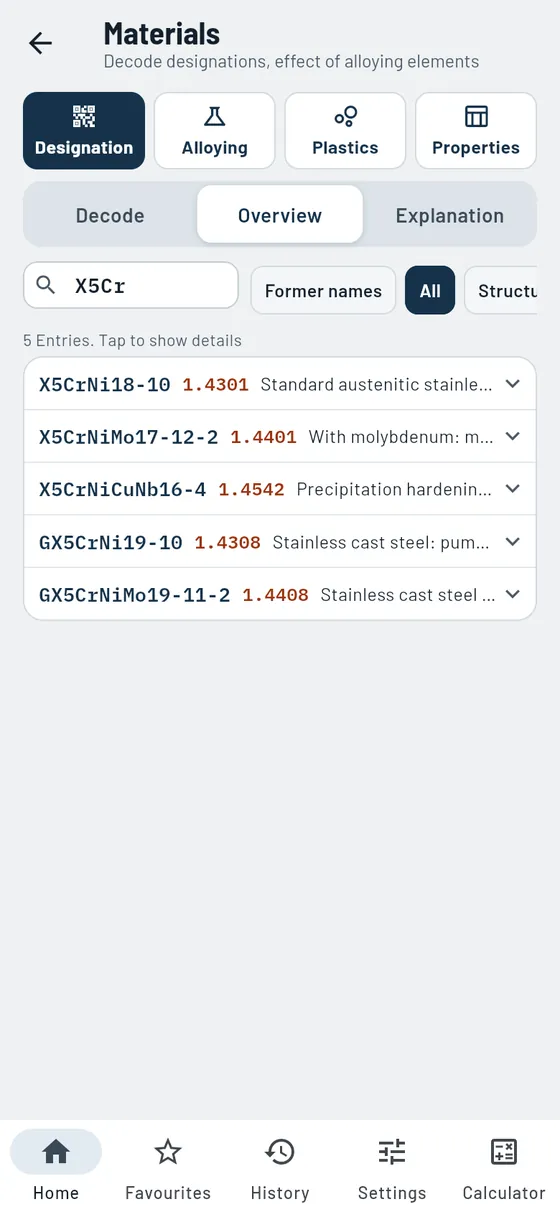
- Overview of common gradesSteel name, material number and use, with search.
- Explanation of the designationUnalloyed, low-alloy and high-alloy, high-speed steel, cast iron, aluminium and copper.
- Cast ironGrey, ductile and malleable cast iron simply explained.
- Cutting data by materialGuide values for turning, milling, drilling and threading, also for HSC.
- Search by propertyWhich elements change hardness, toughness or corrosion resistance.
- PlasticsDecode abbreviations, groups, recycling code and typical parts.
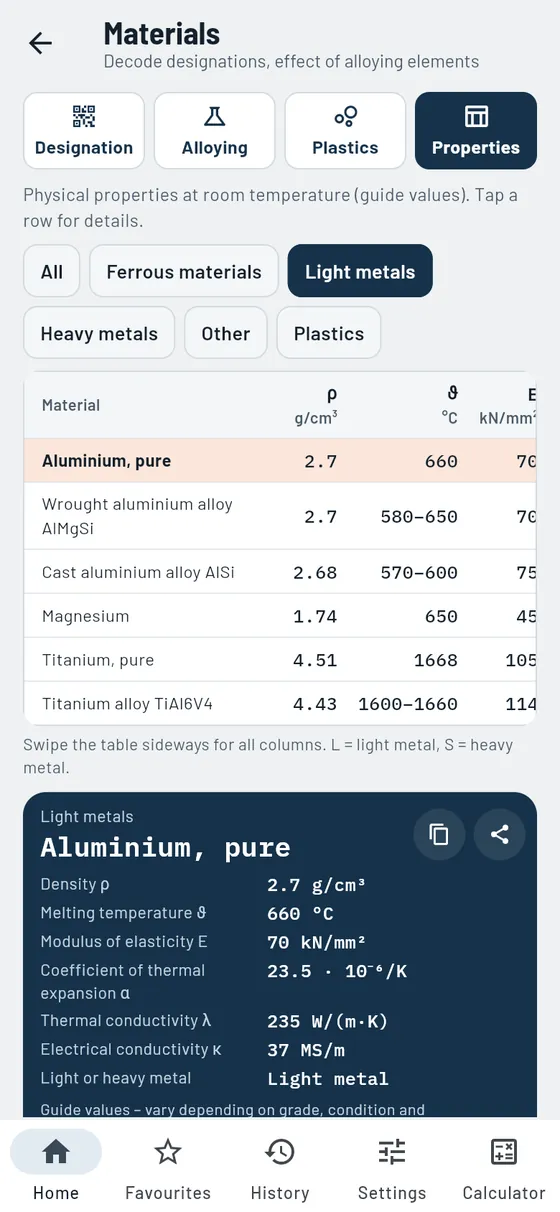
- PropertiesDensity, melting temperature, modulus of elasticity, thermal expansion and conductivity for each material group.
- Light or heavy metalAll metals on one density scale.
- Change in length due to heatExpansion calculated from length and temperature change.
- Jump to other modulesOpen hardness conversion and cutting data directly.
The delivery note says 42CrMo4.
42CrMo4- Group
- Quenched and tempered steel
- Material number
- 1.7225
- Carbon
- 0,42 %
- Chromium
- about 1 %

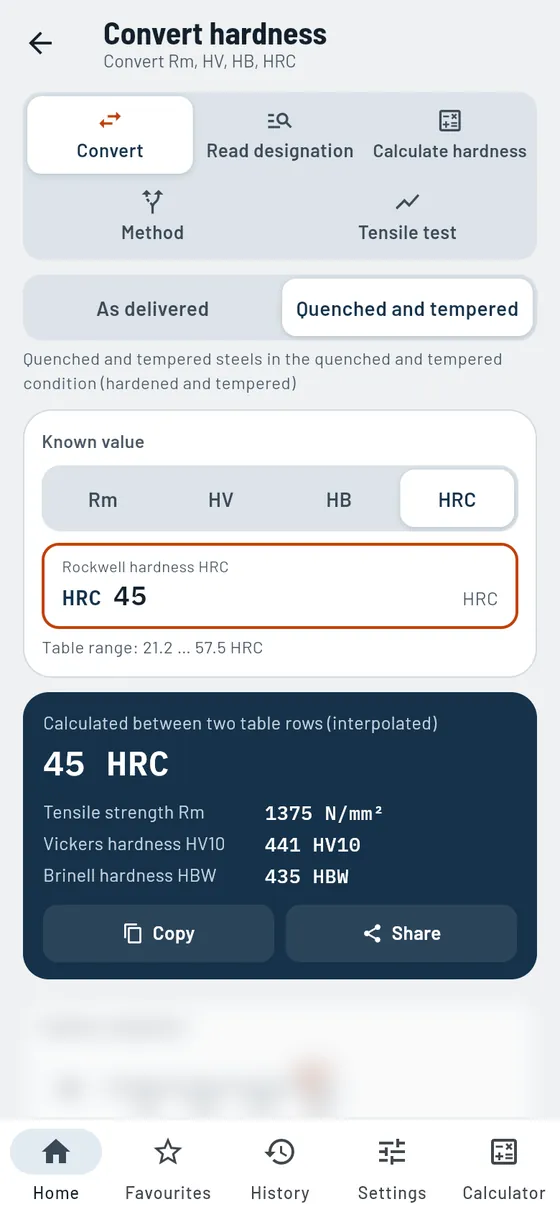
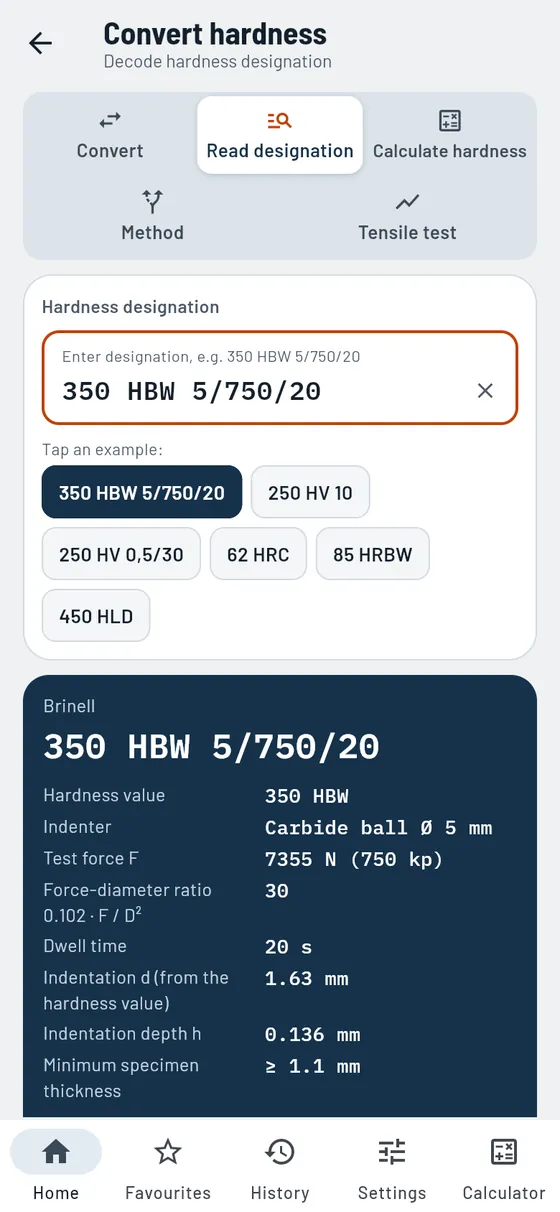
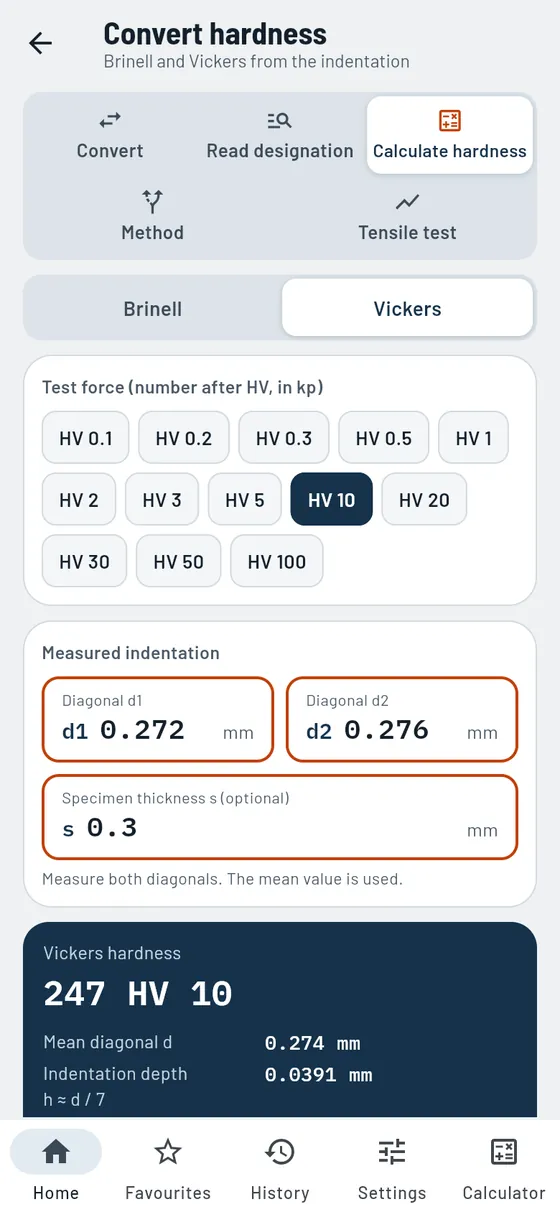

Convert hardness
ProHRC, HV, HB and tensile strength, converted into each other.
The test report gives HRC, the drawing HV? Gesello converts and shows all four scales side by side. Intermediate values are interpolated transparently. You can also read hardness specifications, calculate Brinell and Vickers from the indentation and evaluate the tensile test.
- Four scales
Rockwell, Vickers, Brinell and tensile strength. - Two material groups
As delivered or quenched and tempered. - Hardness ladder
Equivalent values on one line.
Also in the module
- Read hardness designationSpecifications like 400 HV10 decoded, with a sketch of the indentation.
- Hardness from the indentationBrinell and Vickers from the measured indentation, with calculation steps.
- Which test method?Decision aid by material, condition and thickness.
- Tensile testEvaluate Rm, Re, elongation at break and reduction of area, with stress–strain diagram.
- Charpy impact testA brief explanation of what it says about toughness.
A quenched and tempered part has 45 HRC. Roughly what tensile strength is that?
45 HRCquenched and tempered- Tensile strength
- ≈ 1375 N/mm²
- Vickers
- ≈ 441 HV10
- Brinell
- ≈ 435 HBW
Conversions are guide values.

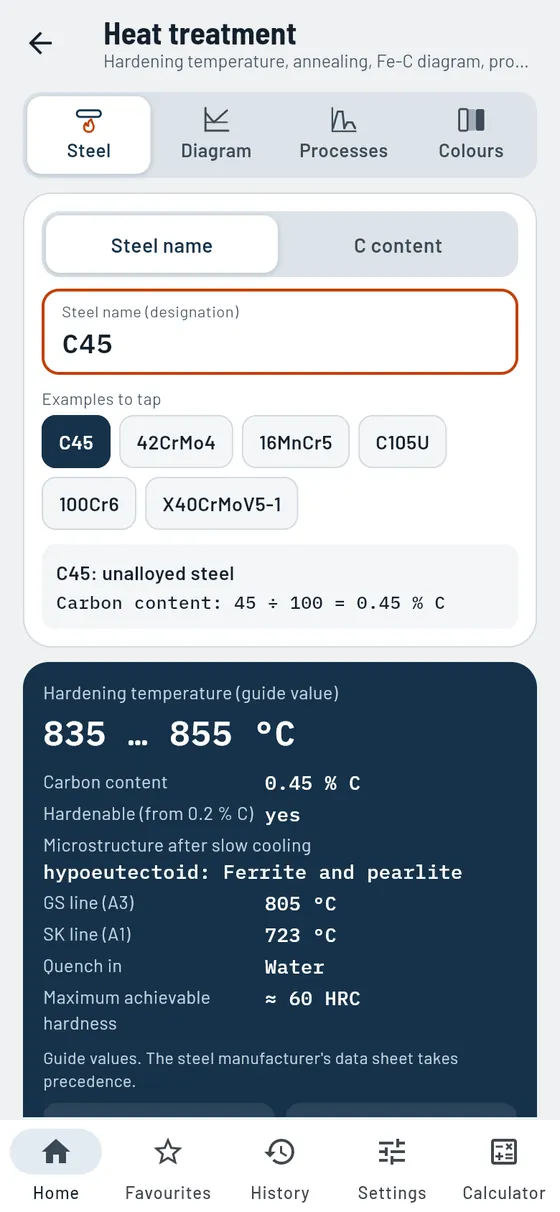
Heat treatment
ProHardening temperature and annealing ranges straight from the steel name.
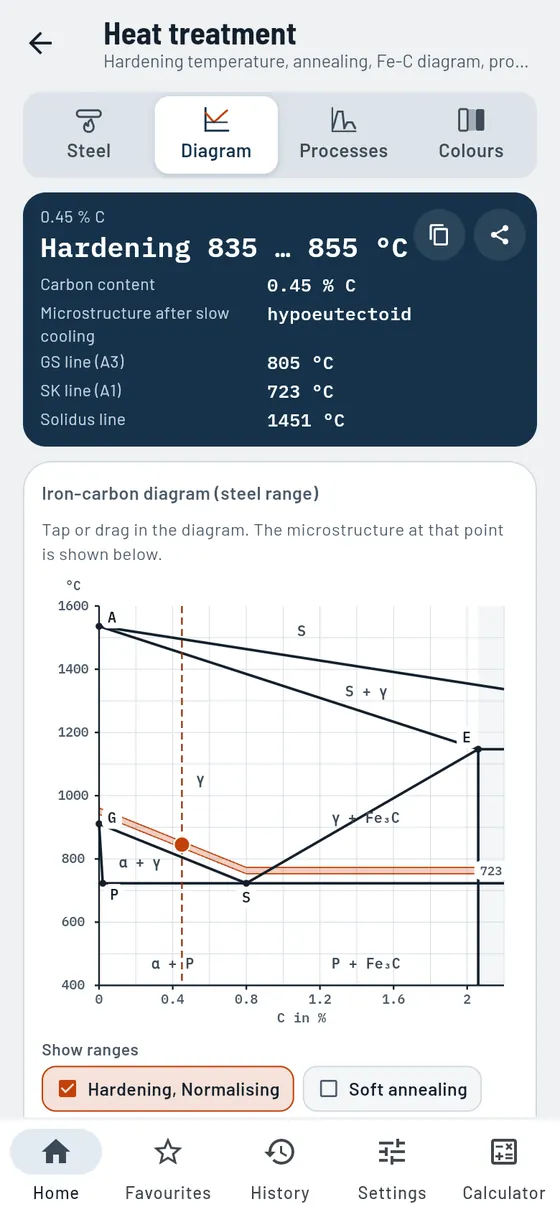
Enter C45, 42CrMo4 or simply the carbon content. Gesello shows whether the steel can be hardened, at what temperature it is hardened and in which ranges it is annealed and tempered. All as guide values, with calculation steps and diagram.
- Steel name in, hardening temperature out
Carbon content from the name, hardening temperature calculated from the diagram. - Iron-carbon diagram
To scale, with coloured annealing ranges. Tap to see the microstructure. - Processes at a glance
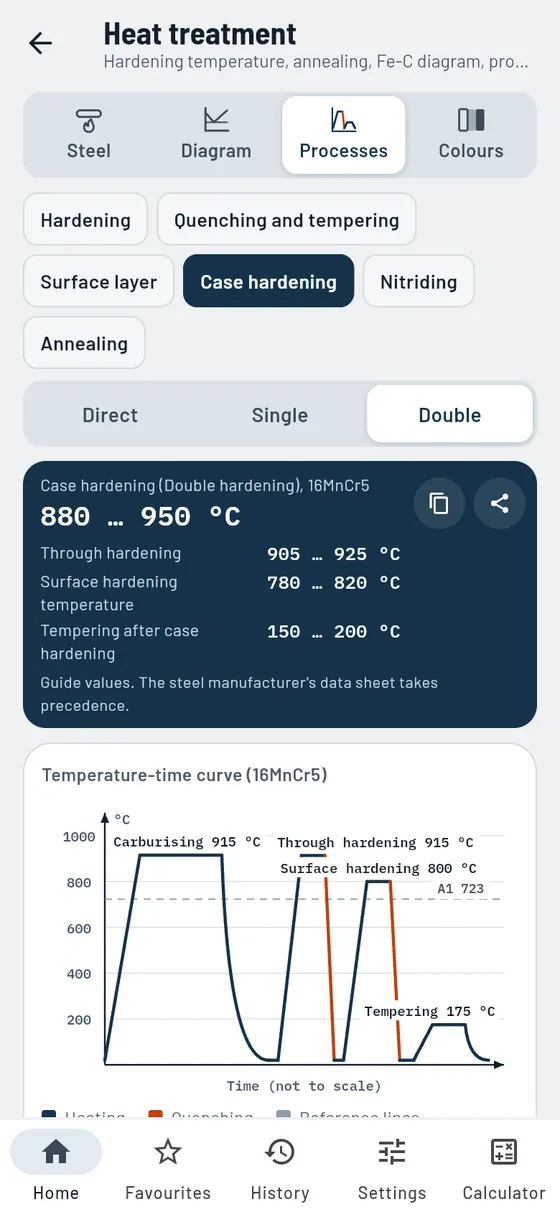
Hardening, quenching and tempering, surface and case hardening, nitriding, annealing with temperature-time sketch. - Quenching rules and safety
Practical rules and hazards in hardening, briefly explained. - Temper and annealing colours
Colour and temperature with typical tools.
Also in the module
- Works with C content aloneWithout a steel name, the carbon content is enough.
- Lines in the diagramGS, SE and SK lines read off for your steel.
- Quenching mediaWhat your steel is quenched in, as a guide value.
- Suitable processesThe sensible heat treatments suggested for the selected steel.
- Temperature rangesAnnealing, hardening and tempering ranges; tap to open the process.
- Five annealing processesNormalising, soft, stress-relief, recrystallisation and diffusion annealing.
- Steels and parts for each processPurpose, procedure, suitable steels and typical parts.
A 42CrMo4 shaft is to be quenched and tempered.
42CrMo4- Carbon
- 0,42 %
- hardenable
- yes, hypoeutectoid
- Hardening
- ≈ 840 … 860 °C
- Quenching and tempering: tempering
- 450 … 650 °C
Temperatures are guide values.
Mathematics and tools
The calculations from vocational school and the workshop, with sketch and calculation steps.
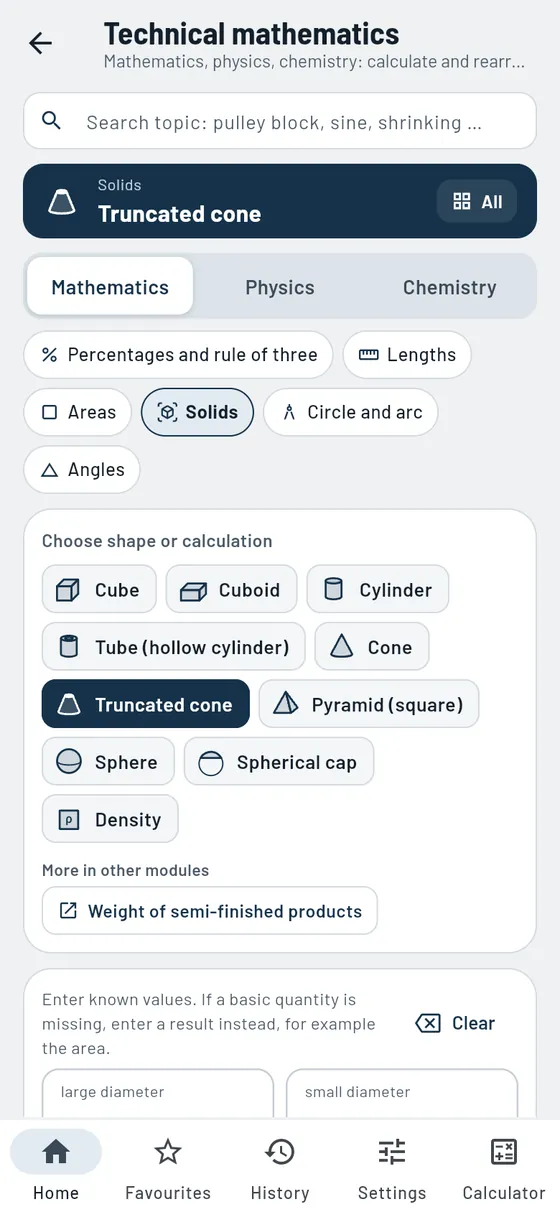
Technical mathematics
FreeOver 50 calculations, also in reverse.
Areas, solids, circular arcs, percentages, forces and electrical engineering: you enter what you have, Gesello calculates the rest. Every calculation has a dimensioned sketch and the calculation steps.
- Areas and solids
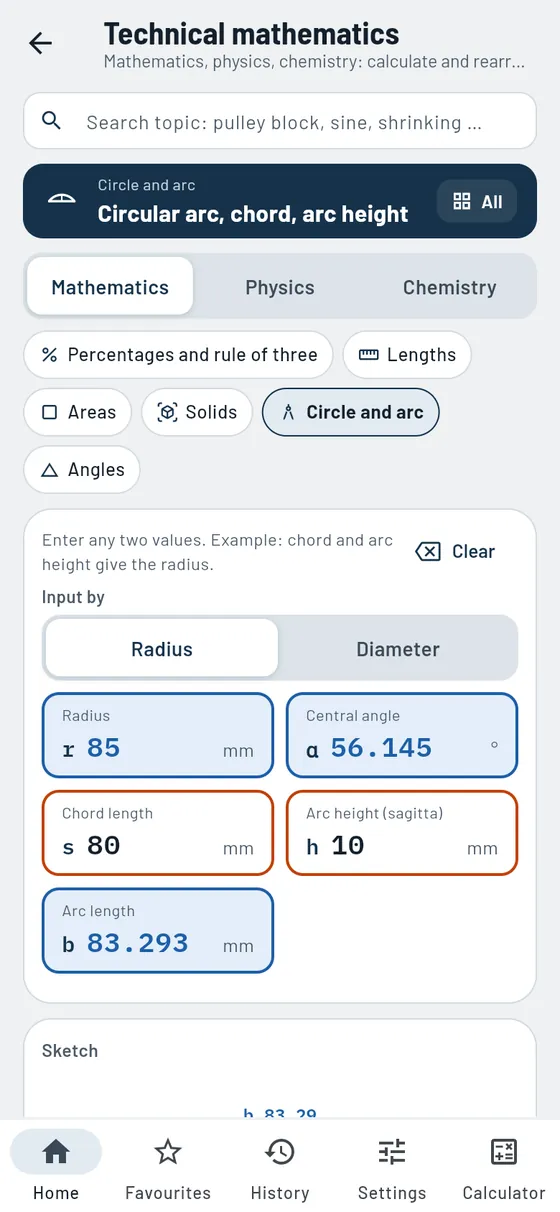
From rectangle to spherical segment, solids with mass. - Circle and arc
Radius on the workpiece from chord and height. - Electrical engineering
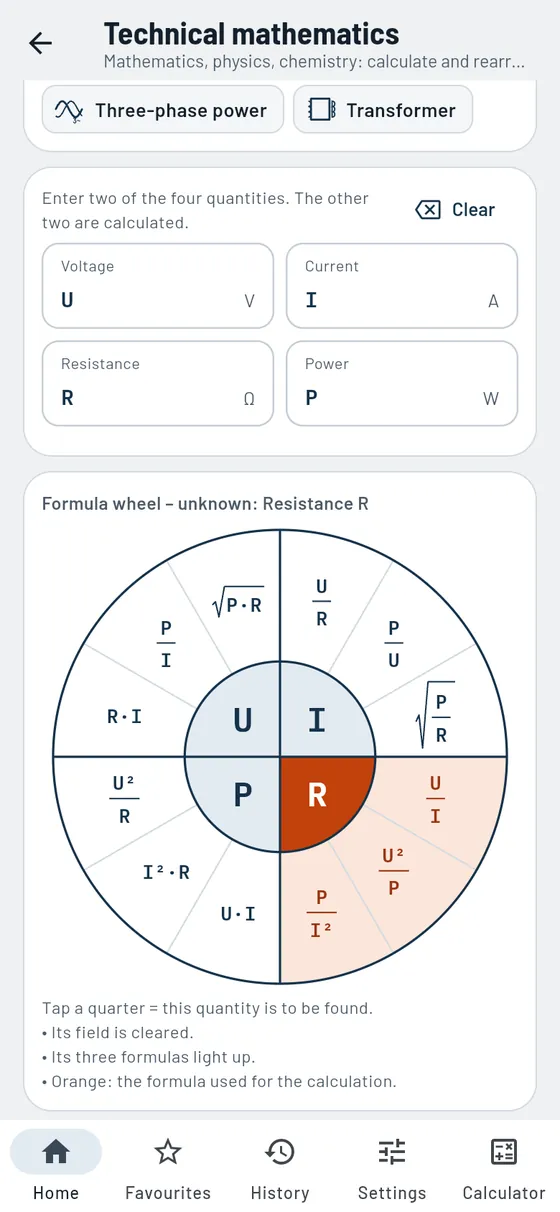
Formula wheel, circuits, power and electricity costs. - Mechanics
Forces, levers, friction, power, motion. - Heat
Expansion and joining temperature for shrink fitting.
Also in the module
- Percentages, rule of three, interestBasic calculations for work and everyday life, also with compound interest.
- Angles and unit circleDegrees, radians, gradians and sin, cos, tan by dragging on the circle.
- Cables and three-phase currentVoltage drop, AC and three-phase power, efficiency.
- Joining temperature with fitTake the interference directly from a fit such as H7/s6.
- Quantity of heat and heating timeHow much energy and time heating takes.
- Radius or diameterCircle and annulus optionally with radius, interest also by days.
- Search with workshop termsFinds calculations as you type, even with synonyms and typos.
- Formulas for referenceFor each calculation, the rearranged formulas with a legend of the symbols.
An arc segment is missing its radius. You measure a chord of 80 mm and a height of 10 mm.
s 80h 10- Radius
- 85 mm
- Central angle
- 56,1°
- Arc length
- 83.3 mm

Triangles
FreeSides and angles right in the sketch.
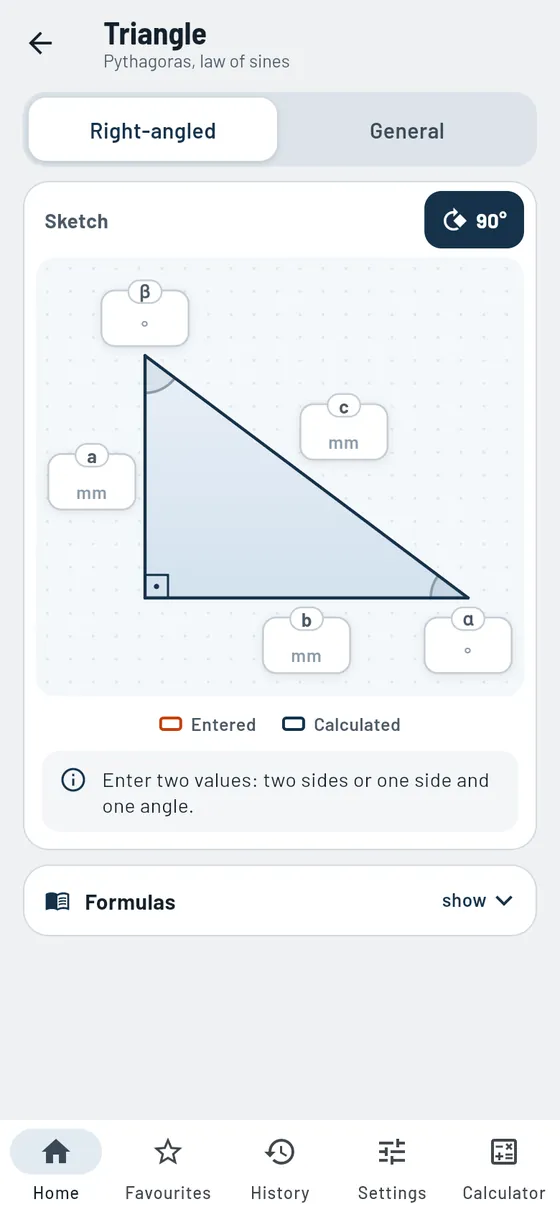
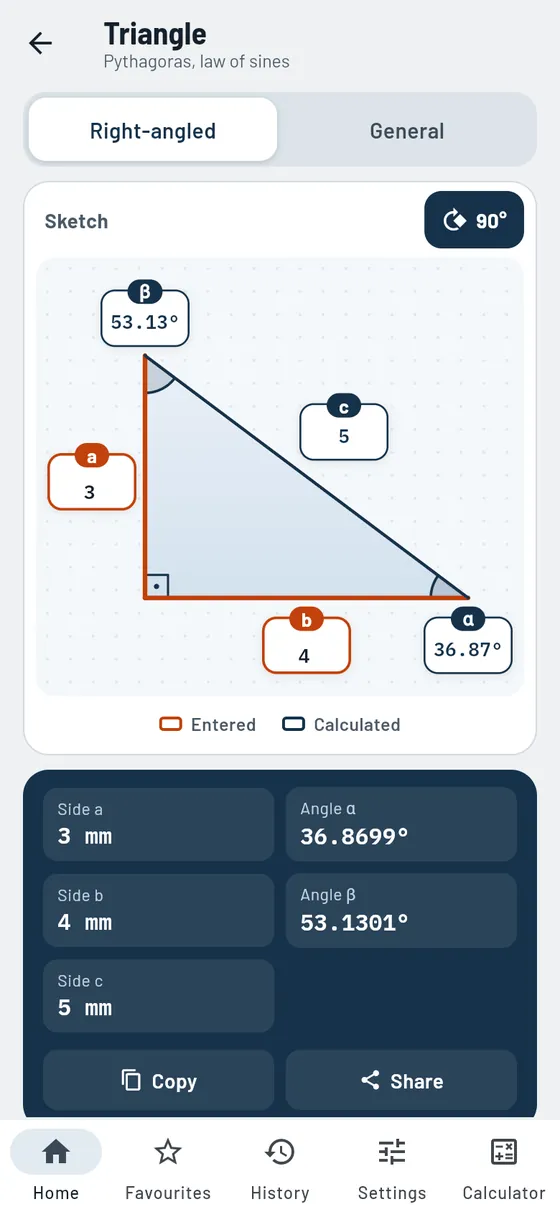
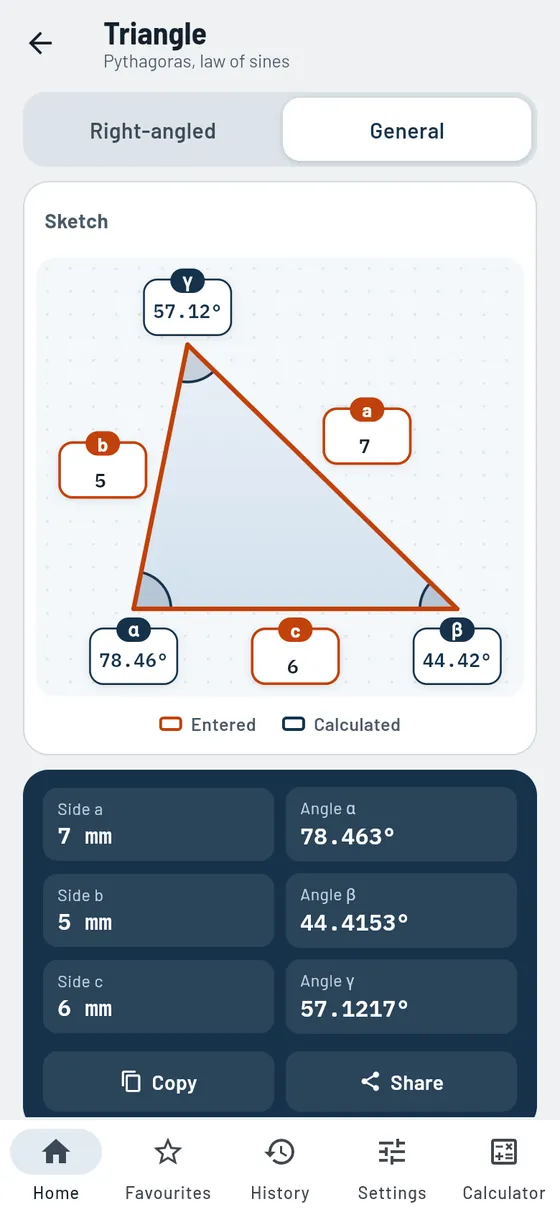
Tap two values into the drawn triangle and the others appear instantly. The calculation steps name the method: Pythagoras, trigonometric function or sine rule.
- Right-angled
Two values are enough, sketch can be rotated. - General
Three values; if there are two solutions, Gesello shows both. - Calculation steps with method
Every step named.
Also in the module
- Law of cosines and angle sumAlso for three sides or two sides with the included angle.
- Formulas with legendPythagoras, trigonometric functions, law of sines and law of cosines with all formula symbols.
A plate gets a bevel: 30 mm high, 40 mm long.
a 30b 40- Bevel
- 50 mm
- Angle
- 36.87° and 53.13°

Units
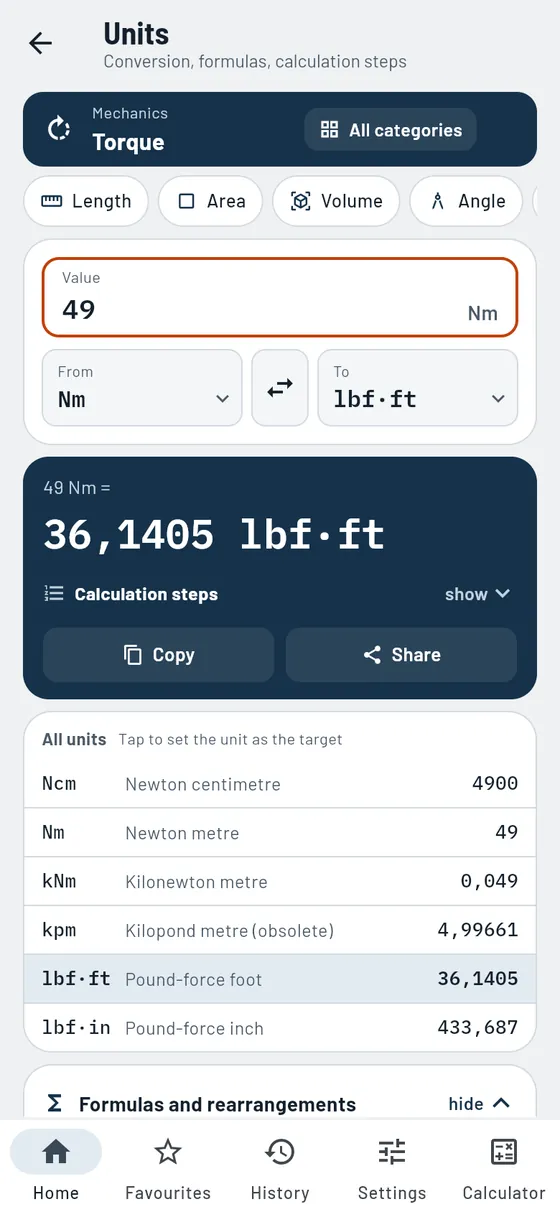
FreeInches, psi, lbf·ft: converted in no time.
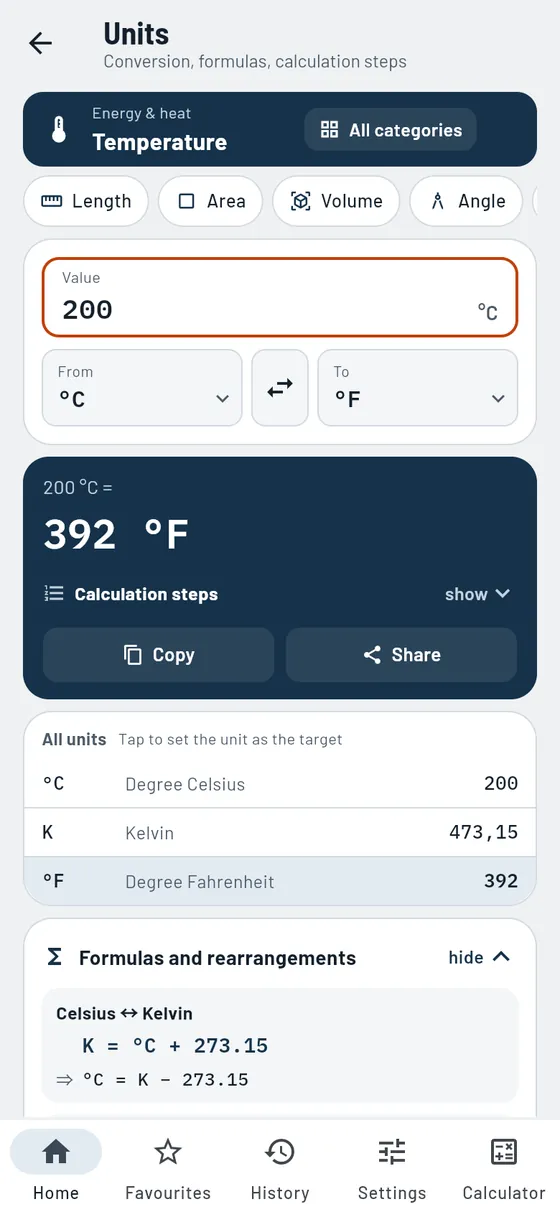
14 quantities from length to spindle speed. Gesello shows the calculation steps and your value in all units at once. Handy for drawings and equipment from the USA.
- 14 quantities
Length, pressure, force, torque, temperature and more. - All units
Your value in every unit of the quantity. - Calculation steps
Traceable via the base unit.
Also in the module
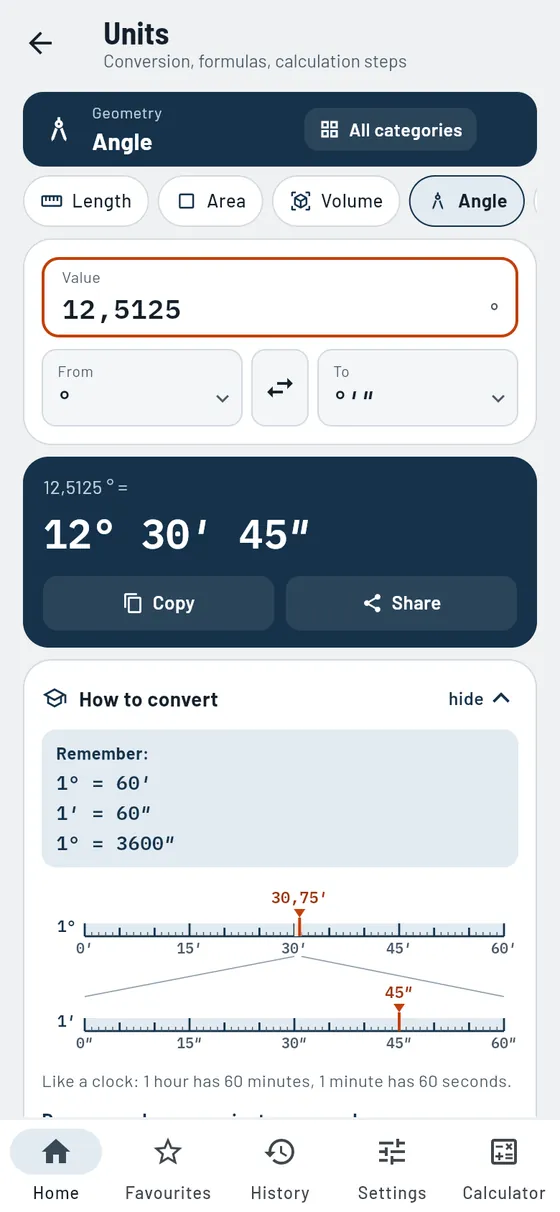
- Degrees, minutes, secondsAngles in three fields, with calculation steps in both directions.
- Formulas and rearrangementsMatching formulas for each quantity, such as F = m · a or p = F / A.
- Old unitsKilopond, technical atmosphere and metric horsepower are included.
- Sorted by groupGeometry, mechanics, energy and heat, motion and time.
The torque wrench shows lbf·ft. The specification is 49 N·m.
49 N·min lbf·ft- Set to
- 36.14 lbf·ft

Calculator
ProA scientific calculator on top of every page.
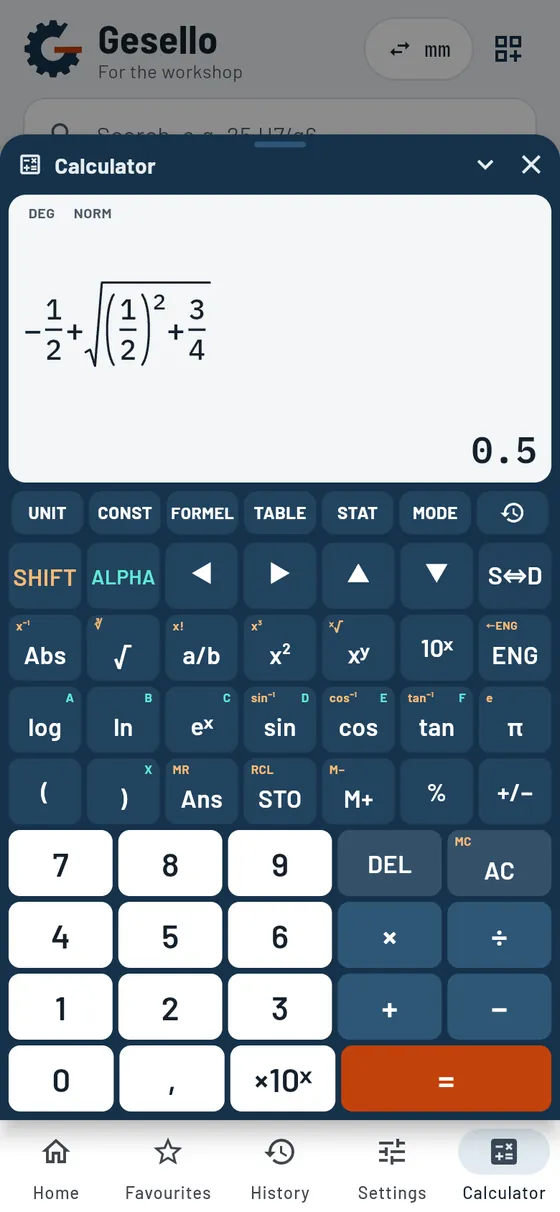
The calculator opens on top of any module. You read off a value and keep calculating straight away. Fractions appear as real fractions on the display, just like in your exercise book. A comparable school calculator costs €25 to €30 in shops; with Pro it is already included.
- Fractions and functions
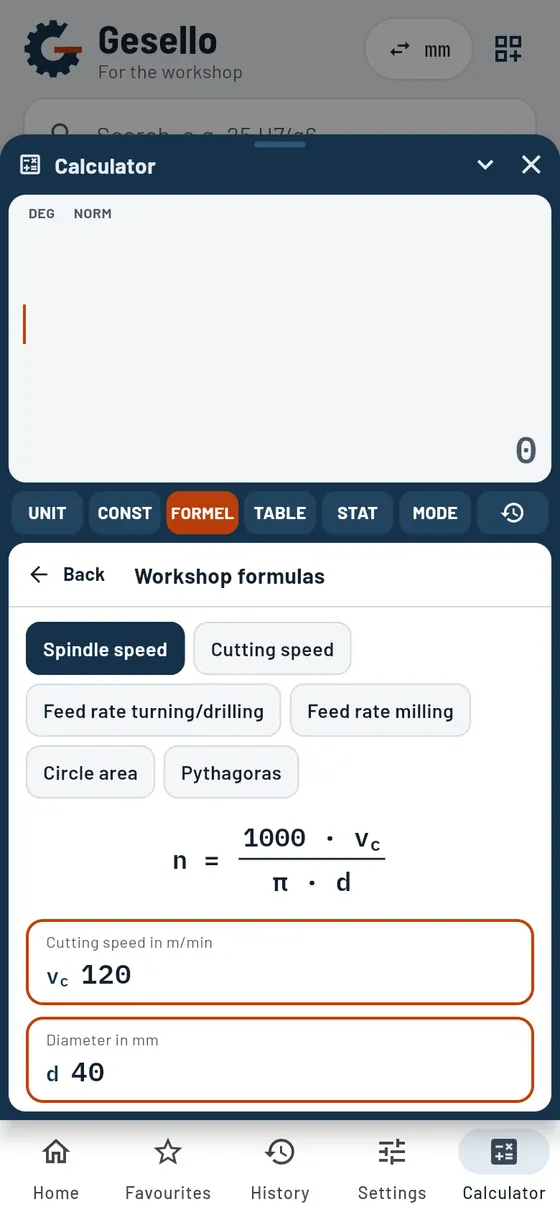
Real fraction display, roots, powers, trigonometric functions. - Workshop formulas
Spindle speed, feed, circle area as a form. - Statistics and table of values
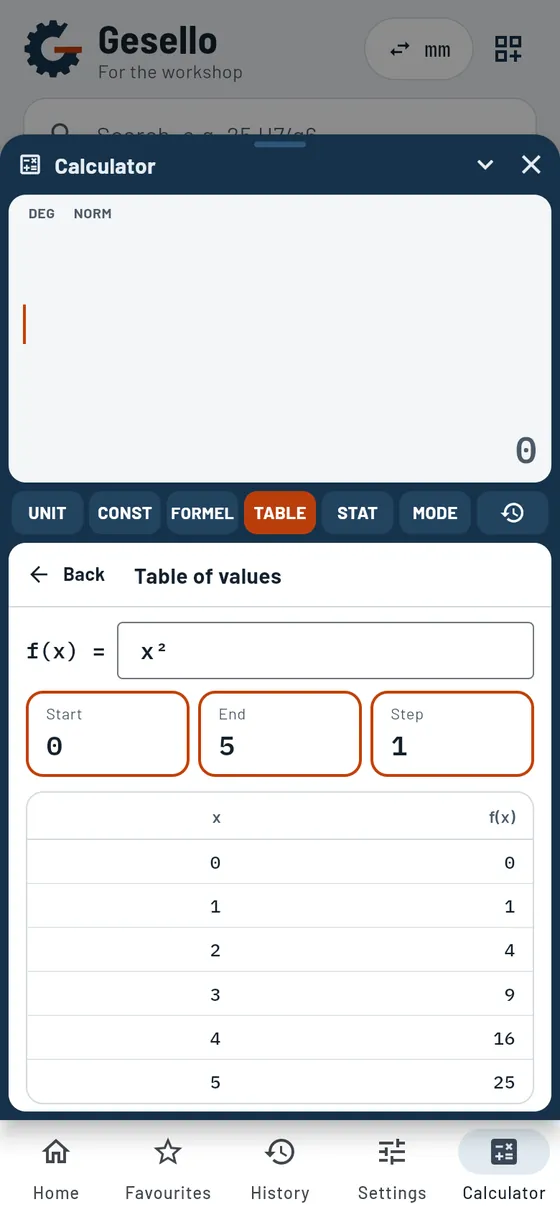
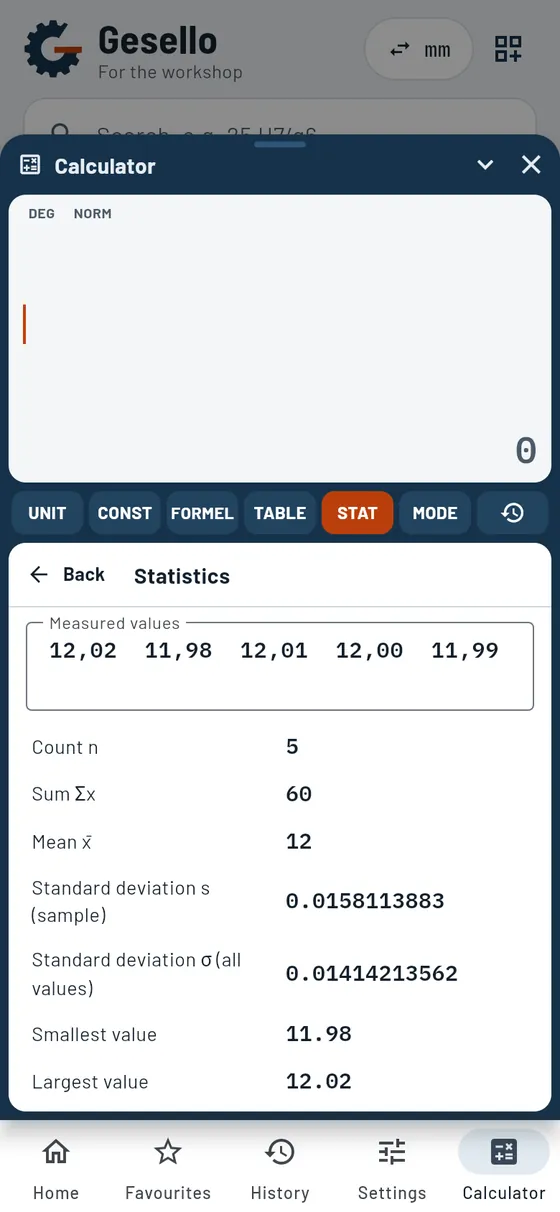
Evaluate series of measurements, tabulate functions. - History and memory
Recall earlier calculations.
Also in the module
- Unit conversionConvert the result directly into another unit.
- Constantsπ, e, g, inches to mm and roots with one tap.
- Variables A to FStore and recall values, plus Ans.
- Display settingsFIX, SCI and ENG, number of digits, degrees, radians or gradians.
- Fractions with arrow keysSwitch between numerator and denominator with ▲▼.
- CollapsibleOnly the display stays visible; the module underneath remains readable.
- Always to handIts own button in the bottom bar, on phone, tablet and PC.
Maths homework: x² + x − ¾ = 0 using the pq formula.
−½ + √((½)² + ¾)- x₁
- 0,5
- Display
- Fractions like in your exercise book

Practice
FreeExam-style exercises for practice, with worked solutions.
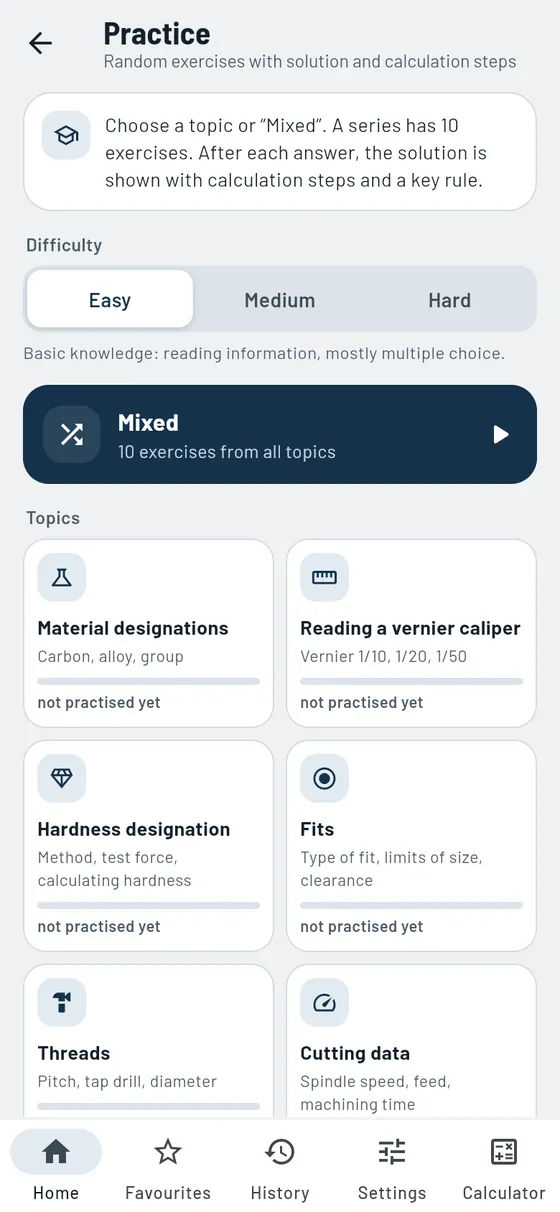
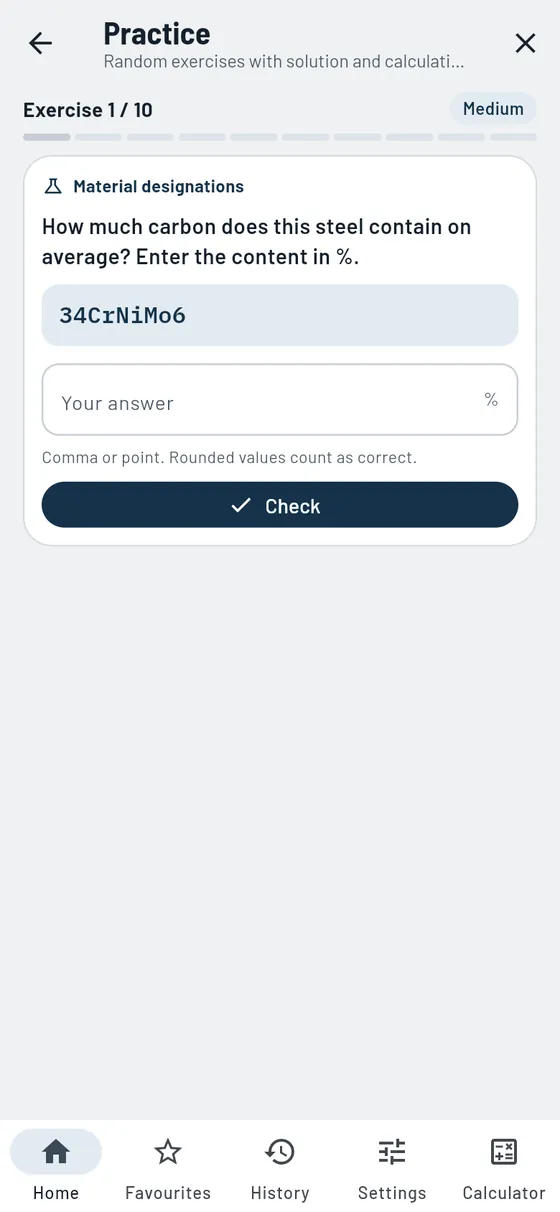
Gesello gives you exercises from the workshop: decoding steel names, reading vernier calipers, fits, threads, cutting data, hardness designations and more. After each answer you see the solution with calculation steps and can open the topic directly in the matching module.
- Eight topics
Materials, vernier calipers, hardness, fits, threads, cutting data, inserts, stock. - Three levels
Easy, medium, hard, or everything mixed. - Series with results
10 exercises, then practise the wrong ones again. - Worked solution
Explained step by step, with a rule to remember.
Also in the module
- Tap or typeSometimes you choose the answer, sometimes you type in the result.
- Given and requiredCalculation exercises clearly laid out in boxes instead of one long sentence.
- Sketch for the exerciseVernier caliper with magnifier, tolerance zone or thread drawn.
- Share an exerciseThe link opens exactly this exercise, handy for the class.
- Session progressHow many exercises per topic you have already got right.
Your exam is coming up and you want to read steel names with confidence.
Steel namesmedium- Exercise
- How much chromium does 42CrMo4 contain?
- Solution
- 4 ÷ 4 = 1 % chromium
Bending, drives, drawing
Sheet metal, gears, cylinders and drawings: the topics around design and assembly.
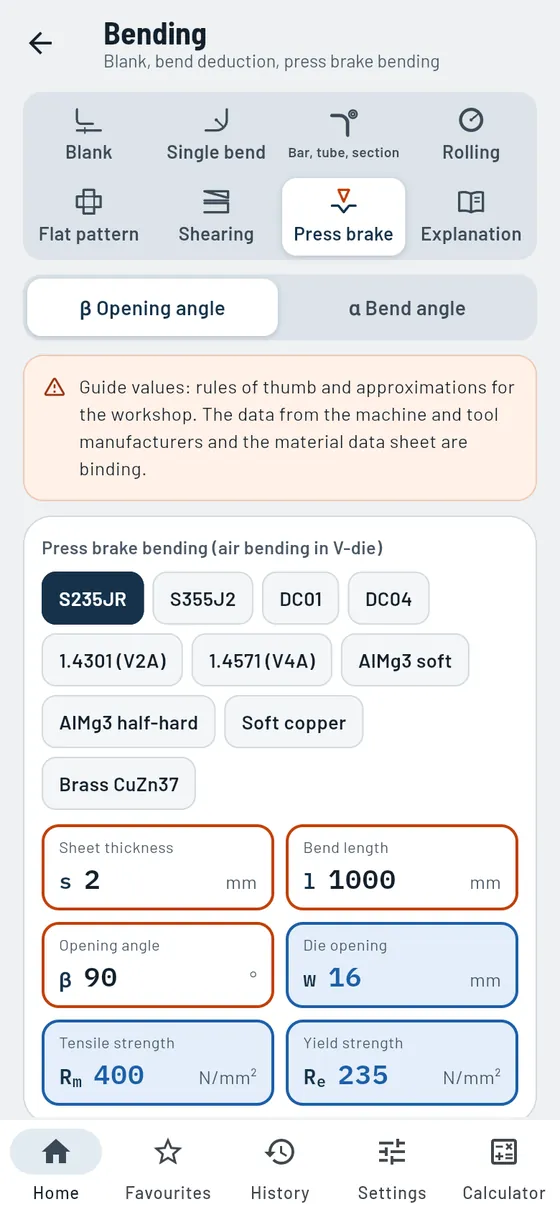
Bending
ProBlanks, flat patterns and forces for sheet, tube and sections.
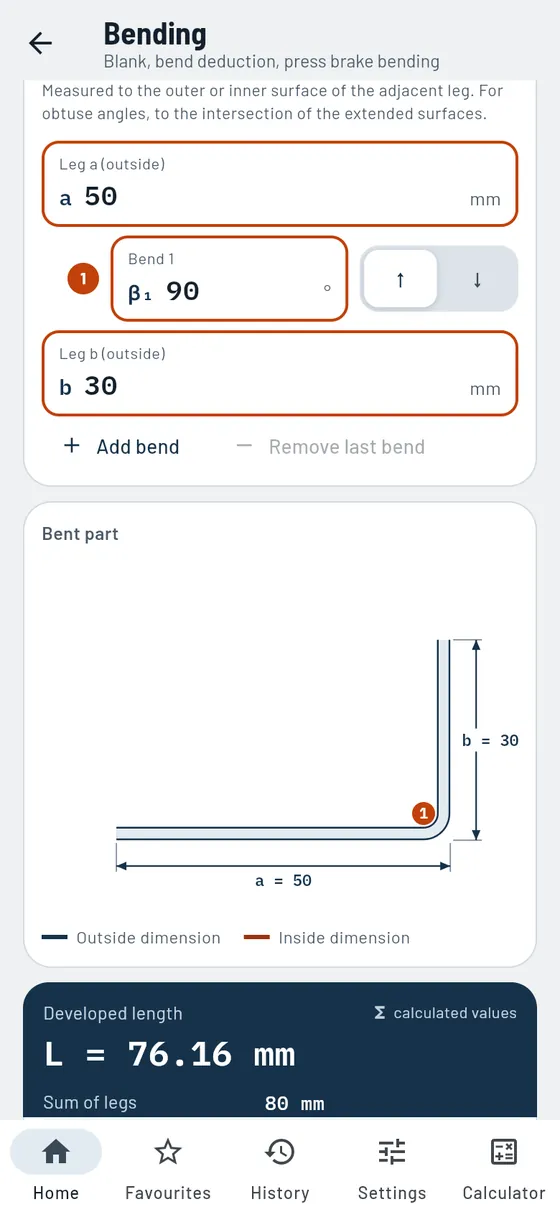
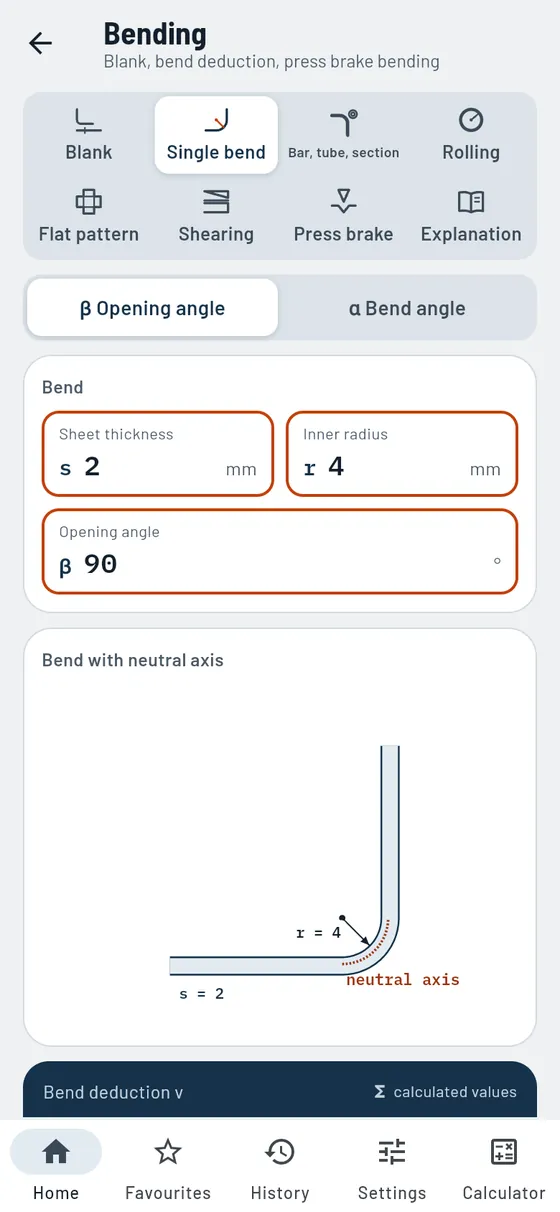
How long does the blank have to be so that all dimensions are right after bending? Gesello calculates the developed length via the neutral axis, draws the part to scale and tells you where to scribe the bend lines. Plus rolling, flat patterns, shearing and press brake bending with force and die.
- Blank and bend lines
L, U, Z and hat sections, up to eight bends, with marking dimensions and minimum bend radius. - Single bend
Bend deduction and correction factor for one bend. - Round bar, tube, section
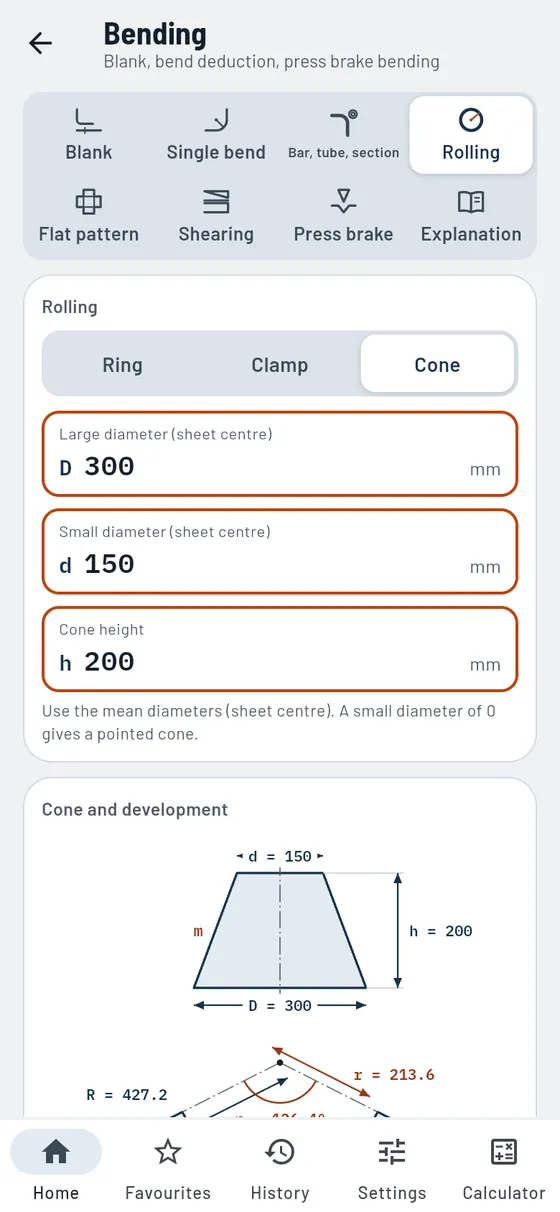
Developed length via the centroidal axis, also for tube bends. - Rolling
Ring, cylinder, clamp and cone from sheet metal. - Flat pattern
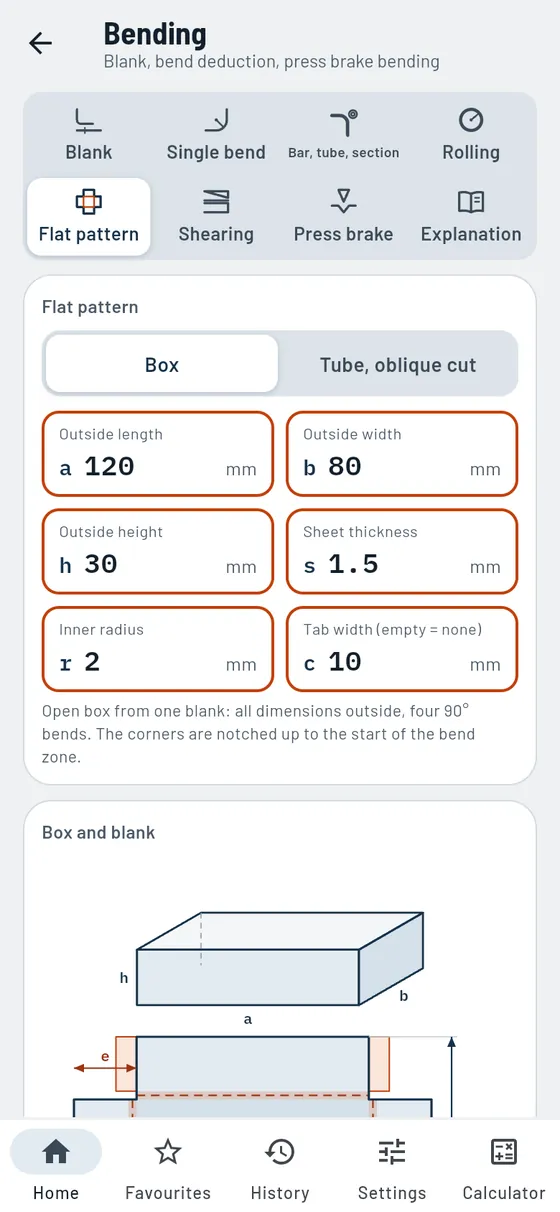
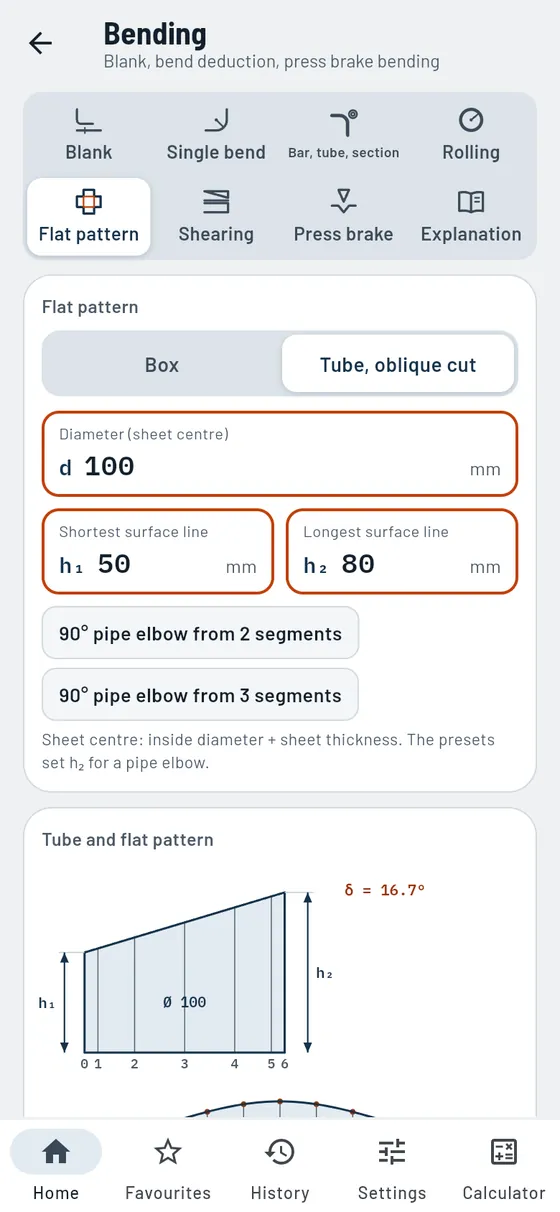
Open box with corner notches and tabs, tube cut at an angle. - Shearing
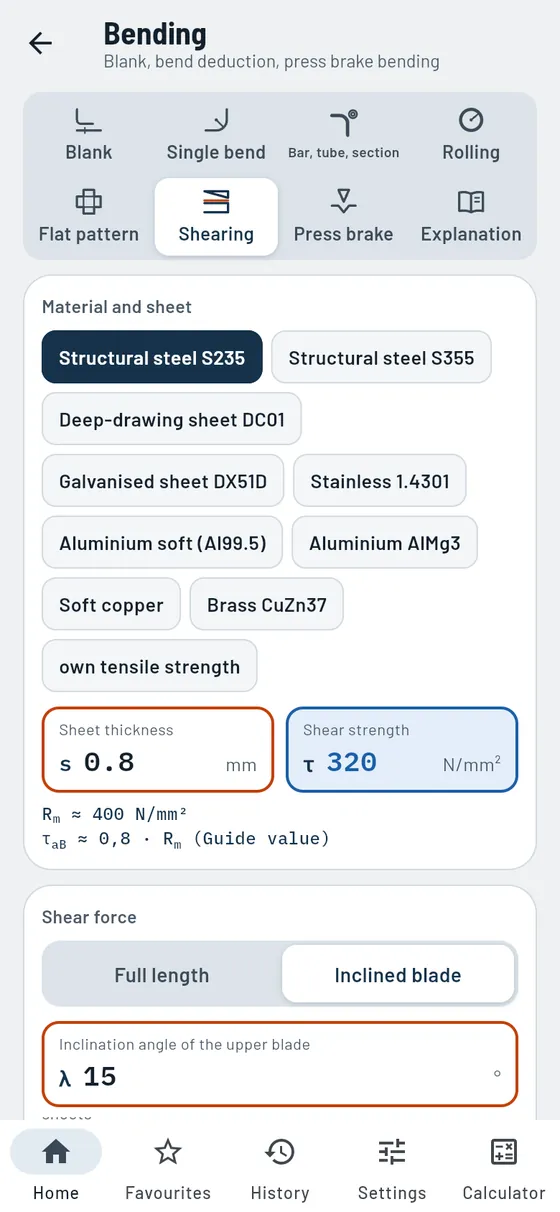
Shearing force, cutting clearance and hand lever. - Press brake bending
Bending force, die opening and springback (guide values). - Explanation
Neutral axis, bend deduction, rolling direction.
Also in the module
- Choose dimension referenceLegs dimensioned outside, inside or individually for each leg.
- Hem180° fold, open or closed.
- Rolling directionMinimum bend radius checked along or across the rolling direction.
- Large bend anglesAbove 165°, the simplified rule with its deviation as well.
- Minimum flange lengthThe minimum length of a leg in the V-die.
- Inclined bladeShear force with inclined upper blade and effective cutting length.
- Maximum sheet thickness per shearWhat each shear can handle in steel, aluminium and stainless steel.
- Weight of the blankContinue calculating in the Weights module with one tap.
Formula, worked example and common mistakes
An angle from 2 mm sheet: legs 50 and 30 mm outside, inside radius 2.
s 2r 250 / 3090°- Blank
- 76.16 mm
- Bend line
- at 48.08 mm

Drives
ProGear, belt, chain and worm.
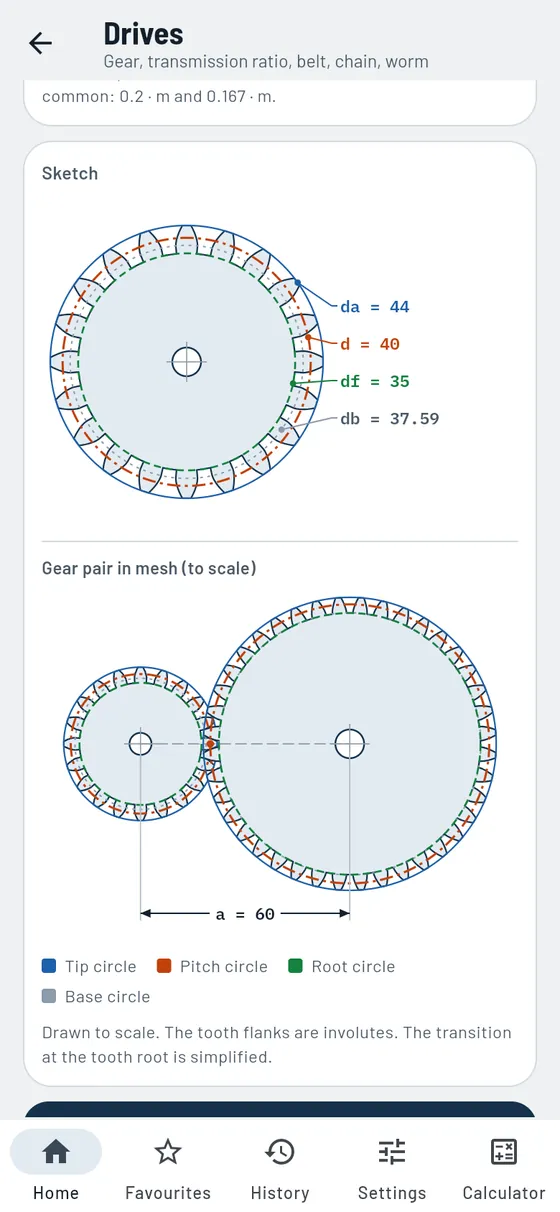
Enter module and number of teeth, Gesello calculates all circles and draws the gear pair in mesh. It also works the other way round: from the measured tip circle you find the module of a replacement gear.
- Spur gear
All circles, pitch, centre distance, undercut warning. - Determine module
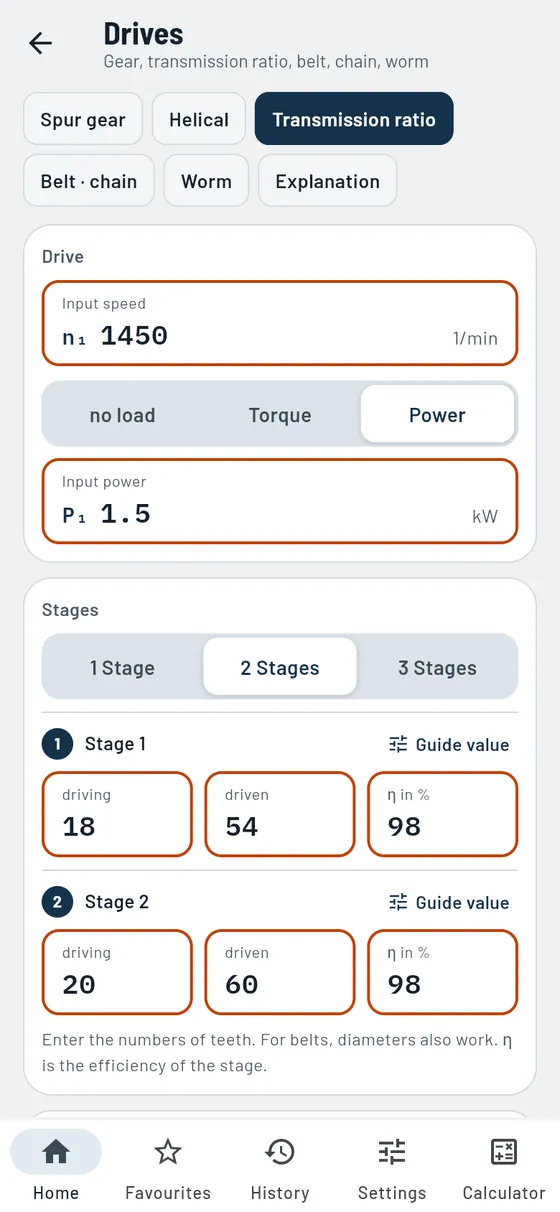
From the measured tip circle. - Transmission ratio
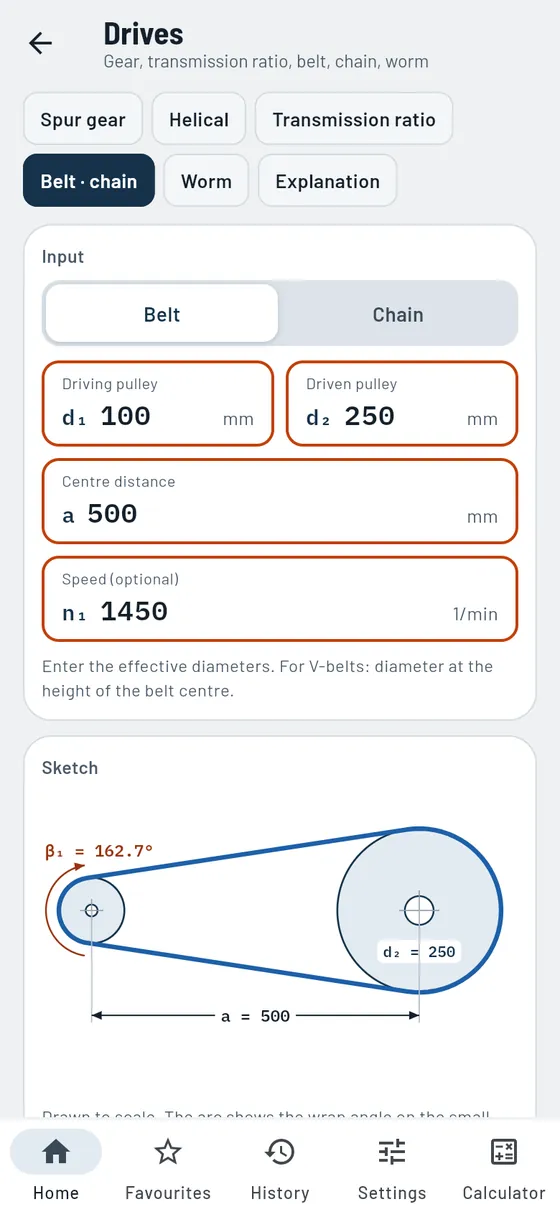
Up to three stages with speed and torque. - Belt, chain, worm
Length, wrap angle, number of links, self-locking.
Also in the module
- Helical gearingNormal and transverse module and helix angle, also from the centre distance.
- Specify centre distanceCalculate a spur gear from module, tip circle or desired centre distance.
- Tooth dimensionsPitch, tooth depth, tooth thickness, base circle and bottom clearance.
- Selectable bottom clearanceBottom clearance factor 0.25, 0.2 or 0.167 times module.
- EfficiencyGuide values per stage, torque and power at the output.
- Gear train diagramAll stages as a diagram, plus an overview table.
- ExplanationModule, involute, transmission ratio, helical and worm gear drives briefly explained.
Two gears with module 2 and 20 and 40 teeth. How far apart are the shafts?
m 2z 20 / 40- Pitch circles
- Ø 40 and Ø 80 mm
- Centre distance
- 60 mm
- Transmission ratio
- i = 2

Hydraulics and pneumatics
ProCylinder force, air consumption, press.
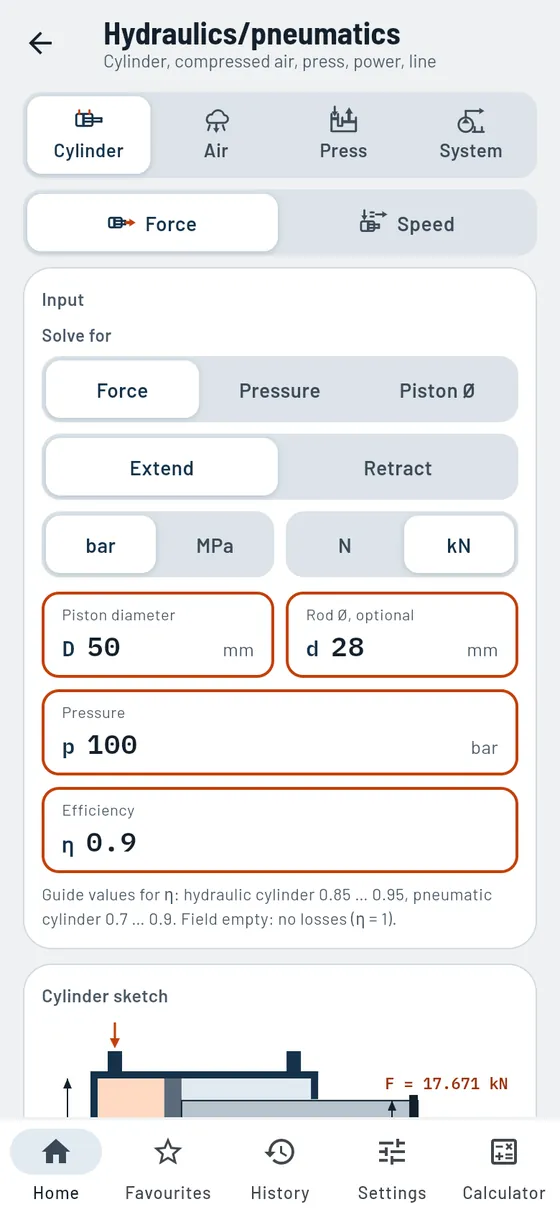
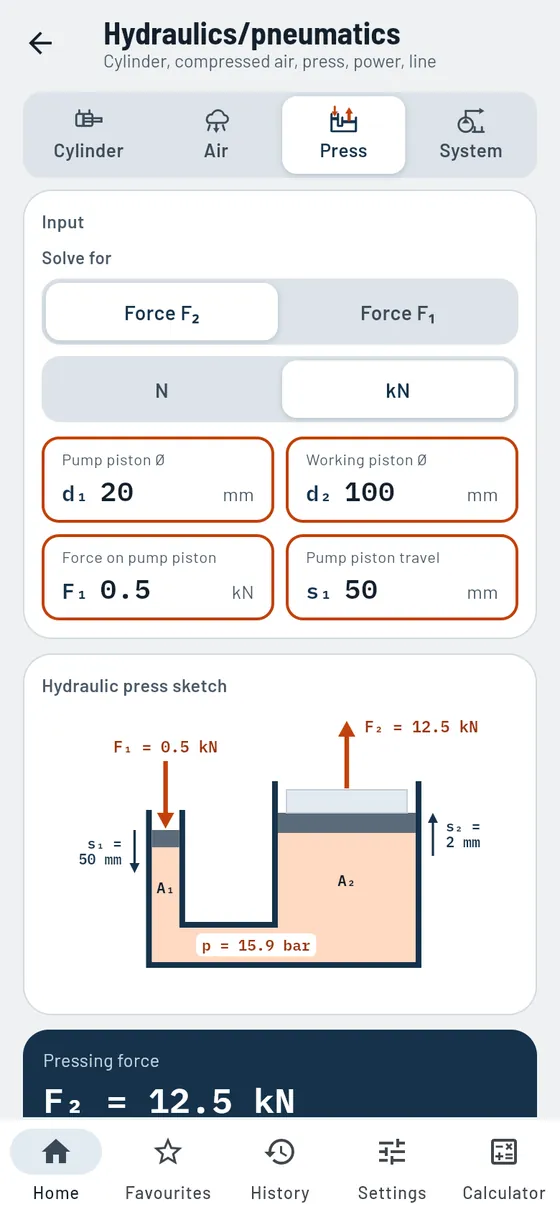
Is the clamping cylinder strong enough? Gesello calculates the force when extending and retracting, the speed and the air consumption. Plus presses, pump power and lines.
- Cylinder
Force, pressure or piston diameter, when extending and retracting. - Compressed air
Air consumption per minute and per hour. - Press
Pressing force and transmission ratio. - System
Pump power and flow in the line.
Also in the module
- Speed and stroke timeExtension and retraction speed, stroke time and oil volume from the flow rate.
- Piston and annulus areaAreas and area ratio included.
- Single- or double-actingAir consumption for both types, also per double stroke.
- Travel on the pressTravel ratio: how far the working piston moves.
- Pump and hydraulic motorInput power, output power and heat loss.
- Sizing linesRequired inside diameter, with guide values for suction, pressure and return lines.
- Commissioning checklistTick off hydraulics in four stages, with safety rules.
A hydraulic cylinder D 50 clamps at 100 bar. How much force do you get?
D 50d 28100 bar- Extending
- 17.67 kN
- Retracting
- 12.13 kN
With efficiency 0.9.

Drawing symbols
FreeRead lines, edges and symbols correctly.
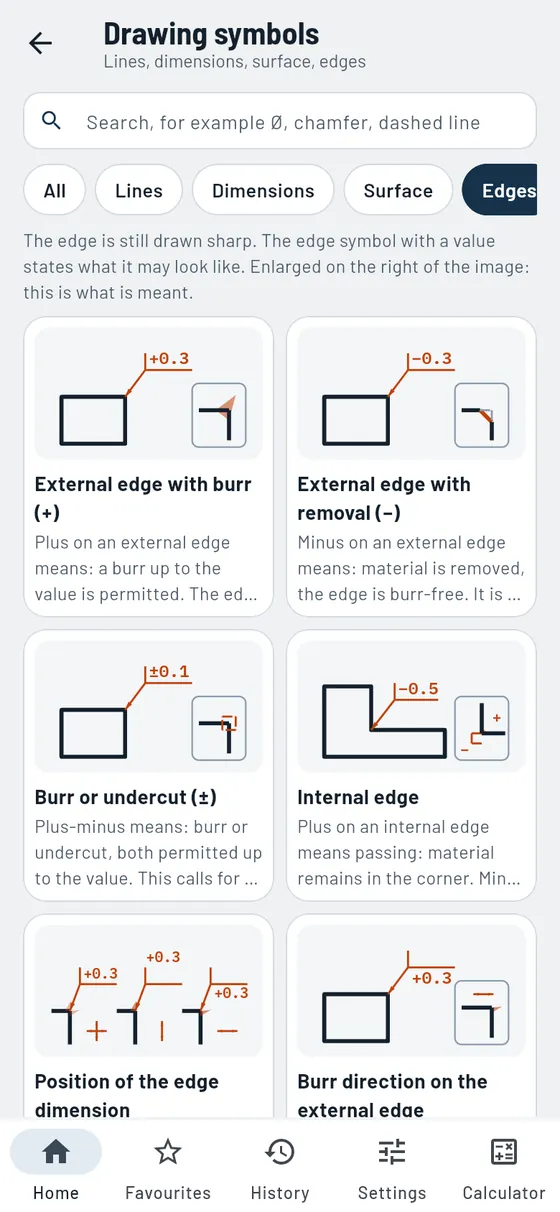
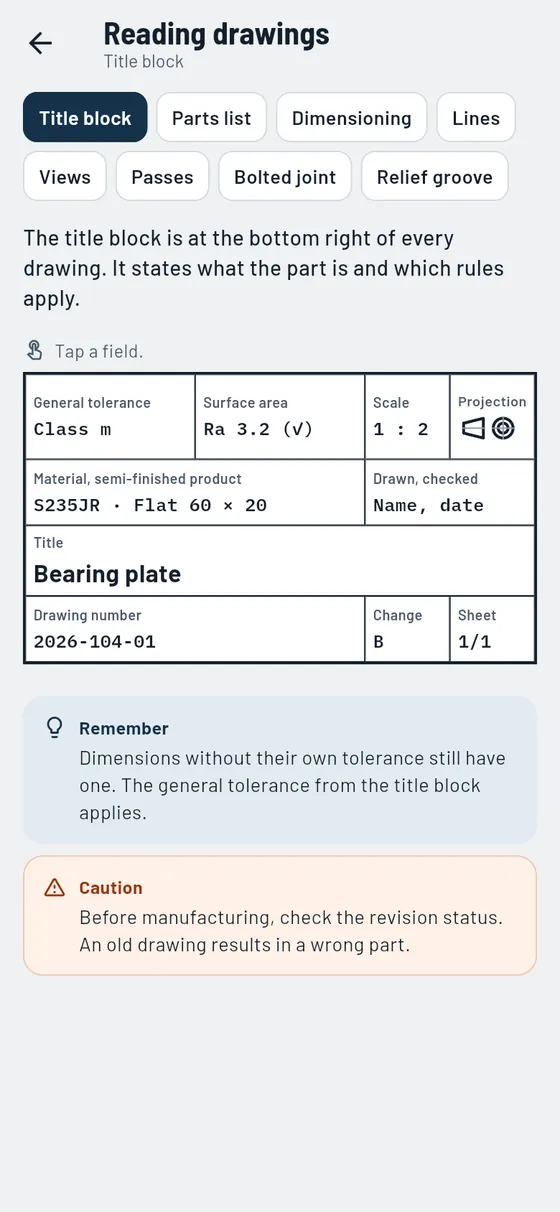
What does the chain line mean, and the edge symbol with a plus? Every symbol is cleanly drawn and explained, with an example and the most common mistake.
- Six groups
Lines, dimensions, surface, edges, threads, representation. - Detail sheet
Large symbol, meaning and example. - Common mistake
What often goes wrong in practice.
Also in the module
- Reading a drawingTitle block and parts list to tap, views, sections, screw and relief groove.
- Dimensioning for CNCRunning dimensioning, Cartesian and polar coordinates, coordinate table.
- SearchFinds symbols by character or word, such as Ø, chamfer or dashed line.
- Related modulesGo to form and position, threads or roughness with one tap.
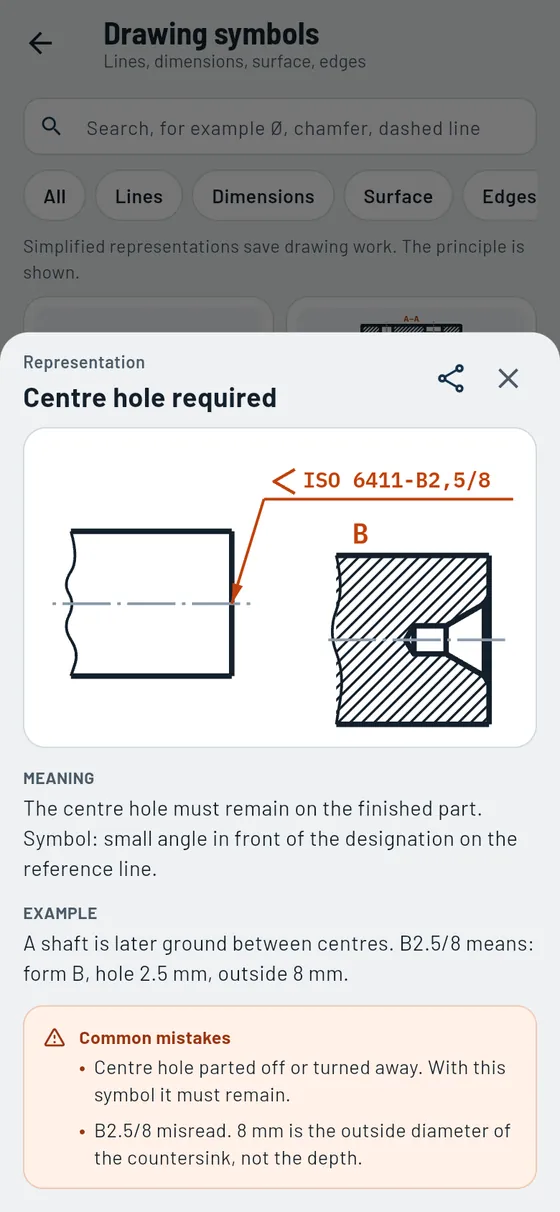
A centre hole is specified on the shaft in the drawing.
Centre hole- Meaning
- must remain on the part
- Example
- Form B, hole 2.5 mm

Control engineering
ProUnderstand circuit symbols, logic and sequences, from the valve to GRAFCET.
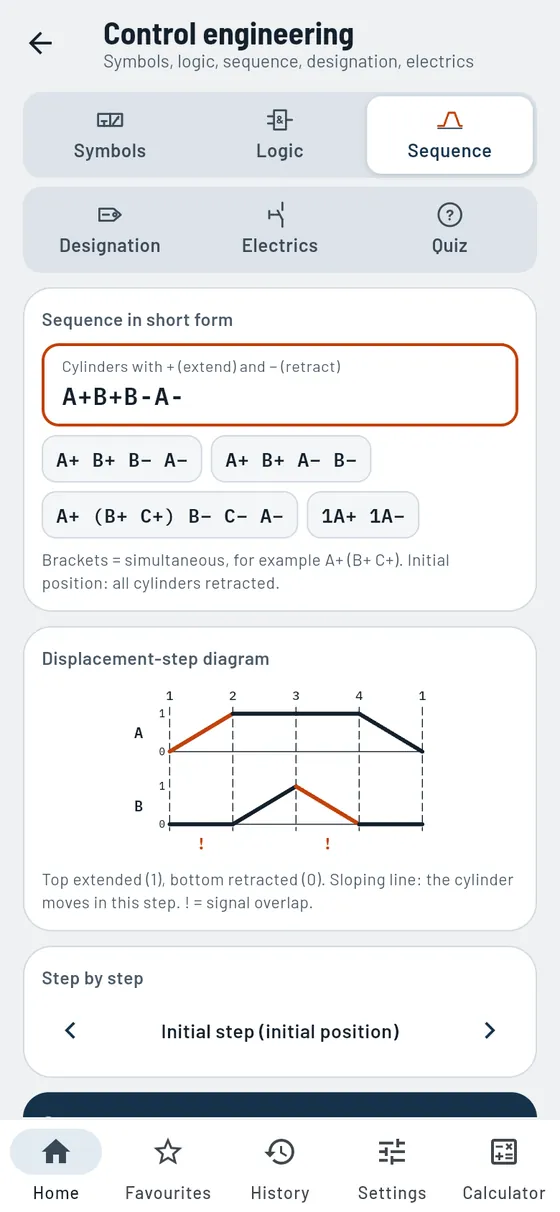
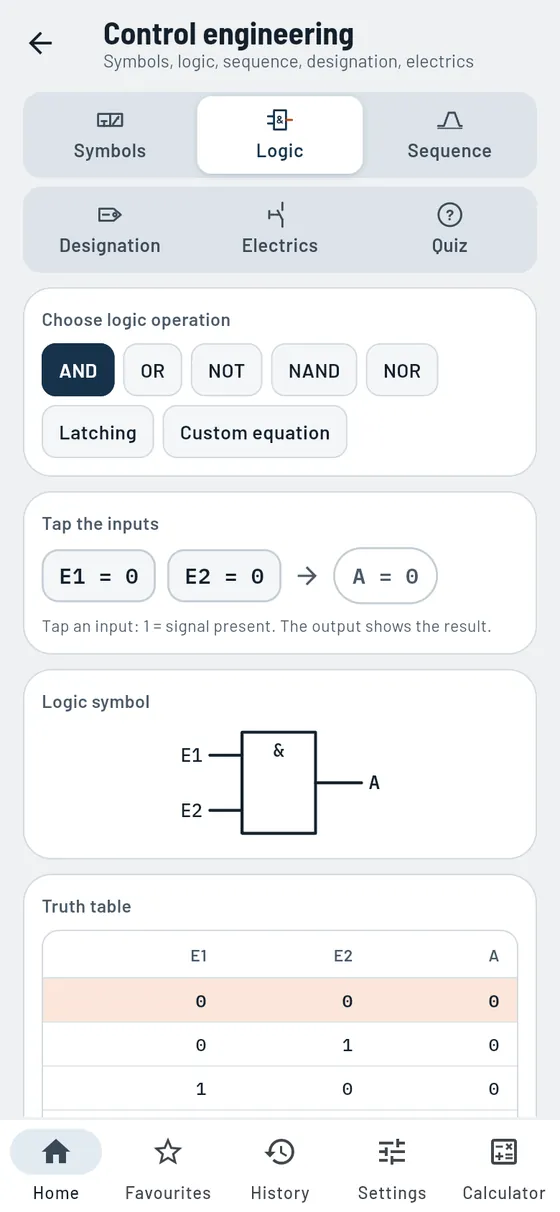
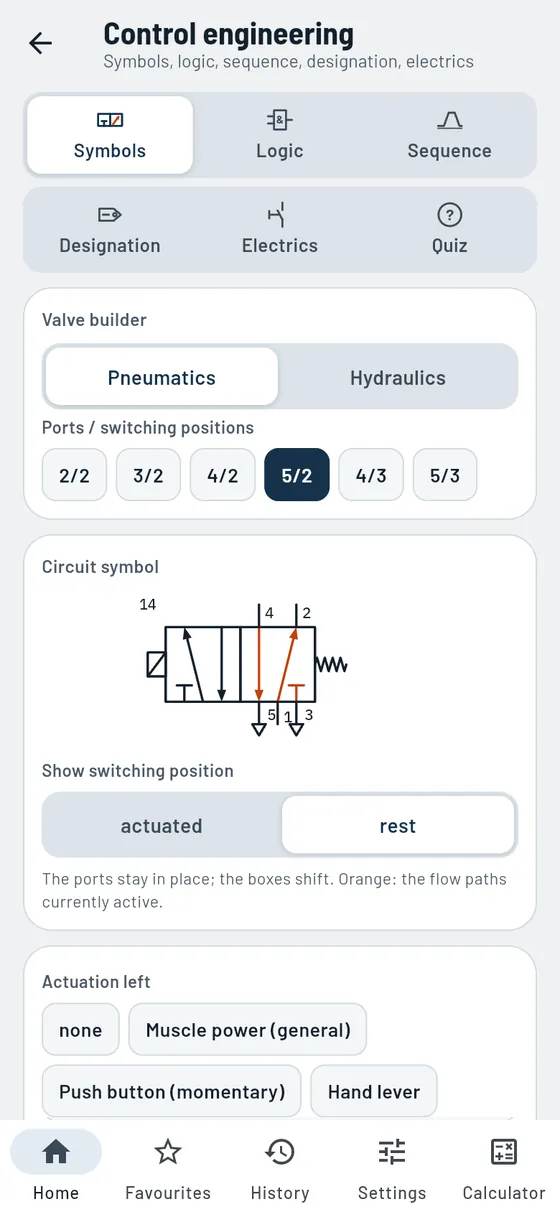
Build a directional control valve and instantly see the correct circuit symbol with its name and identifying letters. Tap logic inputs, enter a sequence such as “A+ B+ B− A−” or decode designations from diagrams.
- Valve builder
Choose ports, positions and actuation, or type “5/2 solenoid spring”. - Component catalogue
Pneumatics and hydraulics side by side. - Tap-to-test logic
Truth table, logic symbol, pneumatic and electrical implementation. - Sequence
Displacement-step diagram and GRAFCET from the short form, with a warning for signal overlap. - Identification
Decode -KF1, 1.6, 13-14 or Ø100/70×200. - Electrical
Timing relays with timing diagram, circuit diagram, terminal diagram, checklists.
Also in the module
- QuizRecognise symbols: from symbol to name and back.
- Show switching positionValve at rest or actuated, with ports and identifying letter.
- Your own logic equationUp to five inputs, with a component list for the pneumatic implementation.
- LatchingAs logic to tap and as a circuit diagram with valve.
- Sequence step by stepTap through the sequence and see each movement individually.
- Contacts and solenoid valveNO, NC and changeover contacts, valve direct-acting or pilot-operated.
- Identifying lettersMain classes and subclasses of equipment at a glance.
- Keep calculatingCalculate cylinders directly in the Hydraulics/Pneumatics module.
Two cylinders are to extend one after the other and retract in reverse order: A+ B+ B− A−.
A+ B+ B− A−- Steps
- 4
- Signal overlap
- in steps 1 and 3
- Result
- Displacement-step diagram and GRAFCET
Curious?
The basic modules are free. Everything else you unlock once with Gesello Pro, no subscription.
Example values from the app. Guide values are marked as such in the app. The images show the phone view; on a PC, the list and module sit side by side.