



Learning path, commands and cycles to DIN/PAL
You do not learn CNC programming by memorising, but by trying things out. Gesello takes you through turning and milling in short lessons. You tap points in the sketch, work out circular arcs yourself and see straight away whether you are right. Plus all G and M codes with example blocks and the cycles with an input mask just like on the control.
- 17Lessons in the learning path
- 184Commands with explanation
- 72Cycles with input mask
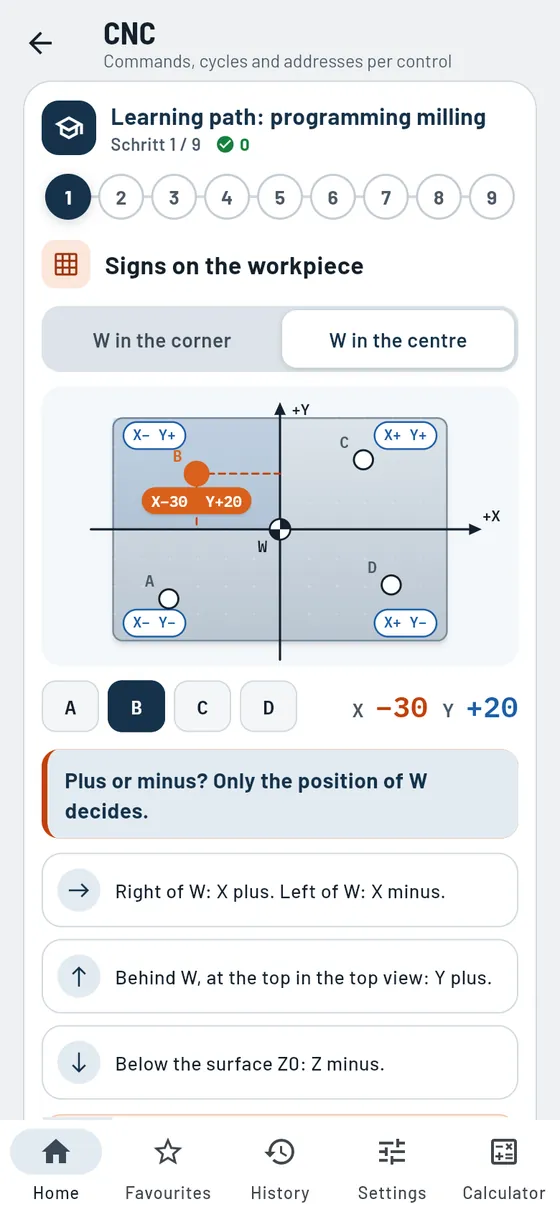
The learning path: CNC step by step
One lesson after another, with a progress bar. Every lesson has a sketch to tap, a key statement, short explanations, a rule to remember, the most common mistakes and two quiz questions with explanations. The learning path is free.
Programming milling
- Signs on the workpieceWorkpiece zero in the corner or in the centre. Tap points, read off plus and minus.
- Zero points G54 to G57Choose the zero offset. Transposed digits show where it crashes.
- Circular arc: I and JRead off the centre point, work out I and J yourself and have them checked.
- Climb milling and direction of travelOuter contour and pocket, G41 or G42, the path runs as an animation.
- PlungingVertical, on a ramp or helical, each with an assessment.
- Defining and calling cyclesFirst define the cycle, then call it at the position. Tap the addresses.
- Repeating with G23The program highlights which blocks are repeated.
- Switching on and operating modesWhat applies after switching on and when to use which operating mode.
- Avoiding crashesTypical mistakes with their consequences and what protects against them.
Programming turning
- X is the diameterTap points on the shaft, in absolute and in incremental dimensions.
- Cutting speed G96 and G92How the spindle speed changes with the diameter, with and without a limit.
- Circular arc: I and KThe arc trainer for the lathe.
- Tool nose radius: G41 or G42External and internal, for every feed direction.
- Roughing and finishingRoughing with G81, finishing with G23.
- Cycles for form elementsRelief groove, groove, thread and bore.
- Switching on and operating modesWhat applies after switching on and when to use which operating mode.
- Avoiding crashesTypical mistakes on the lathe and how to prevent them.
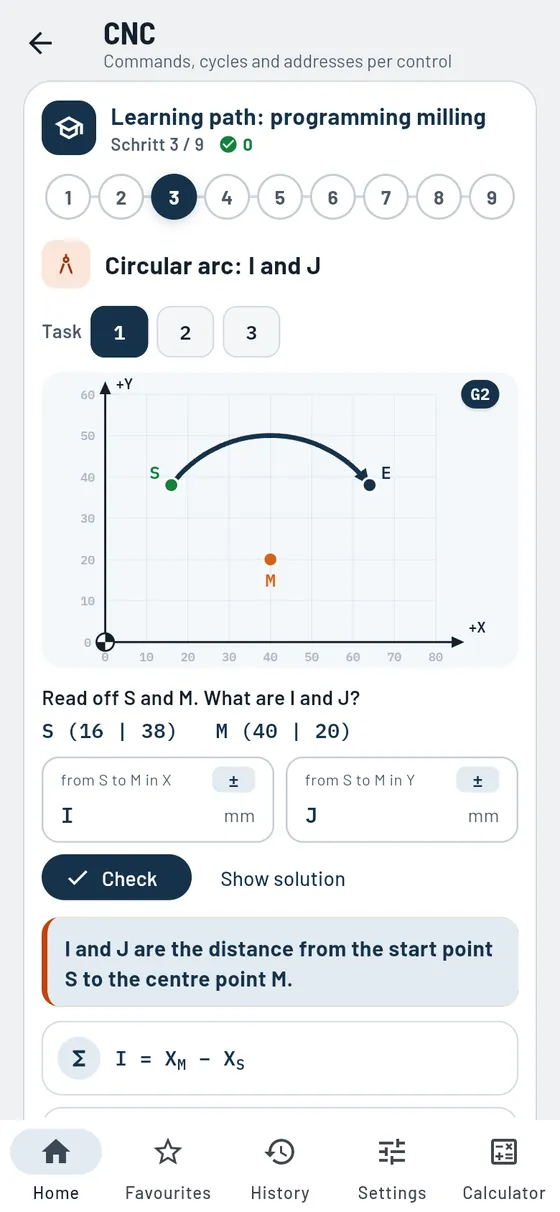
Try it out instead of memorising
Calculate yourself, get instant feedback
For a circular arc you read off the start point and centre point and enter I and J yourself. Gesello checks your solution and shows the calculation steps if it is wrong. That is exactly how you learn what counts at the machine.
- Sketches to tapPoints, contours and paths react to your finger.
- Quiz questions with explanationsFor every answer you find out why it is right or wrong.
- Common mistakesForgotten signs, G2 and G3 swapped, I and J calculated from W: the classics are included.
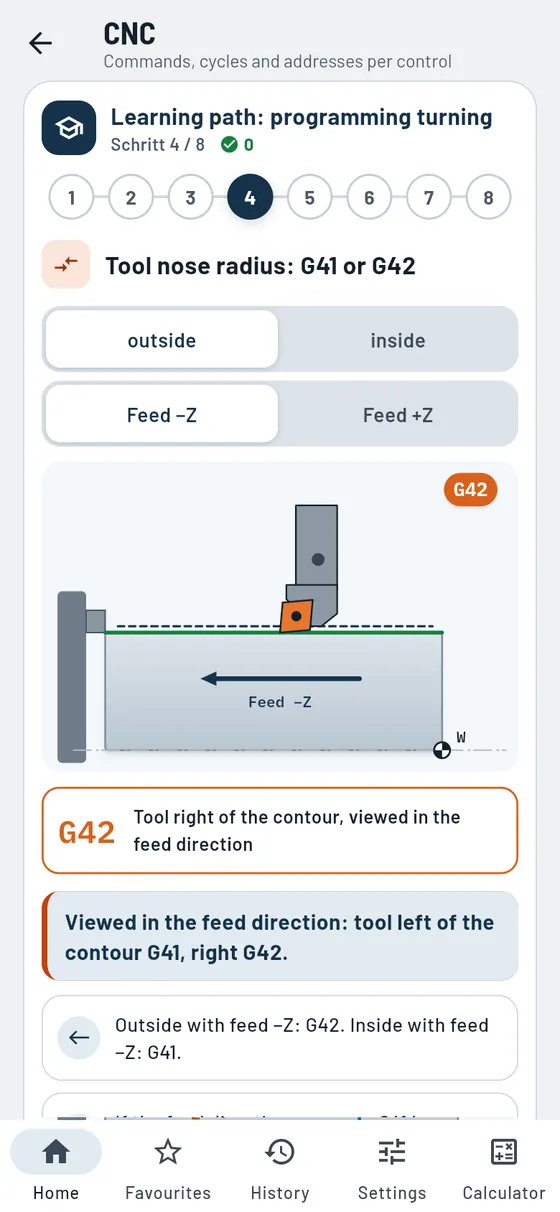
Turning and milling kept separate
Each technology with its own sketches
Turning and milling follow their own rules. Gesello explains them separately, with their own texts, sketches and examples. In turning X is the diameter, in milling X and Y are measured from the workpiece zero.
- Tool nose radius compensationExternal and internal, for both feed directions. You switch over and see whether G41 or G42 applies.
- Basics as topic cardsAxes, zero points, block structure, types of control, absolute and incremental dimensioning, each with a key statement and sketch.
- From topic to practiceFrom every topic card a button takes you straight to the matching lesson.
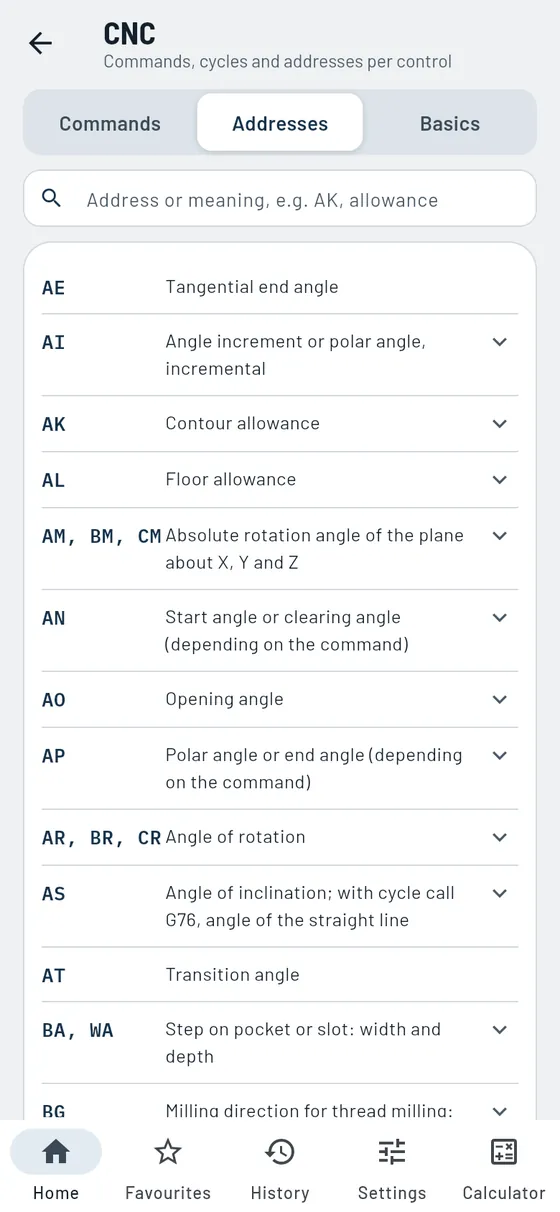
Look it up
All commands and addresses
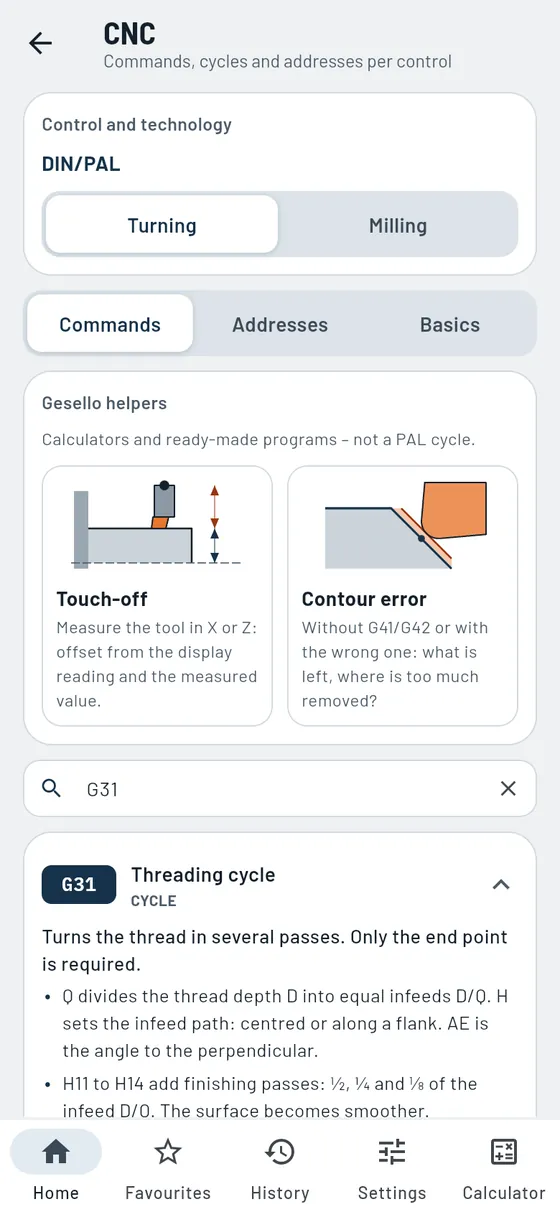
The command list for turning and milling is free. Every G and M code has a short explanation, many have a sketch and an example block to copy. In the Addresses tab you find every address letter with its meaning. Tapping one shows the commands that use it.
- Search by command or keywordG85, relief groove or pocket, the search finds the right command.
- Over 160 example blocksA finished NC line shows how the command appears in the program.
- Modal or non-modalYou see which commands stay active and which only apply in their own block.
Gesello Pro
Cycles with input mask
With Pro you fill in cycles in a mask, just like on the control. Every address is marked: required, required within a group or optional. If a required address is missing, Gesello tells you. You copy or share the finished NC block with one tap.
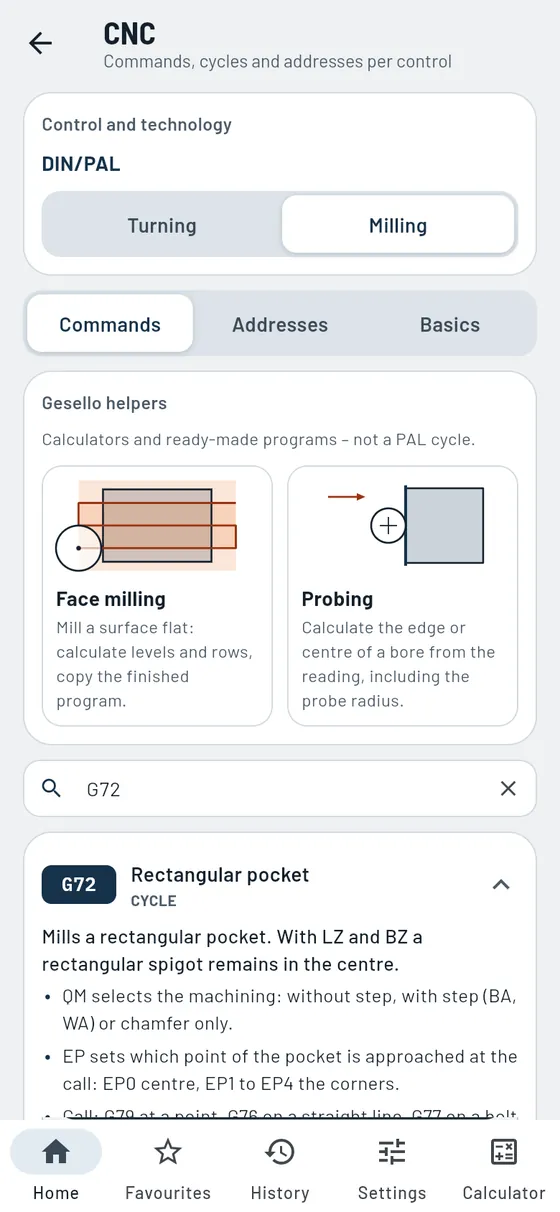
- Sketch with all addressesPocket, slot, bolt circle, relief groove and thread with a dimensioned sketch.
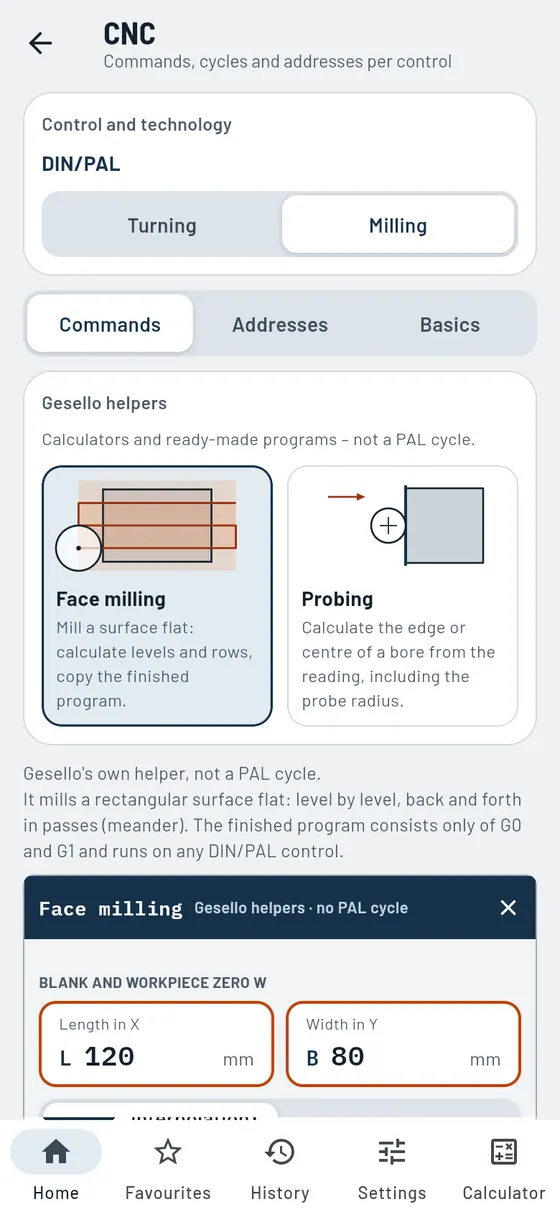
- Helpers for the workshopFace milling with a finished program, probing, touch-off and contour error without compensation.
- Buy onceGesello Pro is yours for good, no subscription.
Question in, answer out
Typical questions from the workshop and vocational school that Gesello answers in the learning path and the command list.
Basics that stick
Every basics topic is a card with a key statement, short lines instead of a block of text, a “Remember” box and a sketch. The axes follow the right-hand rule, and you program as if only the tool moves. That way you build up, step by step, the knowledge you need for every CNC program.
The commands are checked against the current PAL version, separately for turning and milling.

Who is it for?
Apprentices
CNC machinists, industrial mechanics, toolmakers and everyone learning CNC in their apprenticeship. The learning path explains every step and tests what matters.
College and exams
Practise circular arcs, compensations and cycles until they stick. The quiz questions show where you still struggle.
Skilled workers at the machine
Quickly look up what a command does and which addresses a cycle needs, without a thick manual.
Trainers and teachers
The sketches and lessons fit well into teaching. No account, no data collection, in 18 languages.
The CNC module
CNC
FreeLearning path, all G and M codes and addresses free. Cycles with input mask in Pro.
What does G85 do, which addresses does G72 need, how do I calculate I and J? An interactive learning path takes you through turning and milling in 17 lessons. The command list is free, every command with an explanation, many with a sketch and example block. With Pro you fill in cycles in a mask just like on the control and copy the finished NC block.
- Learning path
17 lessons with sketches to tap, arc trainer and quiz questions. - Command list
184 G and M codes to DIN/PAL, with search field and example blocks. - Over 60 sketches
Pocket, slot, bolt circle, relief groove, thread, path compensation. - Cycle masks Pro
Enter the addresses, copy the NC block. - Basics
Topic cards on axes, zero points, block structure, absolute and incremental dimensioning.
Also in the module
- Turning and milling kept separateSeparate commands, sketches and helpers for each technology.
- Commands by groupPath commands, approach, planes, polar coordinates, cycles and M functions, neatly grouped.
- Driven toolsDrilling and milling on the lathe, on the end face and lateral surface.
- Example blockAn NC line to copy for many commands.
- AddressesAll address letters in alphabetical order with search. Tapping one shows the commands that use it.
- Checked against PALCommands and power-on defaults according to the current PAL version.
- Infeed method in thread turningFour infeed methods as sketches for the threading cycle.
- Over 70 input formsProEvery address is marked: mandatory, mandatory within a group or optional.
- Face milling helperProCalculate levels and passes, copy the finished NC program.
- Probing helperProEdge, centre and diameter of a bore from the readout.
- Touch-off helperProSetting dimension of the turning tool in X or Z from readout and measured value.
- Contour error helperProWhat happens to tapers and radii without G41/G42 or with them swapped.
- Control typesPoint-to-point, straight-line and contouring control, plus 2D, 2½D and 3D.
- Modal or non-modalWhich commands stay in effect and which apply only in their own block.
- Effect of M functionsWhether an M command takes effect at the start or at the end of the block.
- Circular arc and path compensationG2, G3, G41 and G42 with sketch and feed direction.
- Tool nose radius and contour errorWhy tapers and radii are not true to size without compensation.
- Position codeThe cutting edge position in turning, with a sketch for each position.
- Measuring the toolExplained separately for turning and milling.
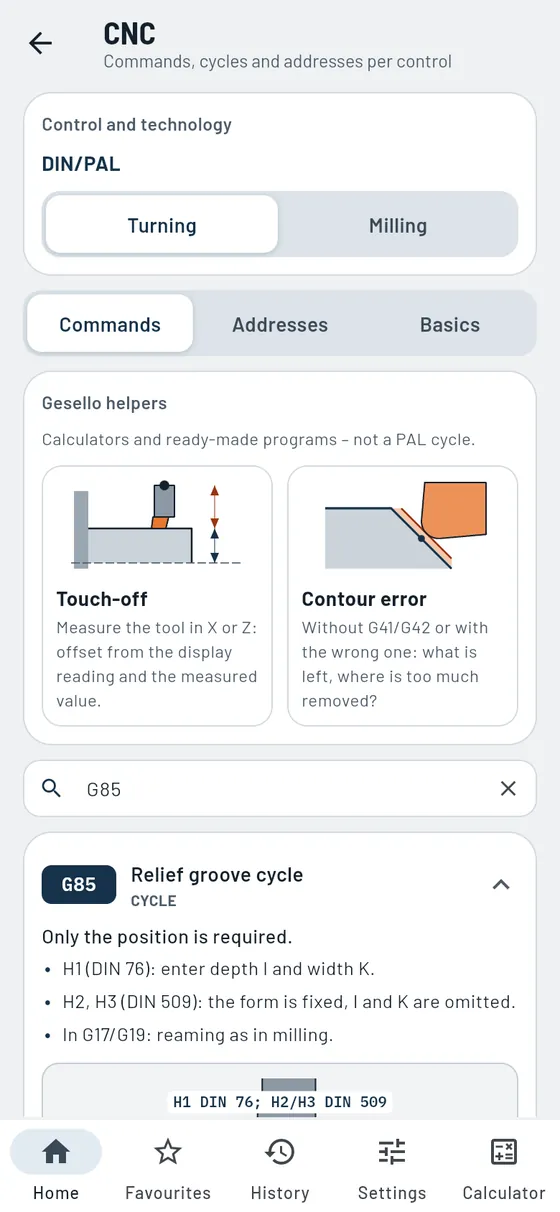
A relief groove is to be turned on a shaft. Which addresses does the cycle need?
G85- Required
- Position X and Z
- Optional
- Depth, width, radius, form
- Plus
- Sketch with all addresses

Frequently asked questions
What does the CNC learning path cost?
Nothing. The learning path, basics, command list and addresses are part of the free part of Gesello. You unlock the cycles with input mask and the helpers with Gesello Pro, with a one-off purchase and no subscription.
Which control does this apply to?
For programming to DIN/PAL, as used in training and exams for metalworking trades. The basics such as axes, zero points, circular arcs and compensations apply to every control. Commands and cycles of individual manufacturers may differ.
Do I need any prior knowledge?
No. The learning path starts with the signs on the workpiece and builds on them. If you already program, you jump straight to the lesson you need.
Does it work without internet?
Yes. Gesello runs entirely on your device, even on the shop floor with no signal.